

Chess PGN Master
A Journey of Improvement
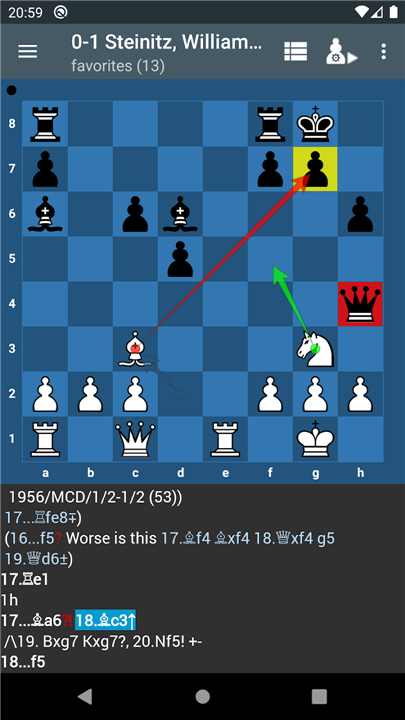
• Imagine yourself poring over the decisive game that decided a world championship, trying to grasp every subtle move.
• That’s exactly what Chess PGN Master brings to your fingertips.
• Whether you’re an enthusiastic novice or a seasoned competitor, this tool guides you through three pillars of chess mastery:
+ Learning from grandmaster games and understanding their strategic decisions
+ Studying critical endgame positions to turn small advantages into wins
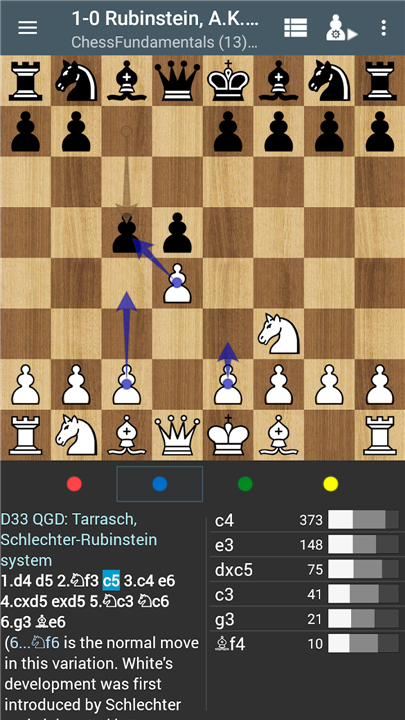
+ Building a solid repertoire in the openings you play regularly
What the Trial Version Offers
To help you begin that journey, the trial version lets you:
• Browse up to 20 games per PGN file
• Navigate moves easily by tapping the board’s edges
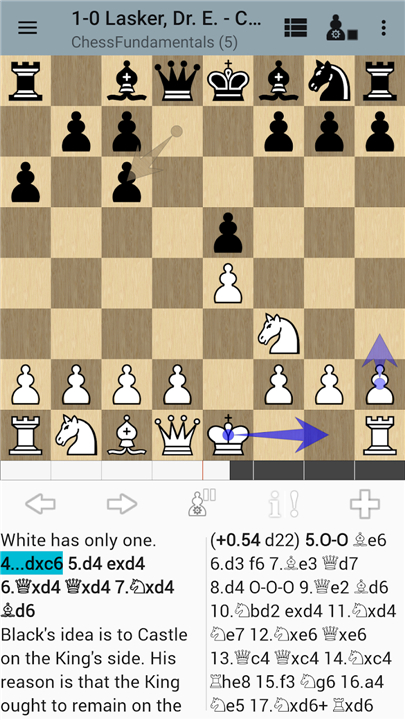
• Analyze positions with Stockfish 13 (limited to one suggested move per position)
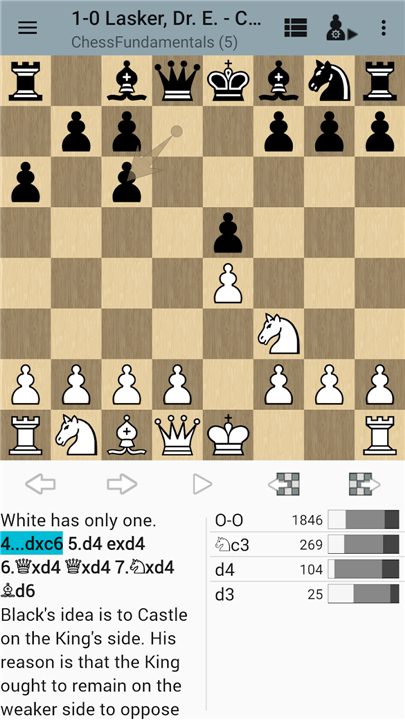
• Load and replay a sample PGN file featuring six annotated games from José Raúl Capablanca’s “Chess Fundamentals”
Reach Beyond the Basics—Pro Features Await
• When you’re ready to dive deeper, unlock the full power of Chess PGN Master by purchasing the Pro Key at
http://play.google.com/store/apps/details?id=com.kalab.pgnviewerpro
• The Pro upgrade removes all restrictions and enables saving your edited games.
Core Features That Inspire Growth
1. Game Review & Annotation
• Enter your own games and run a blunder check to pinpoint mistakes
• Share and import PGN or Scid files (with Scid on the Go)
2. Advanced Analysis
• Full integration with Stockfish 13 or any UCI/OE engine (Komodo, etc.)
• Play any position against the engine to test your ideas
3. Seamless Hardware Integration
• Connect and interact via ChessLink protocol or Bluetooth with a wide range of electronic boards (Millennium, Certabo, DGT, Chessnut, Square Off Pro)
4. Enhanced Study Tools
• Colorable squares and arrows for highlighting tactics
• Support for Chess960 castling conventions
• Autoplay mode so you can watch master games unfold at your preferred pace
5. Cloud Connectivity
• Sync PGN files through Google Drive, Nextcloud, or Seafile
Embark on your personal chess odyssey today
• The trial version is just the beginning—unlock professional‐grade study features and save your progress by upgrading to Pro.
• Your path to deeper insights and stronger play starts now.
FAQ
Q: What makes Chess PGN Master stand out as a study tool?
A: Chess PGN Master combines the rigor of grandmaster analysis with the flexibility of a personal study environment. Instead of merely replaying moves, it invites you to uncover the strategic ideas behind championship games, practice critical endgames, and fine-tune an opening repertoire tailored to your style. With seamless integration of powerful engines and hardware, it offers a complete ecosystem that adapts to both casual learners and serious competitors seeking deeper insights.
Q: What are the core pillars of chess mastery emphasized in this app?
A: The app revolves around three foundational pillars: learning from annotated grandmaster games to understand long-term strategies, drilling essential endgame scenarios to convert small advantages into wins, and building a robust opening repertoire for the lines you play most often. Together, these dimensions ensure you’re improving in every phase of the game, rather than focusing narrowly on tactics or a single opening.
Q: What can I do with the trial version of Chess PGN Master?
A: The trial version lets you explore up to twenty games per PGN file, navigate move by move through intuitive board taps, and run a basic Stockfish 13 analysis that offers a single suggested move per position. You’ll also have access to a curated sample PGN featuring six annotated games from Capablanca’s “Chess Fundamentals,” so you can immediately experience the learning workflow before deciding whether to upgrade.
Version History
v3.6.3——27 Jan 2026
Chess PGN Master. The professional way to view and edit PGN files. Download the latest version of Chess PGN Master to enjoy new features and updates immediately!
*3.6.3
● Fixed language settings on Android 12 and earlier.
● Added OTB import for the Chessnut Move e‑board.
● Changed the OTB button to a download‑icon button.
*3.6.2
● Added compatibility for the Chessnut Move e-board.
*3.6.1
● Fixed an issue that occurred when creating or adding new games on some Xiaomi devices running HyperOS.










Ratings and reviews
There are no reviews yet. Be the first one to write one.