


Introducing Who's on My WiFi!
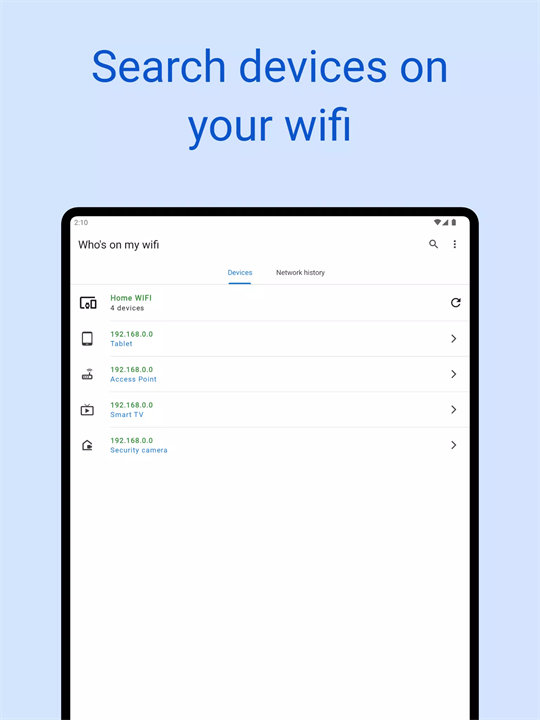
Who's on My WiFi by Magdalm is an Android app designed to help users monitor their Wi-Fi network by identifying and displaying all connected devices. The app provides detailed information about each device, including device names and IP addresses, enabling users to manage their network more effectively and spot any unauthorized connections.
Features:
1. Device Detection: Scans your Wi-Fi network to list all connected devices, showing details like device names, IP addresses, and MAC addresses.
2. Real-Time Monitoring: Provides real-time updates on the status of devices connected to your network, helping you stay informed about any changes.
3. Unauthorized Device Alerts: Alerts you to any unknown or unauthorized devices on your network, allowing you to take action to secure your network.
4. Network Security Management: Offers insights and tools for managing network security, such as suggestions for improving your Wi-Fi password and network settings.
5. User-Friendly Interface: Features an intuitive and easy-to-navigate interface that simplifies the process of monitoring and managing your Wi-Fi network.
Top Five FAQs on Who's on My WiFi:
1. How does Who's on My WiFi detect connected devices?
- The app uses network scanning techniques to identify devices connected to your Wi-Fi network. It collects information such as device names, IP addresses, and MAC addresses to provide a comprehensive list of connected devices.
2. Can the app detect devices on networks other than my own?
- No, Who's on My WiFi can only scan and detect devices on the Wi-Fi network to which your device is currently connected. It cannot scan other networks.
3. How can I identify unknown devices on my network?
- The app displays all devices connected to your network, including their names and IP addresses. If you see a device that you do not recognize, it may be an unauthorized user. You can use this information to take appropriate security measures, such as changing your Wi-Fi password.
4. Does the app require root access to work?
- No, Who's on My WiFi does not require root access. It works with standard permissions to scan and display information about devices on your network.
5. Can I block or remove devices using the app?
- The app itself does not have the capability to block or remove devices from your network. It provides information and alerts about connected devices. To block or remove devices, you would need to access your router's settings through its admin interface.
--
What's New in the Latest Version 26.0.2
Last updated on Jul 30, 2024
* Update for Android 14.
* Fixes and improvements.









Ratings and reviews
There are no reviews yet. Be the first one to write one.