

Materializr
Professional CAD for iPad
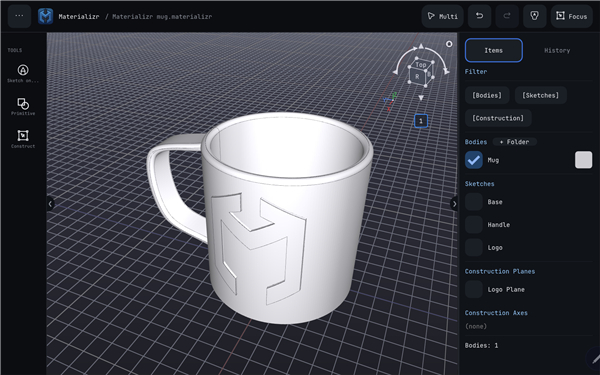
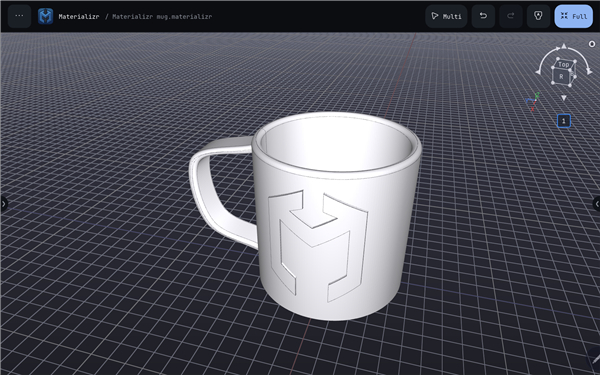
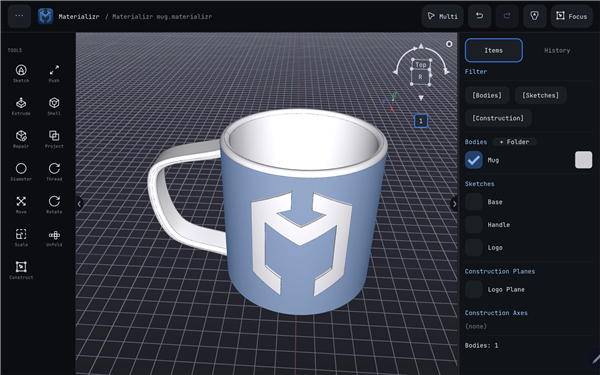
• Materializr brings the power of real parametric solid modeling to your iPad.
• By leveraging the same industrial-grade B-rep geometry kernel found in professional desktop CAD software, it provides a robust engineering toolset wrapped in an intuitive, touch-first interface specifically designed for makers, engineers, and designers.
Core Functionality and Workflow
1. True Parametric Design:
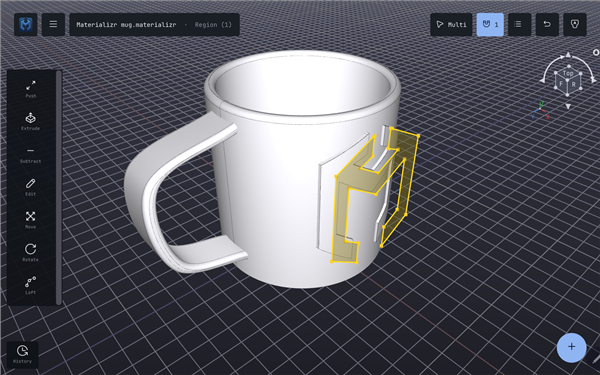
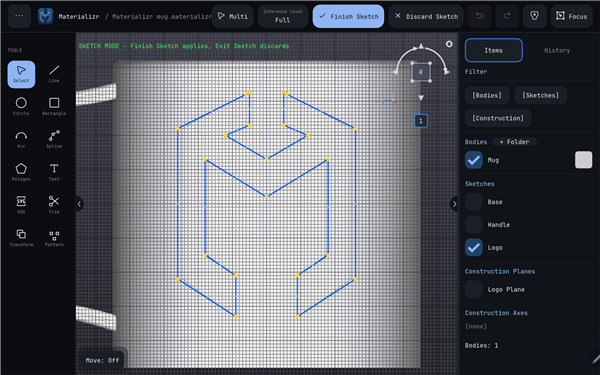
• Build complex geometries by sketching on any plane or face.
• Use intuitive extrude and modify commands to turn 2D sketches into sophisticated 3D solids.
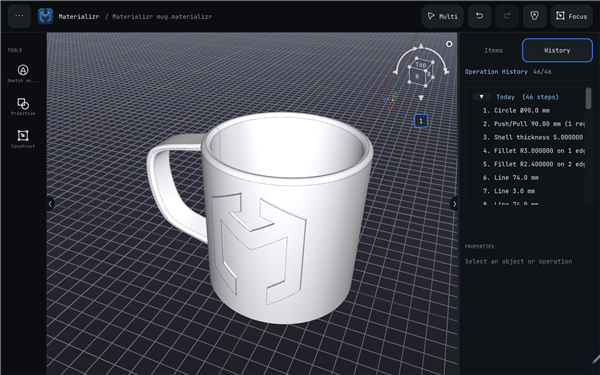
2. Persistent Design History:
• Edit any step of your modeling process at any time, even after exiting the application.
• The parametric history ensures your modifications propagate throughout the part.
3. Seamless Fabrication:
• Once your design is complete, export high-resolution STL files directly from the app, making it ready for immediate 3D printing.
Privacy and Philosophy
1. Zero-Dependency Design:
• There are no accounts to create, no subscriptions to manage, no intrusive ads, and no locked features.
2. Data Sovereignty:
• Your design files stay locally on your device.
• They never touch a cloud server, ensuring complete privacy and offline functionality.
3. Community-Supported:
• Materializr is completely free.
• If the software becomes an essential part of your workflow, an optional supporter tip is available to assist with ongoing development.
Open Source Commitment
1. GPLv3 Licensing:
• Materializr is developed entirely in the open under the GNU General Public License v3, ensuring the software remains free for everyone.
2. Transparent Development:
• The complete source code, technical documentation, and community discussion boards are hosted on GitHub at github.com/materializr-cad/materializr.
• Users are encouraged to contribute to the codebase or provide feedback to help shape the future of mobile CAD.
FAQ
Q: Can I go back and change a dimension or feature after I have already moved on to other steps?
A: Absolutely. Because Materializr maintains a persistent design history, you can edit any previous step in your modeling process at any time. When you make a change to an early feature, the software automatically propagates those modifications throughout the rest of your model.
Q: Does this app require an internet connection to function?
A: Not at all. Materializr is designed to be fully functional offline. Since all your files are stored locally on your iPad, you never need an internet connection to design, save, or export your projects.
Q: Will I need to create an account or sign in to use the features?
A: You will not need to create an account, log in, or register to use Materializr. The philosophy behind the app is to eliminate friction, so you can simply download the app and start designing immediately without any registration hurdles.
Version History
v1.5.0——20 Jul 2026
Real parametric CAD on your tablet — sketch, extrude, export and more. Download the latest version of Materializr to enjoy new features and updates immediately!
*1.5.0
File exchange, wholesale — BREP import/export, OBJ + 3MF export, sketch → DXF export, and DXF import that stamps laser/CNC profiles straight into a sketch.
IGES now applies the Y-up/Z-up conversion.
Project files prefer the shorter .mzr extension (.materializr still opens).
*1.4.3
Duplicated sketches are now independent of the original's body
Soft keyboard appears on tapping Push/Pull / Extrude / Fillet value fields
Snap to grid honored by Extrude, Push/Pull and Move Face
*1.4.2
Mobile keyboard invocation. On touch devices, if you dismissed the on-screen keyboard with the system control while a text field was still focused, tapping the field again wouldn't bring the keyboard back. Re-tapping a focused field now reliably re-raises the keyboard.











Ratings and reviews
There are no reviews yet. Be the first one to write one.