

Simple Notes Sync
Your Brain, Unplugged
• Most apps act like needy houseguests, demanding your email address and tracking your every tap.
• Simple Notes Sync is different. It is a tiny, lightning-fast vault for your ideas that stays exactly where you put it: on your device.
• We do not have servers, which means we cannot track you even if we wanted to.
Take Back Control
• Your data stays yours: No accounts, no cloud subscriptions, and zero tracking.
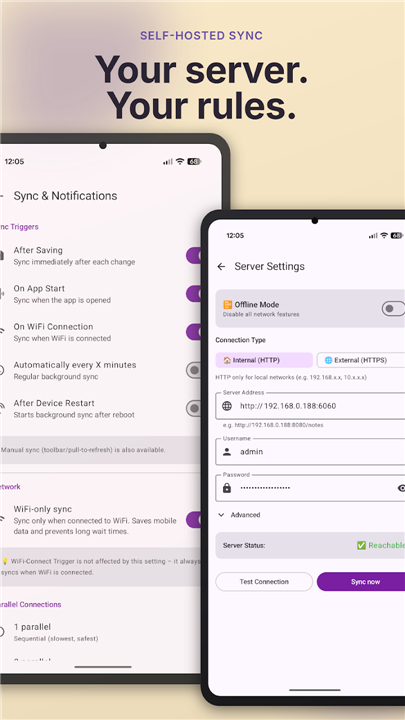
• Total Sync Autonomy: Connect your own WebDAV server (like Nextcloud) to access notes anywhere. You choose exactly when and how your data updates.
• Built for Speed: Under 5 MB, instant startup, and fully functional offline.
Master Your Chaos
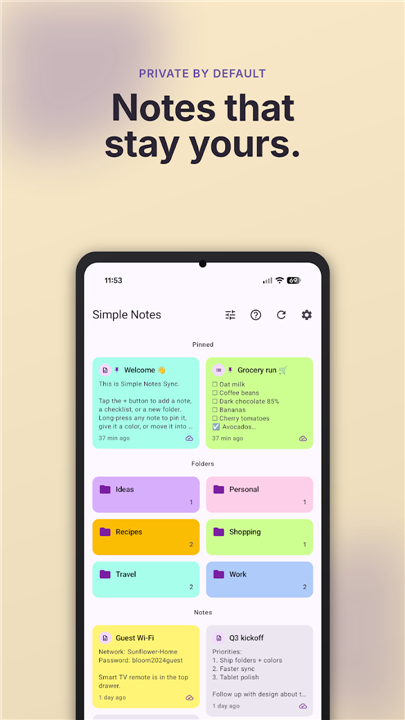
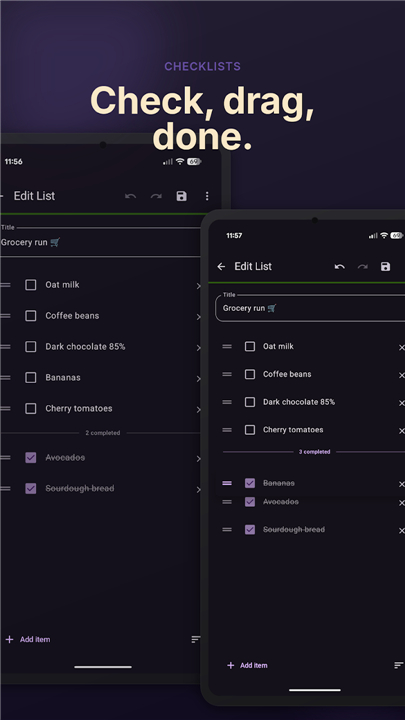
• Organize effortlessly with color-coded folders, drag-and-drop checklists, and pinned priority notes.
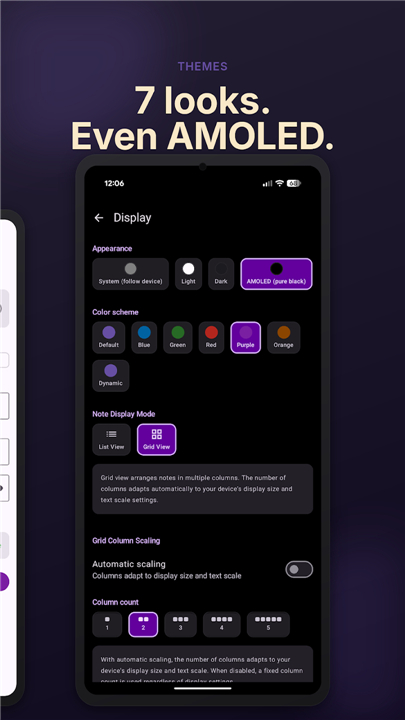
• Customize your workspace with grid or list views and flexible sorting options.
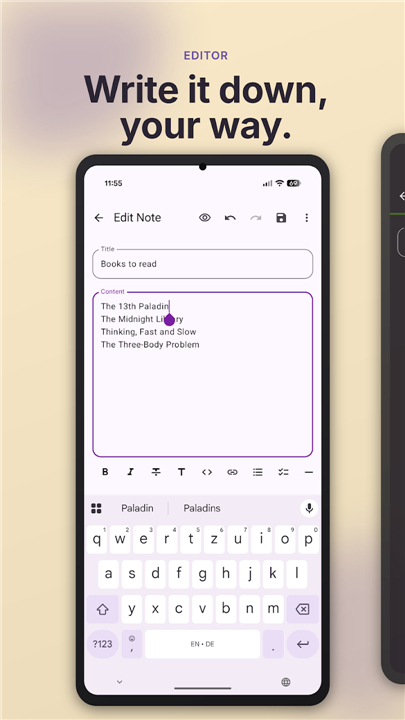
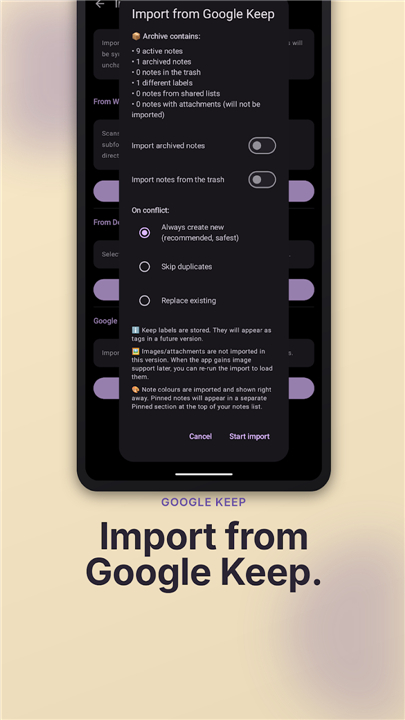
• Import from Google Keep or use standard Markdown to play nice with Obsidian and VS Code.
Your Rules, Your Hardware
• Freedom of choice: Sync over Wi-Fi, VPN, or on your own schedule.
• Advanced peace of mind: Smart conflict resolution, self-signed SSL support, and encrypted local backups.
Polished Performance
• Modern Material 3 design with beautiful color themes, including deep AMOLED black.
• Battery-conscious background syncing that respects your phone's lifespan.
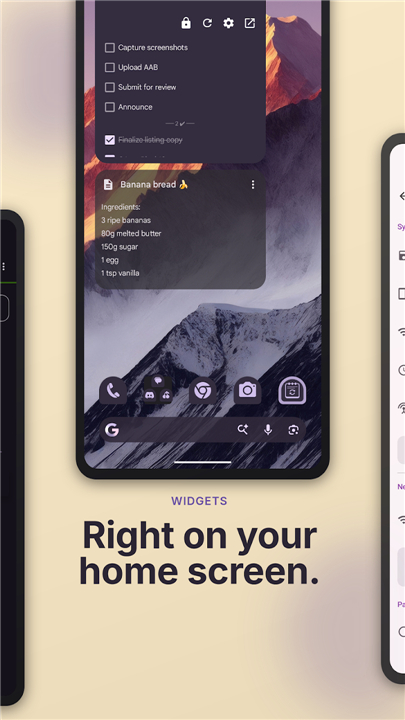
• Interactive home-screen widgets for quick capture when inspiration strikes.
Fully Transparent
• Open source (AGPL-3.0) and built on a clean, modern Kotlin codebase.
• If you do not trust us, you can inspect the code yourself.
• Source code: https://github.com/inventory69/simple-notes-sync
FAQ
Q: Where exactly are my notes stored when I use this app?
A: Your notes are stored locally on your own device. Because we do not operate any servers, your data never leaves your possession unless you choose to sync it to your own personal storage solution.
Q: How does the synchronization process work if there is no central server?
A: You can achieve synchronization by connecting the app to your own WebDAV server, such as Nextcloud. This gives you complete autonomy, allowing you to choose exactly when and how your data is updated, whether that is over Wi-Fi, a VPN, or a schedule that you define.
Q: Can I use Simple Notes Sync without an internet connection?
A: Absolutely. The application is built to be fully functional offline, making it a reliable vault for your ideas regardless of your connectivity status. It will sync your changes with your WebDAV server the next time you have a connection.
Version History
v2.11.0——6 Jul 2026
Offline notes & checklists, self-hosted sync. Under 5 MB, no ads, no tracking. Download the latest version of Simple Notes Sync to enjoy new features and updates immediately!
*2.11.0
Archive & Organize
• Archive notes to keep them out of the way without deleting
• Sort each folder independently; the choice sticks
• Pick a default color for new notes
• Adjustable note preview length
• Fenced code-block button in the Markdown toolbar
• Fix: PDF export now renders real Markdown formatting
• Safer sync-folder switching with a data-handling prompt
• Updated translations: IT, ZH-Hans
*2.10.0
Lock & Tidy
• App lock: biometric/PIN unlock, blocks screenshots while active
• Trash: configurable auto-delete (Immediately-90 days)
• Paste rich text (Word/Docs/Telegram) as Markdown
• Collapsible & reorderable list sections
• Fix: app freeze scrolling notes with long previews
• Updated translations: ES, IT, ID, NB, ZH-Hans
*2.9.0
In-app changelog
• New: native in-app Changelog screen, opened from Settings and the "What's New" sheet
• New: Contributors screen in About
• New: text in the markdown preview is now selectable
• Fix: developer options stay visible until the app restarts
• Updated translations: Spanish, Chinese (Simplified)











Ratings and reviews
There are no reviews yet. Be the first one to write one.