
MobiPDF: PDF Editor & Scanner APK
11.9.267330
MobiPDF: PDF Editor & Scanner
MobiPDF: PDF Editor & Scanner APK
Download for Android
MobiPDF: PDF Editor & Scanner
Overview
• Transform how you work with PDF files using MobiPDF, the all-in-one editor and scanner designed to help you view, create, edit, and protect documents effortlessly—right from your phone, wherever you are.
• As a proud member of the PDF Association, MobiPDF combines expert tools with smart technology to bring professional PDF handling to your fingertips.
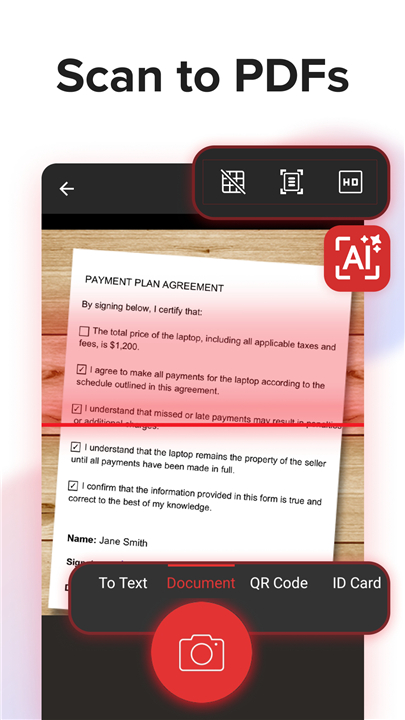
Smart Scanning, Powered by AI
Turn your paper documents into digital perfection.
• Capture scans with intelligent edge detection and image enhancement.
• Convert receipts, contracts, certificates, IDs, and reports into editable PDFs in seconds.
• Achieve consistently sharp, clear results that preserve every detail.
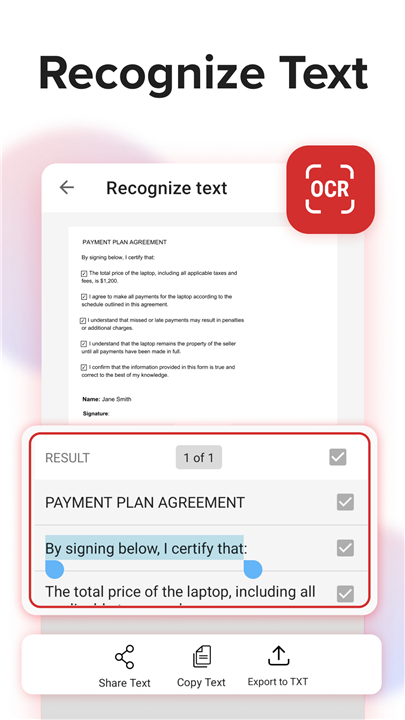
Accurate Text Recognition (OCR)
Let MobiPDF read your documents for you.
• Extract text from images or scanned pages with precision.
• Instantly share recognized text via email, messaging apps, or cloud services.
• Save time by converting printed words into searchable, editable content.
Advanced PDF Editing
Create, modify, and personalize your PDFs like a pro.
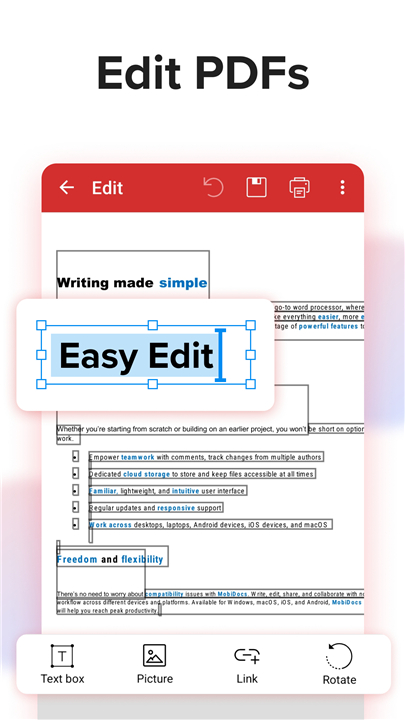
• Edit existing documents or start from a blank page.
• Add or adjust text, images, comments, drawings, and signatures.
• Incorporate security certificates and annotations with ease.
Fill and Sign on the Go
Say goodbye to printing and scanning forms.
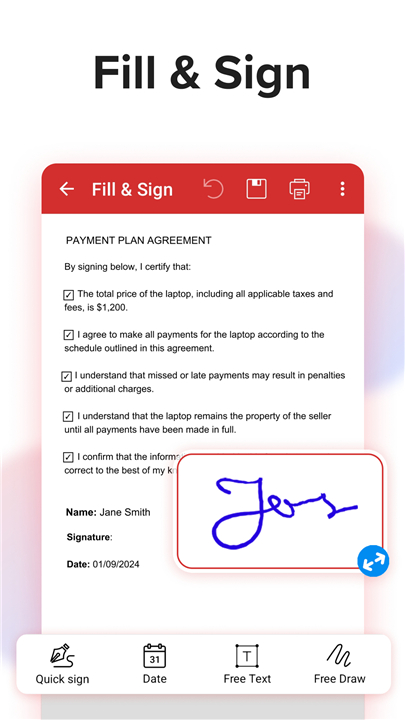
• Complete fillable PDFs directly on your device.
• Add a personal signature by drawing or reusing saved versions.
• Share and send completed forms instantly.
Print and Convert with Confidence
Handle every file format you need.
• Print PDFs wirelessly from your smartphone.
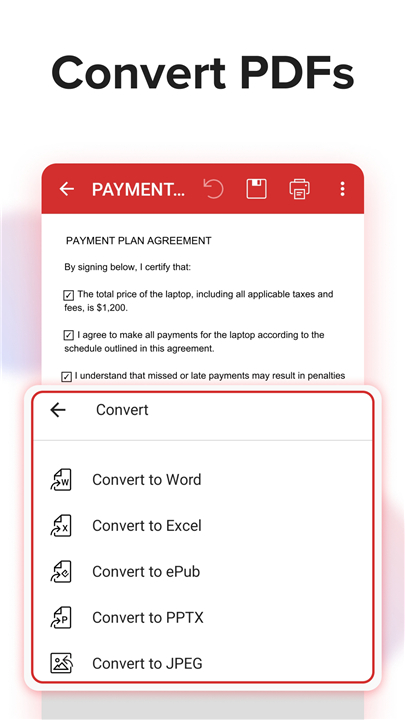
• Convert PDFs to Word, Excel, PowerPoint, or ePub without losing formatting.
• Transform image files (PNG, JPEG) into PDFs—or back again—using MobiPDF’s built-in converter.
Protect Your Documents
Keep your information safe and secure.
• Apply passwords to lock or encrypt sensitive files.
• Restrict access permissions as needed.
• Add digital certificates for document authenticity and trust.
Cloud Backup and Storage
Never lose your important files.
• Sign in to access 5 GB of free storage on MobiDrive.
• Upgrade to MobiPDF Premium for an additional 50 GB.
• Access your scans and PDFs anytime, from any device.
Read, Review, and Comment
Enjoy a flexible reading and reviewing experience designed for productivity.
• Switch seamlessly between viewing modes or activate Read Mode for focus.
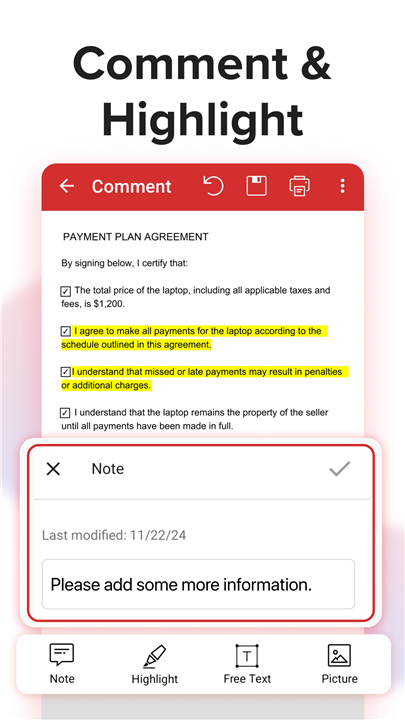
• Add comments, drawings, highlights, or stamps directly onto pages.
• Attach files and collaborate effortlessly with others.
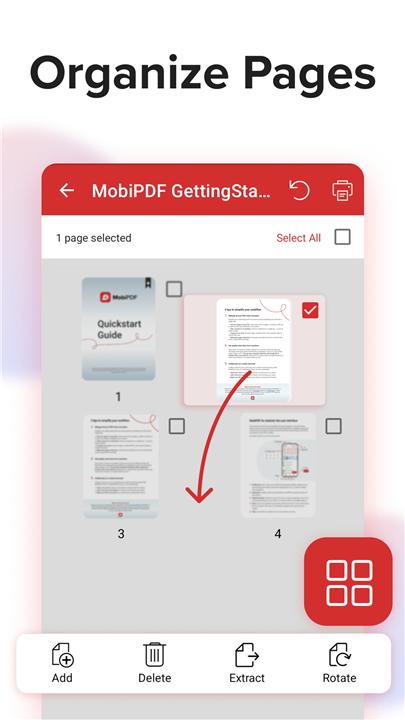
Organize Pages and Merge PDFs
Take control of your document structure.
• Rearrange, delete, duplicate, or rotate pages in seconds.
• Merge multiple PDFs into one cohesive file.
• Extract or insert pages to build a perfectly organized layout.
Subscription Information
Unlock the full experience through in-app purchases.
• All payments are processed via the Google Play Store upon confirmation.
• Auto-renewal occurs unless canceled at least 24 hours before the end of the billing period.
• Manage your subscription in your Google Play Account settings.
Need More?
• Explore the free MobiPDF version for Windows desktop:
+ https://mobisystems.com/en-us/mobipdf
• Help & Support: https://support.mobisystems.com/hc/en-us/sections/20794400214045-Android
• Privacy Policy: https://mobisystems.com/en-us/privacy-policy
• Terms of Use: https://mobisystems.com/en-us/terms-of-use
MobiPDF—where mobile productivity meets powerful simplicity.
FAQ
Q: How does MobiPDF’s AI-powered scanning feature work?
A: The app uses intelligent edge detection and image enhancement to capture clear, high-quality scans of physical documents. Simply point your phone’s camera at a receipt, contract, or certificate, and MobiPDF automatically detects edges, corrects perspective, and balances lighting for a perfect result. You can then save or convert your scan into an editable PDF.
Q: Can MobiPDF recognize text from images or scanned pages?
A: Yes, MobiPDF includes built-in Optical Character Recognition (OCR) technology. It can accurately extract text from scanned pages or photos, allowing you to search, edit, or share the recognized content. This is especially useful when you need to make quick edits or reuse printed information digitally.
Q: What kind of editing options are available in MobiPDF?
A: You can edit virtually every aspect of a PDF. MobiPDF lets you add or modify text, adjust images, include shapes or drawings, insert comments, and place digital signatures. You can also annotate with highlights and notes or attach additional files. Whether you’re revising documents or signing forms, the editor gives you full creative control.
Version History
v11.9.267330——13 Oct 2025
Read, scan, edit & sign PDFs, OCR, convert PDF to Word, annotate & merge PDFs Download the latest version of MobiPDF: PDF Editor & Scanner 11.10.267399 to enjoy new features and updates immediately!
*v11.9.267330
Thank you for using MobiPDF!
• New Scan Filter: Apply the new Mono filter for crisp black-and-white scans - ideal for text documents.
• Digital Signature Validation: Ensure every signature is validated against Android root and EU/Adobe certificates.
• Sign with Evrotrust: Sign documents securely and conveniently using Evrotrust - legally binding and accepted worldwide.
Enjoying MobiPDF? Leave us a review - it helps us improve!
*11.8.267277
Thank you for using MobiPDF!
• Request a Tool: Let us know the tool you need to improve your experience.
• Improvements & Fixes: Enjoy a smoother, more stable MobiPDF with every update.
Enjoying MobiPDF? Leave us a review - it helps us improve!
*11.8.267269
Thank you for using MobiPDF!
• Request a Tool: Let us know the tool you need to improve your experience.
• Improvements & Fixes: Enjoy a smoother, more stable MobiPDF with every update.
Enjoying MobiPDF? Leave us a review - it helps us improve!









Ratings and reviews
There are no reviews yet. Be the first one to write one.