


BusinessCards
Your Modern Networking Solution
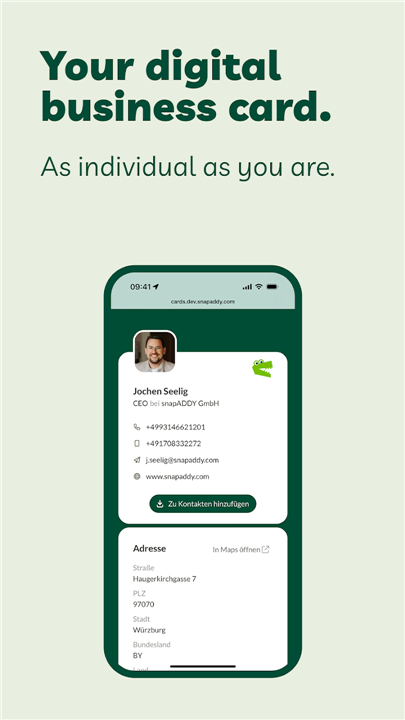
• BusinessCards by snapAddy is a powerful, easy-to-use tool for creating, sharing, and managing your digital business card.
• Whether you are attending a trade show, meeting clients, or networking daily, BusinessCards ensures you are always ready to connect.
• Accessible on your smartphone, through your web browser, or by simply sharing a QR code, it replaces outdated paper cards with a sleek, sustainable alternative.
Key Features
• Create in Seconds: Design your custom digital business card quickly with your personal or company details.
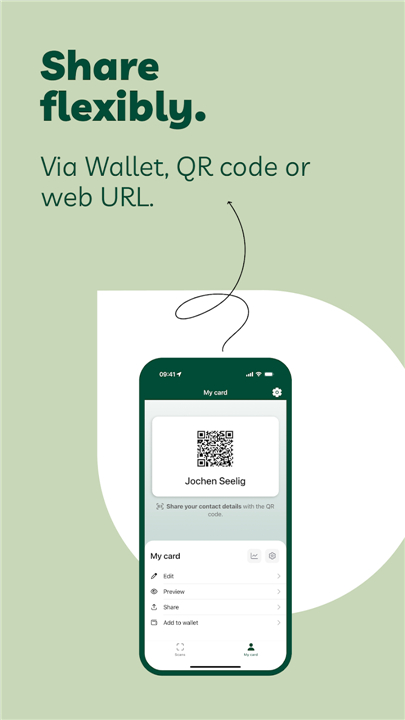
• Multiple Sharing Methods: Share your card instantly via QR code, Wallet, link, or NFC for maximum convenience.
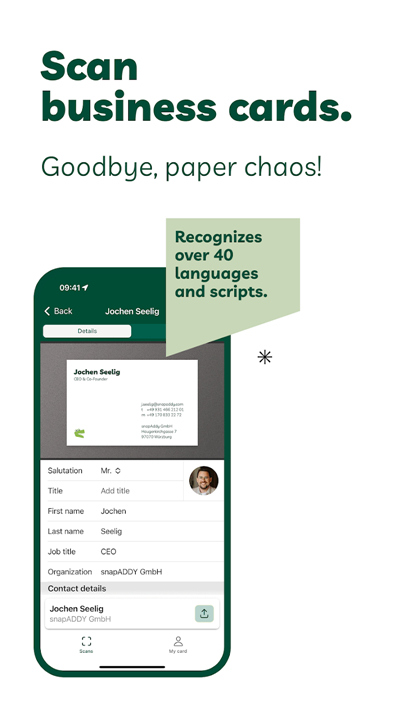
• AI-Powered Scanning: Digitize paper business cards in more than 40 languages using advanced AI recognition.
• Data Management (Pro version): Export contacts to CRM systems or Excel with built-in duplicate checking.
• GDPR-Compliant Hosting: Your data is securely stored and processed in Germany to meet strict privacy standards.
• Enhanced Contact Records: Add notes or attach files to individual contacts for better follow-up.
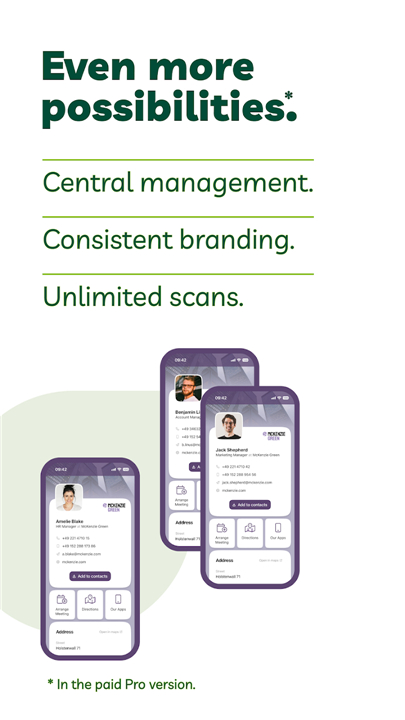
• Corporate Branding (Pro version): Customize your cards with your company’s brand identity for a professional look.
Ways to Use BusinessCards
• Without an Account: Scan up to 20 paper cards per day with no registration required.
• With a Free Account: Create your own digital card, scan contacts, and share via QR code or Wallet.
• With BusinessCards Pro: Enjoy unlimited scans, centralized contact management, CRM integration, and corporate branding—ideal for teams and organizations.
Why Choose BusinessCards?
• BusinessCards is designed for professionals who value efficiency and organization.
• It eliminates paper clutter, keeps your details up to date, and makes exchanging contact information seamless.
• Every interaction becomes a lasting connection, supported by secure technology and smart features.
Digital. Simple. Always Ready.
• With BusinessCards, you carry your professional identity wherever you go—ready to share in seconds, in any situation.
FAQ
Q: How quickly can I design my own digital business card?
A: Designing your card takes only seconds. After signing up or opening the app, you simply enter your personal or company details—name, title, contact information, logo and even social media links. The system automatically formats everything into a polished card layout. If you have a corporate template through BusinessCards Pro, your design is pre-branded to match your organization’s style guidelines, so there’s virtually no setup time.
Q: What sharing methods does BusinessCards support?
A: You can share your digital card via a scannable QR code displayed on your phone or printed on promotional materials, add it to your mobile Wallet, send a direct link by email or text, and even tap your phone against another device using NFC. Each option is designed for instant, fuss-free exchanges so you never miss a networking opportunity, whether you’re at a virtual event or face-to-face meeting.
Q: How does the AI-powered scanning feature work?
A: The AI engine in BusinessCards Pro captures and recognizes text on paper cards in more than 40 languages. You simply use your smartphone camera to scan the card, and the tool extracts names, phone numbers, addresses and more, then populates your contact list automatically. The software also flags potential duplicates, so you don’t end up with multiple entries for the same person.
Version History
v6.10.0 (7)——19 Jan 2026
Scan, share & manage business cards — digital & GDPR-compliant. Download the latest version of BusinessCards to enjoy new features and updates immediately!
*6.10.0 (7)
• Added a functionality to scan multiple business cards or QR codes in sequence.
• Added a functionality to share images from the photo gallery with the app to create a new contact.
We also made small corrections and improvements to the performance. Thanks for your feedback to our support team!
*6.9.0 (3)
• Added new visual designs to the business cards list.
We also made small corrections and improvements to the performance. Thanks for your feedback to our support team!
*6.8.0 (5)
• Added a new unified camera view to scan business cards and QR codes
We also made small corrections and improvements to the performance. Thanks for your feedback to our support team!









Ratings and reviews
There are no reviews yet. Be the first one to write one.