

Sleep Timer
Overview
• Sleep Timer is a lightweight Android utility designed to help you fall asleep peacefully while listening to music, audiobooks, or podcasts.
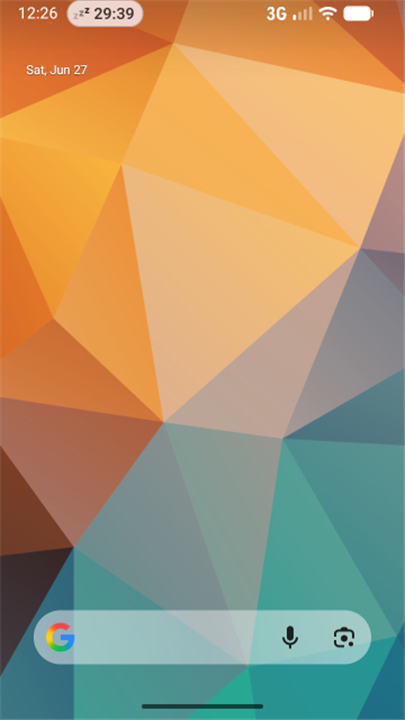
• The tool automatically pauses playback so your device does not play media all night, conserving battery and mobile data.
• To prevent sudden silence from waking you up, the app features a smooth fade-out mechanism that gradually reduces the volume before stopping the track.
Key Features
• Gentle Audio Fade: Progressively lowers the sound level in the final moments for a seamless transition into sleep.
• Universal Playback Control: Works reliably with most major music players, podcast clients, and streaming services.
• Lightweight Footprint: Runs efficiently in the background without draining system resources.
How to Set Up and Use
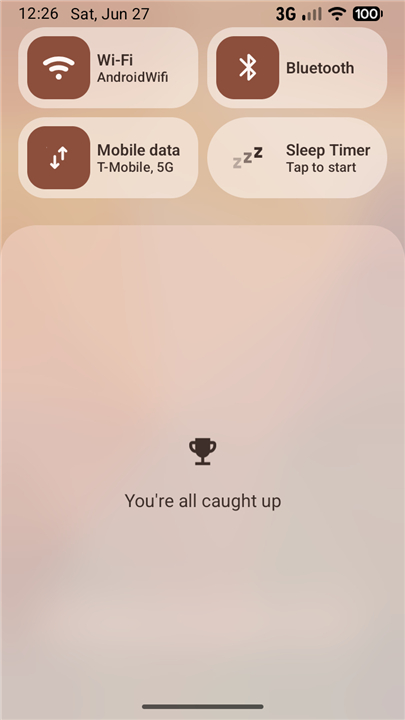
• Add the Tile: Swipe down to access the Android Quick Settings panel, tap the edit button, and drag the Sleep Timer tile into your active tray.
• Start the Timer: Tap the tile once to immediately begin the countdown.
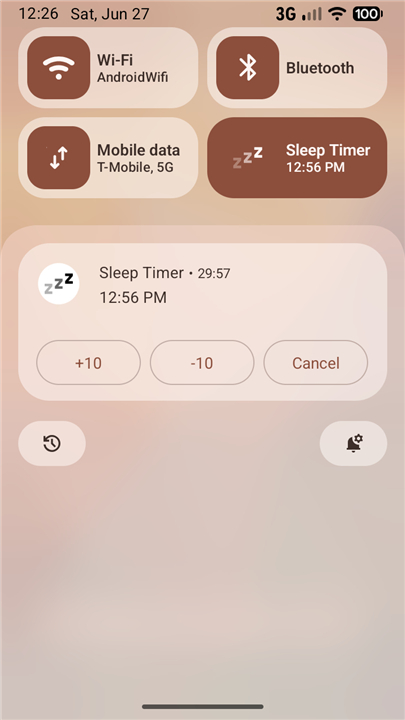
• Adjust on the Fly: Use the interactive notification controls to extend the duration, reduce remaining time, or cancel the timer instantly.
Important Usage Note
• No App Drawer Icon: To keep your device uncluttered, this utility does not create a standard launcher icon. It operates entirely through the Quick Settings panel.
Open Source Project
• Sleep Timer is free, transparent, and completely open source.
• You can view the code, contribute to development, or report issues on GitHub at: https://github.com/SimonMarquis/SleepTimer
FAQ
Q: How do I set up and add the Sleep Timer tile to my Quick Settings?
A: Setting up the app takes only a few seconds. Swipe down from the top of your screen to open the Android Quick Settings panel, then tap the edit or pencil icon to customize your layout. Locate the Sleep Timer tile in the list of available controls and drag it up into your active tray so it is ready to use whenever you need it.
Q: How do I start a countdown once the tile is in my Quick Settings panel?
A: Starting the timer is quick and effortless. Whenever you are ready to listen to your evening media, simply swipe down to reveal your active Quick Settings tray and tap the Sleep Timer tile once to immediately begin the countdown.
Q: Will Sleep Timer work with my preferred music player or podcast streaming app?
A: Yes, it features universal playback control that is built to work reliably with almost all major music players, podcast clients, and audio streaming services. It sends a standard system media pause command to your device, ensuring broad compatibility across your favorite listening apps.
Version History
v1.6.3——18 Aug 2026
Simplest Sleep Timer Download the latest version of Sleep Timer to enjoy new features and updates immediately!
*1.6.3
Migrate away from unreliable `ACTIVE_TILE` option that would keep the Tile stuck in `STATE_UNAVAILABLE`
*1.6.2
Minor bug fixes and improvements. Install or update to the newest version to check it out!
*1.6.1
Minor bug fixes and improvements. Install or update to the newest version to check it out!











Ratings and reviews
There are no reviews yet. Be the first one to write one.