

Photo 3D
Overview
• Photo 3D offers an innovative way to transform your ordinary 2D pictures into captivating, interactive experiences.
• This application breathes new life into static images, allowing them to move and react with genuine three-dimensional depth, offering a fresh perspective on your cherished memories.
The Creative Process: Crafting Depth
Unlike automated solutions, Photo 3D empowers you with artistic control. To achieve these dynamic effects, a small but rewarding effort is required:
1. Depth Map Painting:
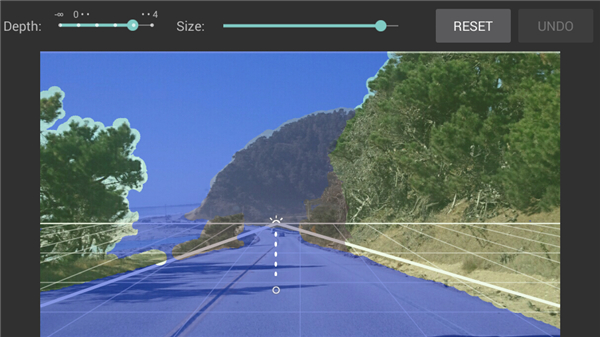
• You manually paint a depth map onto your photo.
• This involves assigning grayscale values to different elements, where darker shades represent closer objects and lighter shades indicate distance, defining the perceived depth of each element.
2. Horizon Setting:
• Accurately setting the horizon line helps the application understand the perspective and scale of your scene, ensuring realistic movement and depth perception.
• This personalized input ensures each transformed photo is uniquely yours, reflecting your artistic vision.
Engaging Interaction and Immersive Viewing
Once your depth map and horizon are established, your photo truly comes alive, offering multiple ways to experience its newfound dimension:
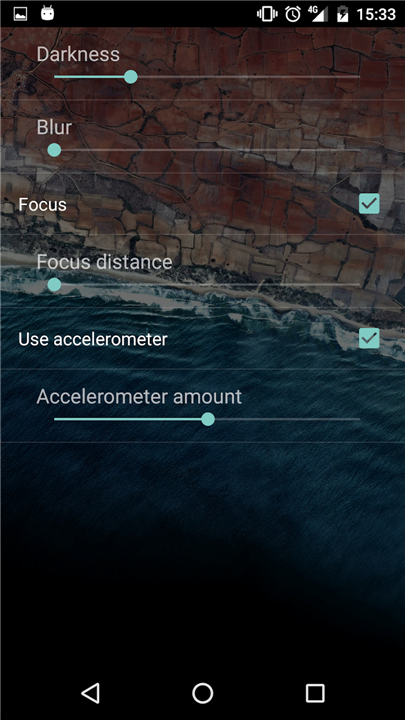
• Device Tilt: Twist your phone and watch as the photo dynamically shifts, revealing subtle parallax shifts that mimic looking around an object.
• Manual Exploration: Swipe the screen to manually control the perspective, allowing you to explore different angles and uncover hidden details.
• Automated Animation: Run an animation for a pre-programmed, smooth movement sequence that showcases the depth without continuous manual input.
• Dynamic Focus: Tap the screen to focus on a certain distance, simulating a depth-of-field effect, sharpening objects at your chosen distance while gently blurring others.
Beyond Traditional 3D: Parallax and Live Wallpaper
It's important to note that Photo 3D operates differently from conventional stereo 3D technologies. It doesn't rely on dual camera input or special viewing devices:
1. Simulated Depth:
• It intelligently leverages parallax and skewing effects applied to your basic 2D photos to create the illusion of movement in 3D space, eliminating the need for specialized equipment or stereo images.
2. Live Wallpaper Integration:
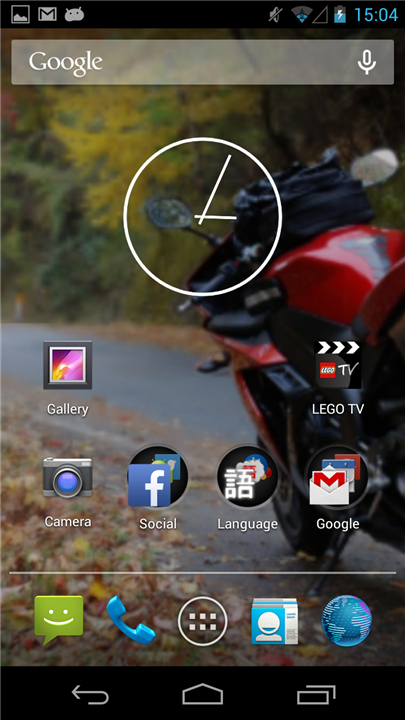
• A standout feature is the ability to set any custom 3D masterpiece as a wallpaper option.
• You can transform it into a dynamic live wallpaper, bringing interactive depth directly to your device's home screen.
• This personalizes your phone with constantly moving, dimensional art.
FAQ
Q: How does Photo 3D transform a regular 2D picture into a 3D experience?
A: Unlike automated solutions, Photo 3D empowers your artistic vision! You'll manually guide the process by painting a "depth map" onto your photo and setting a "horizon line." These steps tell the application which parts are closer and which are further away, allowing it to intelligently apply parallax and skewing effects that create the illusion of depth and movement from your original 2D image.
Q: Is Photo 3D an automated process, or do I have some creative input?
A: That's a fantastic question, and one of the best things about Photo 3D is the creative control it gives you! It’s definitely not an automated, one-click solution. Instead, it invites you to be an artist by manually painting depth maps and setting horizon lines, ensuring each transformed photo truly reflects your personal touch and artistic vision.
Q: What is a "depth map" and why do I need to paint one?
A: A depth map is essentially a grayscale blueprint for your photo's perceived depth. You paint it onto your picture, assigning darker shades to objects you want to appear closer to the viewer and lighter shades to elements that should recede into the distance. This manual effort is crucial because it tells the application exactly how to interpret the spatial relationships within your image, making the 3D effect precise and realistic.
Version History
v1.7.5——12 Feb 2026
See photos in 3D in a viewer and wallpaper. Download the latest version of Photo 3D to enjoy new features and updates immediately!
*1.7.5
Remote Flickr service is replaced with local images due to policy change
*1.7.4
Android 15 support
*1.7.3
Android 13 update









Ratings and reviews
There are no reviews yet. Be the first one to write one.