







Fake Call - Prank
Overview
• Fake Call is a versatile mobile application designed to simulate realistic incoming calls, providing an entertaining way to execute pranks or create excuses to exit awkward social situations.
• By mimicking the interface of a genuine phone call, the app ensures your prank remains convincing.
How to Use Fake Call - Prank
1. Access the main menu and select the Simulate a Call option to initiate the prank setup.
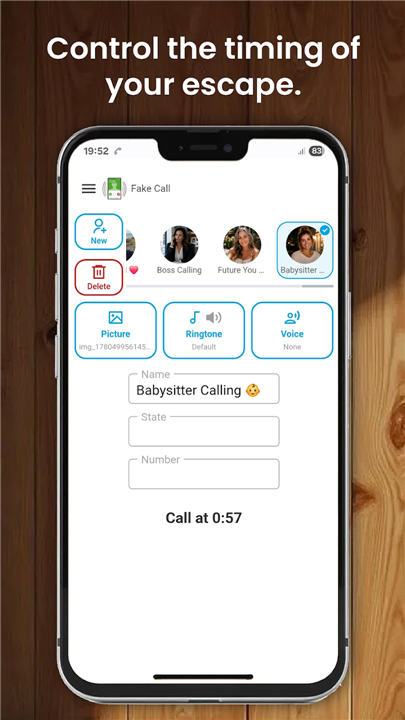
2. Determine the timing of the call by choosing from three available options: select Now for an immediate ring, or opt for a 10-second or 30-second delay to catch your friends off guard.
3. Once the desired interval is set, activate the command to trigger the simulation.
Key Features of Fake Call Prank
1. Customization:
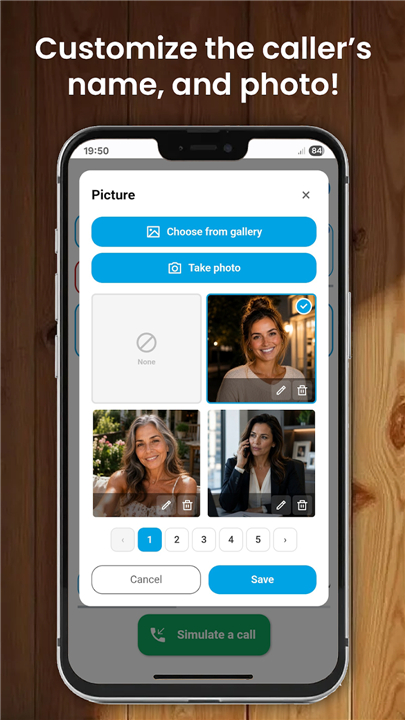
• Personalize the incoming call screen by inputting a specific caller name and phone number.
2. Visual Identity:
• Assign a specific contact photo or choose from a library of preset characters, such as a police officer or a pizza delivery person, to enhance the realism of the call.
3. Audio Settings:
• Customize the experience by selecting a specific ringtone or utilizing your device default.
4. Voice Simulation:
• Add a layer of authenticity by assigning a pre-recorded voice to the caller.
• You have the option to record your own custom audio or upload clips from your media gallery to play once the call is answered.
Disclaimer
• Fake Call is strictly an entertainment application and does not facilitate real communication.
• The software does not feature actual incoming calls; it serves solely to simulate the appearance of a call for harmless prank purposes.
• Please use this application responsibly and ensure that your pranks do not cause distress or disruption to others.
FAQ
Q: Can I use this app to make actual phone calls?
A: No, this application does not facilitate any real communication. It is strictly for entertainment purposes and is designed only to simulate the appearance of an incoming call on your device screen.
Q: How do I initiate a fake call using the app?
A: To get started, simply open the main menu and select the option to simulate a call. From there, you will be able to customize your settings and choose the timing for your prank before activating the simulation command.
Q: What are my options for timing the arrival of the call?
A: You have complete control over when the call rings. You can select the "Now" option for an immediate ring, or you can choose a delay of either 10 or 30 seconds if you want the call to catch your friends off guard later.
Version History
v1.0.60——13 Jul 2026
Simulate a fake call prank from anyone you choose. Download the latest version of Fake Call - Prank to enjoy new features and updates immediately!
*1.0.60
New theme added.
*1.0.59
Minor bug fixes and improvements. Install or update to the newest version to check it out!
*1.0.58
Minor bug fixes and improvements. Install or update to the newest version to check it out!











Ratings and reviews
There are no reviews yet. Be the first one to write one.