

OS Launcher 18 - Phone 16 Max APK
8.2
OS Launcher 18 - Phone 16 Max
OS Launcher 18 - Phone 16 Max APK
Download for Android
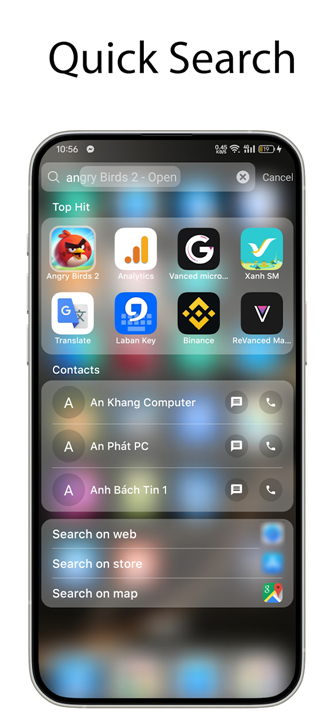
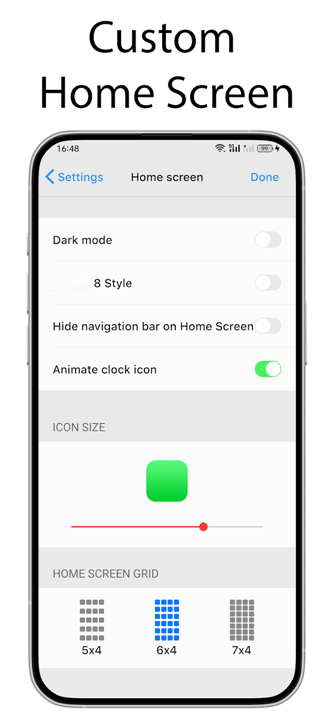
OS Launcher 18 - Phone 16 Max
Overview
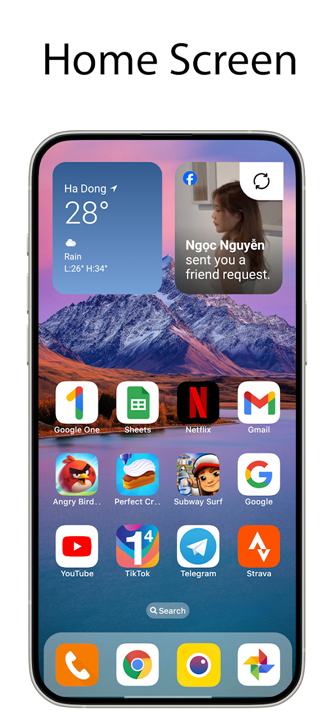
• OS Launcher 18 - Phone 16 Max is a comprehensive personalization tool designed to elevate the aesthetics of your Android device, blending premium design with high-end luxury.
• By installing this launcher, users can completely overhaul their UI to mirror a sophisticated, minimalist interface while retaining the powerful, open-source versatility of the Android operating system.
MAIN FEATURES
1. Organization and Management
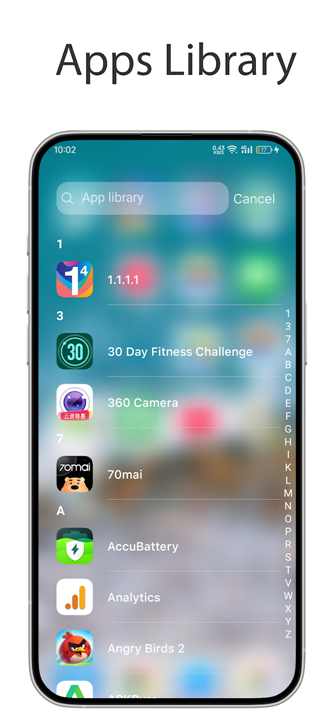
• Apps Library: Automatically categorize your applications into intuitive groups to ensure a clutter-free home screen.
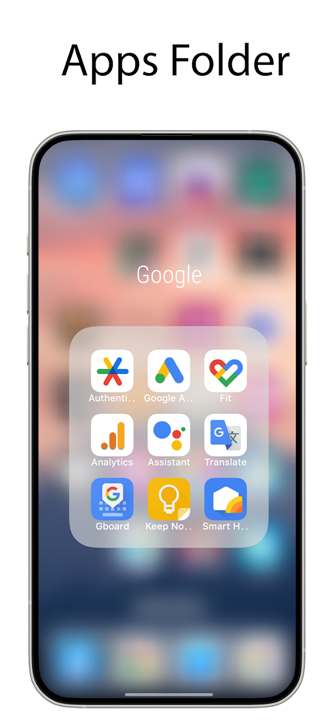
• Apps Folder: Effortlessly organize your workspace by dragging and dropping apps into custom folders.
• Hide Apps: Protect your privacy by hiding sensitive or rarely used applications from the home screen.
• Customizable Icons: Take full control over your device’s appearance by renaming applications and choosing custom icons that match your aesthetic.
2. Security
• Lock App: Secure your private data by setting individual locks on sensitive applications to prevent unauthorized access.
3. Information and Widgets
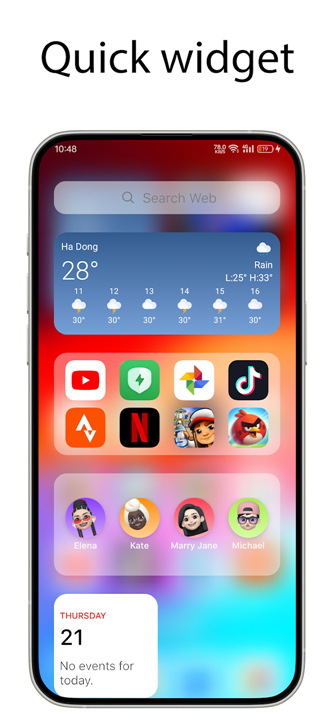
• Today View: Access essential information at a glance, including calendar events, favorite contacts, and real-time weather updates.
• Weather Engine: Stay prepared with a detailed, visually pleasing weather forecast that provides metrics on temperature, wind speed, and humidity.
• Home Screen Widgets: Enhance the functionality of your device with a wide selection of stylish widgets designed for quick access and visual appeal.
4. Notifications
• Unread Notification Dot: Stay updated with your communications through notification dots. Simply enable App Notified in your settings and grant the required permissions to track alerts for your messages and apps.
Support
• We are committed to providing a seamless user experience.
• If you encounter any technical issues or have any questions regarding the application, please reach out to our support team directly at trungthanh.d09@gmail.com.
• We value your feedback and strive to make your Android experience as elegant as possible.
FAQ
Q: Will this launcher change the way I access my installed applications?
A: Yes, it enhances your navigation through an automated Apps Library that categorizes your software into intuitive groups, ensuring your home screen stays organized and clutter-free.
Q: Can I still group my apps into folders myself?
A: Absolutely, the app supports custom folder management, allowing you to simply drag and drop your applications into groups that make sense for your specific workflow.
Q: Can I change the names and icons of the apps on my screen?
A: You have complete creative control over your device's appearance, meaning you can rename any application and select custom icons to perfectly match your personal theme.
Version History
v8.2——22 Jun 2026
Make your phone look simple & luxury, like iDevice Download the latest version of OS Launcher 18 - Phone 16 Max to enjoy new features and updates immediately!
*8.2
OS Launcher supports Liquid Glass effect from android 13
- Fixed urgent issue reported from google
- Implement Liquid Glass to all : library, hotseat , today view, search bar
*8.1
OS Launcher supports Liquid Glass effect from android 13
- Fixed urgent issue reported from google
- Implement Liquid Glass to all : library, hotseat , today view, search bar
*7.9
OS Launcher supports Liquid Glass effect from android 13
- Fixed urgent issue reported from google
- Implement Liquid Glass to all : library, hotseat , today view, search bar











Ratings and reviews
There are no reviews yet. Be the first one to write one.