

Transposing Helper
Simplify Key Changes Effortlessly
• Say goodbye to the constant hassle of manually calculating chord transpositions.
• With Transposing Helper, adjusting songs to match your vocal range or playing style has never been easier.
• This intuitive tool eliminates guesswork and saves time, making it ideal for musicians who frequently rearrange music.
Why Use Transposing Helper?
• When the original chords are too complex or uncomfortable to play, use this app to simplify or customize them to suit your skill level or preferred style.
• Especially useful for guitarists using a capo. For example, changing a song from Eb to D allows you to place the capo on the 1st fret and play in easier open chords.
• Ideal when a song’s current key feels too high or too low for your voice. Transpose it to a more comfortable range without rewriting the entire chord progression.
How It Works
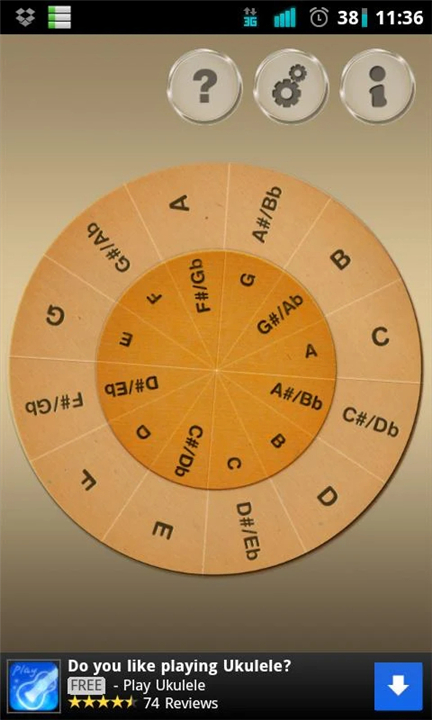
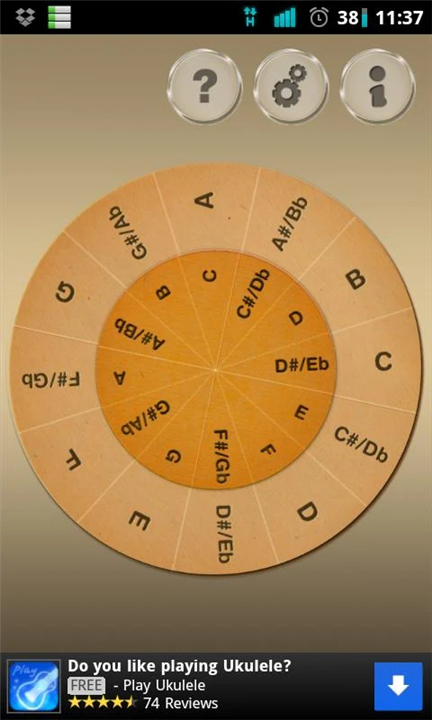
• The app features two rotating wheels: a smaller one for the original key and a larger one for the target key.
• Simply rotate both wheels until the original key aligns with the desired new key.
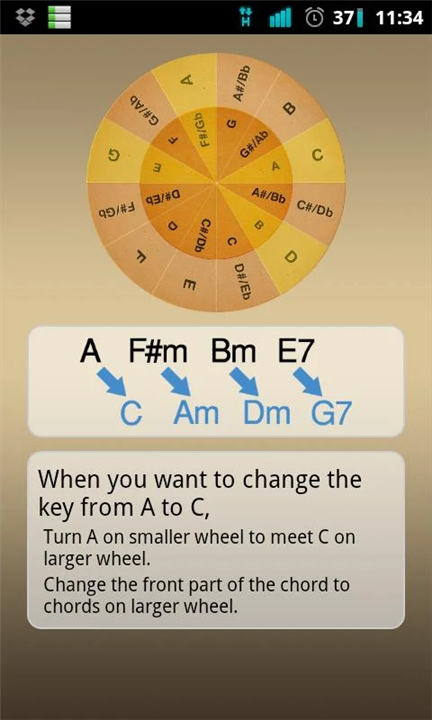
• For example, if a song is in A (chords: A, F#m, Bm, E7) and you want to transpose it to C:
+ Align A on the small wheel with C on the large wheel.
+ Read off the new chords: A → C, F#m → Am, Bm → Dm, E7 → A7.
Chord Notation Tips
• For minor chords, add "m" after the root note (e.g., Cm).
• For minor seventh chords, use "m7" (e.g., Dm7).
• For suspended chords, use "sus4" (e.g., Gsus4).
• Always specify any bass note after a slash (e.g., C/G).
Transposing Helper streamlines your practice, performance, and songwriting.
Whether adjusting for voice, instrument, or ease of playing, this tool ensures accuracy and efficiency—every time.
FAQ
Q: Why would I need to transpose a song?
A: There are many great reasons! The most common is to adjust a song to better fit your vocal range so it’s more comfortable to sing. You might also want to make the chords easier to play on your instrument or to match the key another musician is playing in.
Q: I use a capo on my guitar. How can this app help me?
A: The Transposing Helper is a perfect partner for your capo. It shows you exactly how to change the written chords so they work with your capo position. For instance, it can tell you that if you place your capo on the 3rd fret and play a G chord, you’ll actually be sounding a Bb, making complex keys accessible with simple open chords.
Q: How do I actually use the wheels to transpose?
A: It’s a simple two-step process. First, find the original key of the song on the smaller, inner wheel. Then, rotate the larger, outer wheel until your desired new key is lined up with that original key. The wheel will now show you what every chord becomes in the new key.
Version History
v2.1.2——9 Feb 2026
easy transposing tool Download the latest version of Transposing Helper to enjoy new features and updates immediately!
*2.1.2
SDK version update
*2.1.1
SDK version update
*2.1.0
SDK version update









Ratings and reviews
There are no reviews yet. Be the first one to write one.