

KONE RemoteCall
Overview
• The KONE RemoteCall application is a convenient and innovative mobile solution that enables you to operate and use elevators in your building directly from your Android smartphone.
• By integrating modern mobile technology with KONE’s intelligent elevator systems, this app provides a seamless, touchless, and efficient way to request a lift without needing to physically press buttons inside the building.
Requirements
• The building must have elevators that are equipped with the KONE RemoteCall system.
• A compatible Android device with the application installed.
• Appropriate access rights or permissions, as determined by the building’s management or service provider.
Key Features
• Remote Lift Calling: Initiate a lift request from anywhere within the building’s service range using your phone.
• Destination Selection: Choose the floor you wish to travel to directly within the app before entering the elevator.
• Lift Guidance: The app assigns you to the most suitable lift within the group, ensuring optimal travel time and reducing waiting periods.
• Real-Time Lift Status: While waiting, you can view live updates on your assigned lift’s location and estimated arrival time.
• Touchless Operation: Reduces the need for physical contact with elevator buttons, enhancing hygiene and safety.
How It Works
• Open the App: Launch the KONE RemoteCall application on your Android device.
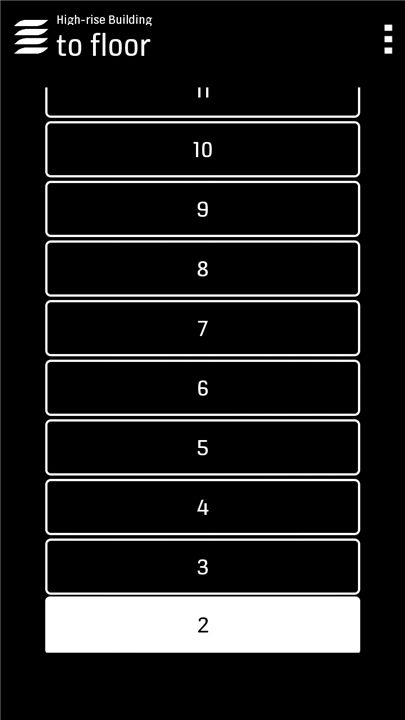
• Select Your Destination: Use the simple interface to choose the floor you want to go to.
• Get Assigned a Lift: The system automatically selects the most efficient elevator for your journey.
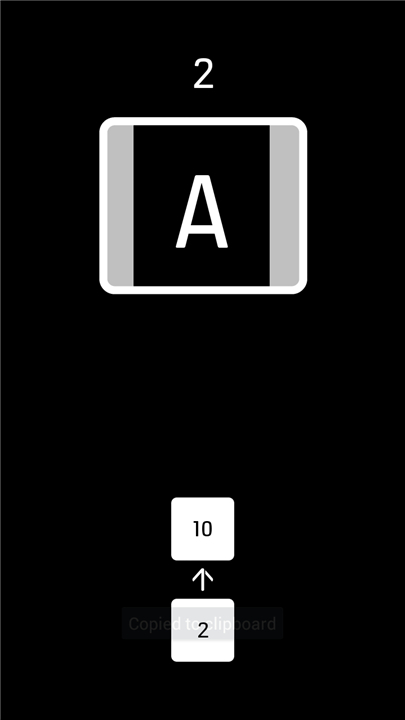
• Follow the Guidance: On-screen instructions direct you to the correct lift in the group.
• Track Your Lift: Monitor the lift’s approach in real time until it arrives at your floor.
Benefits
• Convenience: Call a lift without walking to the elevator lobby in advance.
• Efficiency: Reduces waiting times through intelligent lift allocation.
• Hygiene: Minimizes physical touch points in shared spaces.
• Modern Building Experience: Enhances the smart building environment for residents, tenants, or visitors.
FAQ
Q: Do I need any special hardware in my building to use KONE RemoteCall?
A: Yes. The building must have elevators and control systems that support KONE RemoteCall. This requires a modern KONE elevator installation with the RemoteCall server integrated into the building’s elevator network. If your building manager or service provider has not yet enabled the feature, you won’t be able to connect through the app.
Q: How do I get permission to use RemoteCall in my building?
A: Access rights to KONE RemoteCall are managed by your building’s administration or property management team. They assign user credentials based on roles—such as resident, tenant, or visitor—and configure which floors you can access. Contact your building manager to request an account or to adjust your permissions if you need different floor access.
Q: What steps do I follow to call an elevator once the app is installed?
A: After opening the KONE RemoteCall app on your Android device, log in with the credentials provided by your building’s administrator. The home screen will display the list of accessible elevators and available floors. Select your desired destination floor, and the system will automatically assign the best elevator car. You’ll then see directions to the lift’s current location and a real-time countdown until it arrives.
Version History
v5.1——23 Dec 2025
KONE RemoteCall allows you to use lifts in your building with your Android Phone Download the latest version of KONE RemoteCall to enjoy new features and updates immediately!
*5.1
Support for newer Android versions. No feature changes.
*5.0
Supports for Android 10 and 11 versions
*4.0
Android 10 version support added
Location information usage corrected









Ratings and reviews
There are no reviews yet. Be the first one to write one.