

qBitController
Overview
• qBitController is a robust, free, and open-source application designed to provide users with seamless remote management of their qBittorrent instances.
• Whether hosted on a home server, a seedbox, or a private cloud, this utility acts as a centralized dashboard to maintain full control over your torrent ecosystem from any device.
Server and Torrent Management
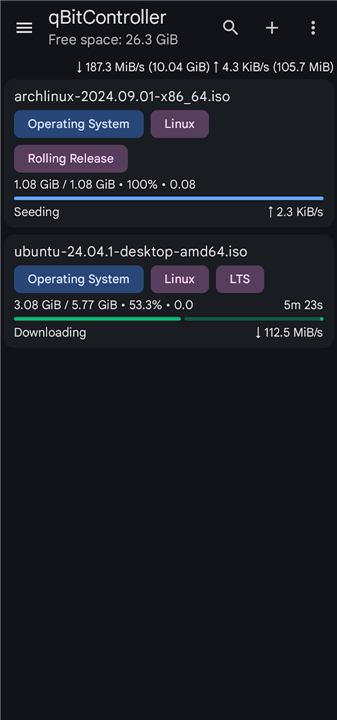
• Manage multiple qBittorrent servers through a single unified interface.
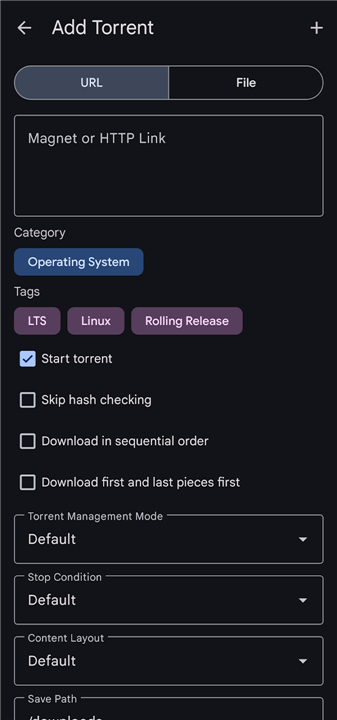
• Add new torrents effortlessly using magnet links, direct URLs, or local torrent files.
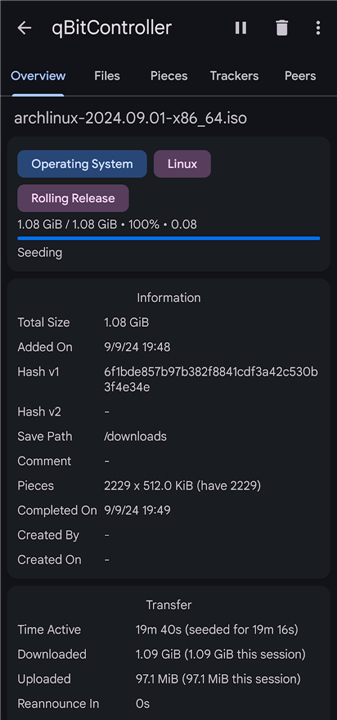
• Monitor granular details for every torrent, including file structure, peer connections, and health status.
• Execute essential torrent operations such as pausing, resuming, force-starting, deleting, or rechecking data.
Organization and Navigation
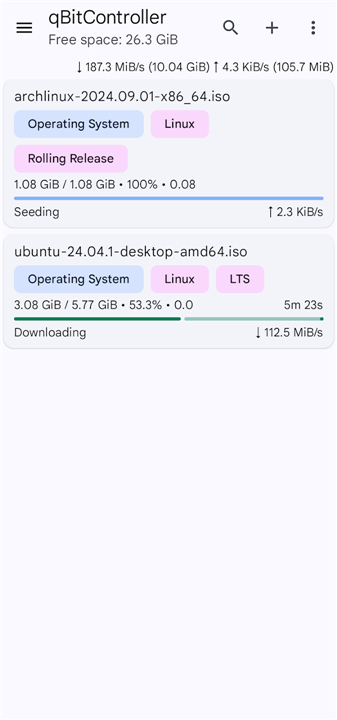
• Sort active or completed torrents by specific parameters including name, file size, percentage of completion, and real-time download or upload speeds.
• Filter your download list dynamically by current torrent state, assigned categories, custom tags, or specific trackers to quickly locate files.
• Manage, create, or delete categories and tags to keep your library organized for long-term seeding.
Advanced Automation and Search
• Access and monitor RSS feeds directly within the app to stay updated on new releases.
• Configure custom auto-download rules to automate media acquisition based on filter criteria.
• Utilize integrated search functionality to perform online torrent indexing without needing a web browser, streamlining the process of finding and initializing new downloads.
Easily Manage Your Torrent
• Designed for efficiency and transparency, qBitController ensures that your remote server management is as intuitive as a local desktop experience.
• By prioritizing performance and user-centric features, it provides a comprehensive toolkit for both casual users and power users who require consistent oversight of their networking hardware and download queues.
FAQ
Q: Is there a cost associated with using qBitController or is it open-source?
A: You will be happy to know that qBitController is completely free to use and follows an open-source model. This ensures that the application remains transparent and community-driven, giving you a robust management tool without any hidden subscription fees or advertisements.
Q: Can I manage more than one qBittorrent instance at the same time?
A: Yes, one of the standout features of this application is its ability to handle multiple qBittorrent servers through a single, unified interface. This is incredibly helpful for power users who might run different servers for various purposes and want to switch between them seamlessly.
Q: What are the different ways I can add new content to my server?
A: The application makes it very simple to initiate new downloads by offering several methods for adding torrents. You can effortlessly add new tasks by using magnet links, direct URLs, or by uploading local torrent files directly from your current device to your remote server.
Version History
v2.2.0——27 Jul 2026
Control qBittorrent from your Android device Download the latest version of qBitController to enjoy new features and updates immediately!
*2.2.0
Minor bug fixes and improvements. Install or update to the newest version to check it out!
*2.1.0
Minor bug fixes and improvements. Install or update to the newest version to check it out!
*2.0.4
Minor bug fixes and improvements. Install or update to the newest version to check it out!











Ratings and reviews
There are no reviews yet. Be the first one to write one.