

Photo Translator - Translate APK
9.0.3
Photo Translator - Translate
Photo Translator - Translate APK
Download for Android
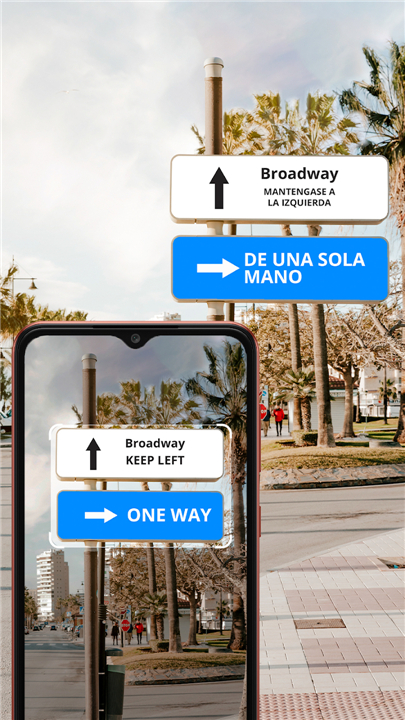
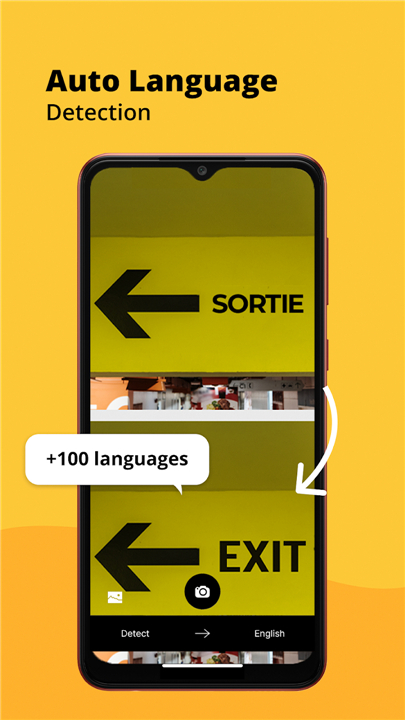
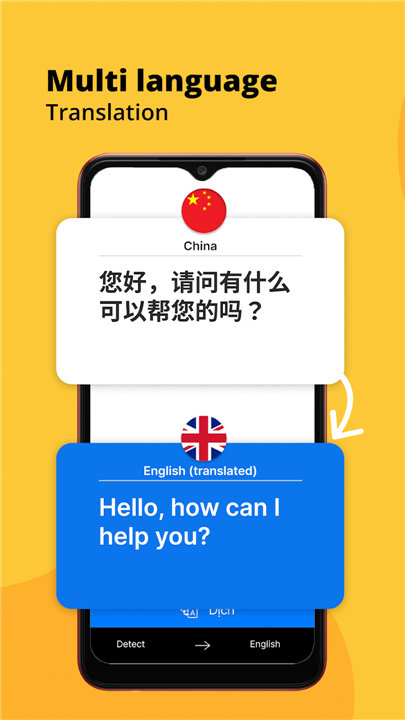
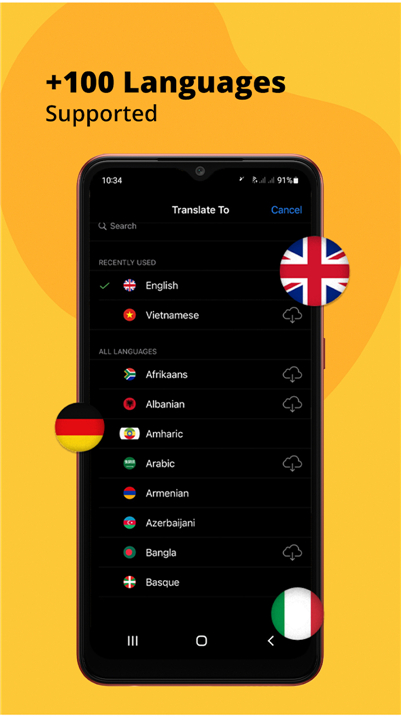
Photo Translator - Translate
Translate Instantly
• Turn your mobile device into a powerful, on-the-go translation assistant with the Photo Translator app.
• By using your phone’s camera, you can capture any text—whether on signs, menus, documents, or packaging—and receive an instant translation.
• The translated text is displayed directly over the original, making it easy to understand the meaning without losing context.
Key Features
• Instant Photo Translation: Take a picture and see the translation appear seamlessly over the original text.
• Automatic Language Detection: No need to manually select the source language; the app identifies it for you.
• Advanced OCR Technology: Optical Character Recognition ensures accurate text extraction from images, even with various fonts or handwriting.
• Extensive Language Support: Translate to and from over 100 languages worldwide.
• User-Friendly Interface: Designed for quick access and intuitive navigation.
• Offline Capability: In certain languages, translations can work without an internet connection, perfect for travel.
Ideal Use Cases
• Traveling Abroad: Instantly translate street signs, public transport schedules, restaurant menus, and tourist information.
• Studying Foreign Languages: Enhance learning by translating books, worksheets, or classroom materials.
• Business Communication: Read product labels, contracts, or presentations in other languages.
• Daily Life: Understand packaging instructions, appliance manuals, or social media content.
Supported Languages
• Photo Translator covers a wide spectrum of languages, including major world languages and regional dialects.
• Examples include:
+ Afrikaans, Arabic, Chinese (Mandarin, Cantonese, Taiwan), English (various regions), French, German, Hindi, Italian, Japanese, Korean, Portuguese (Portugal, Brazil), Russian, Spanish (Spain, Mexico), Turkish, Vietnamese, and many more.
• In total, the app supports over 100 languages, ranging from widely spoken international tongues to lesser-known regional languages such as Querétaro Otomi, Udmurt, and Yucatec Maya.
Why Choose Photo Translator?
• Whether you are a traveler navigating a foreign city, a student exploring new languages, or someone needing quick communication across cultures, Photo Translator provides a fast, reliable, and comprehensive translation solution in the palm of your hand.
FAQ
Q: Do I have to choose the source language before taking a photo?
A: No, you don’t need to manually select the source language each time. Photo Translator’s automatic language detection analyzes the text you capture and identifies its original language before translating it. This feature streamlines the process, especially when traveling through regions with multiple languages or dialects.
Q: How accurate is the text recognition (OCR) in Photo Translator?
A: Photo Translator leverages advanced OCR technology capable of handling a wide range of fonts, sizes, and even certain styles of handwriting. While accuracy is generally high for clear, well-lit text, you may notice occasional errors with extremely stylized fonts, very small print, or low-contrast backgrounds. In those cases, ensuring good lighting and steady camera focus will produce the best results.
Q: Can I use Photo Translator without an internet connection?
A: Yes. Photo Translator offers offline capability for select language pairs. You can download language packages in advance, allowing you to translate essential text even when you’re in remote areas or traveling without data access. Keep in mind that downloading offline packs requires storage space on your device, and real-time translations are generally faster with an active internet connection.
Version History
v9.0.3——6 Jan 2026
Use the phone's camera to scan & translate text in photos, pictures & images Download the latest version of Photo Translator - Translate to enjoy new features and updates immediately!
*9.0.3
Minor bug fixes and improvements. Install or update to the newest version to check it out!
*9.0.0
Minor bug fixes and improvements. Install or update to the newest version to check it out!
*8.9.6
Minor bug fixes and improvements. Install or update to the newest version to check it out!









Ratings and reviews
There are no reviews yet. Be the first one to write one.