

LuxTrust Mobile
Overview
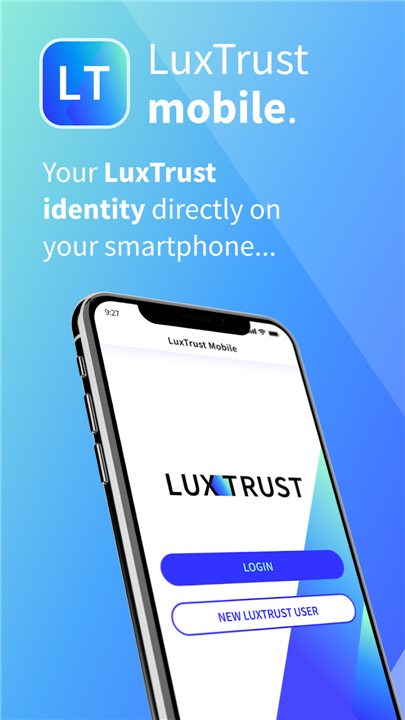
• Unlock a new era of digital security and convenience with LuxTrust Mobile.
• Your smartphone becomes your trusted digital key, empowering you to perform sensitive online operations effortlessly, without the need for physical devices like Tokens or Scans.
• Experience seamless, secure access at your fingertips.
Your Digital Life, Elevated
LuxTrust Mobile empowers you to:
• Seamless Access: Securely log in to vital partner websites, including banks and e-government platforms.
• Secure Transactions: Confidently confirm and validate your online financial transactions.
• Effortless Signing: Electronically sign important documents with ease and legal validity.
• Government Services: Perform diverse operations on guichet.lu, simplifying your administrative tasks.
Activate Your Secure Digital Identity
Getting started with LuxTrust Mobile is straightforward:
• Existing Customers: If you're already a LuxTrust user, simply install the app and follow the intuitive in-app instructions. Having your Token or Scan ready will streamline the process.
• New to LuxTrust? Begin your secure digital journey by ordering your LuxTrust electronic identity today at www.luxtrust.lu.
Experience Intuitive Security
LuxTrust Mobile offers flexible and secure ways to interact:
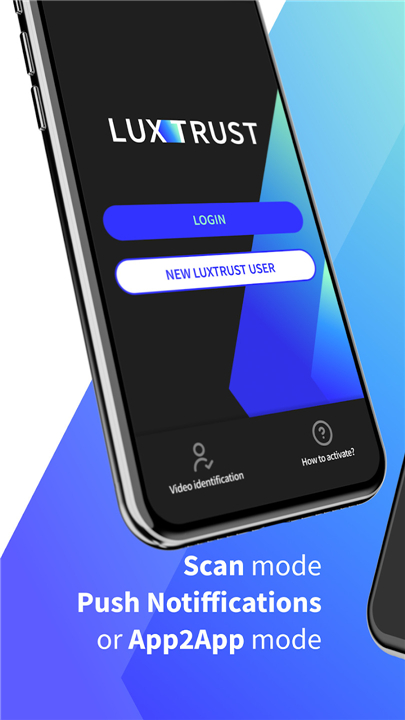
• App2App Integration: Enjoy frictionless transactions where LuxTrust Mobile integrates directly with your banking app, eliminating manual OTP (one-time password) entry. Simply confirm or cancel with a tap. (Check with your bank for activation.)
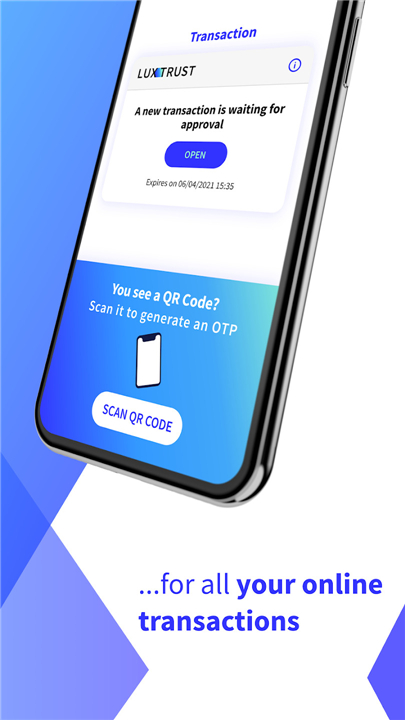
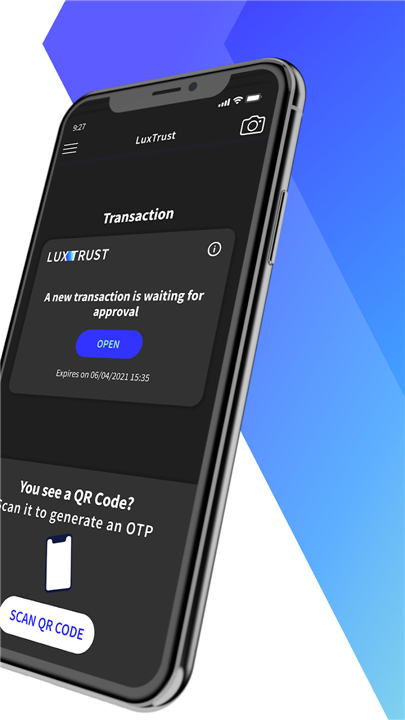
• QR Code Scan: Effortlessly log in from your desktop or tablet. Scan the unique QR code displayed after entering your user ID and password, and LuxTrust Mobile instantly generates your secure OTP.
• Push Notifications: Receive instant notifications on your device to confirm or cancel operations when accessing partner websites from any device. You can also manage these under "Pending transactions."
Enhanced Convenience & Control
• Multi-Device Freedom: Extend your security to a second device, such as a tablet, for even greater flexibility.
• Biometric Access: Unlock your app with the speed and security of TouchID or FaceID, making access seamless and personalized.
Dedicated Support
Our dedicated Helpdesk team is here to support you. For any questions or assistance, reach out to us:
• Phone: +352 24 550 550
• Email: helpdesk@luxtrust.lu
Your Security, Our Priority
We are committed to your digital safety. Please note:
• Device Integrity: Ensure your devices (smartphone, tablet) are always secured and protected. For your safety, LuxTrust Mobile does not support rooted or jailbroken devices, and we cannot be held liable for their use.
• Protect Your Credentials: Never share your security codes, PINs, or passwords with anyone. Your digital identity is yours alone.
• Report Concerns: If you ever suspect your device or credentials have been compromised, cease using the app immediately and contact LuxTrust Helpdesk at +352 24 550 550 for urgent support and guidance.
About LuxTrust: Pioneering Digital Trust
LuxTrust stands as a leading European provider of electronic identity and trust services, shaping the future of secure digital interactions.
• Trusted & Compliant: Fully certified and adhering to the highest European standards (eIDAS, PSD2, GDPR, ETSI), we ensure your digital safety and peace of mind.
• Our Mission: We empower individuals with valid electronic identities, secure access to vital online services, and facilitate the creation and validation of trusted electronic signatures across Europe.
FAQ
Q: Could you explain how the App2App feature works for my banking tasks?
A: The App2App integration is a fantastic feature that allows LuxTrust Mobile to communicate directly with your banking application to eliminate the need for manual one-time passwords. Instead of typing in codes, you can simply confirm or cancel a transaction with a quick tap, although you should check with your specific bank to make sure they have activated this feature.
Q: How does the QR code scanning feature help me log in from my computer?
A: When you want to log in from a desktop or tablet, you simply enter your user ID and password on the website, and a unique QR code will appear on your screen. By scanning this code with your LuxTrust Mobile app, it will instantly generate the secure code you need to finish your login without any manual typing.
Q: What are push notifications and how do they make things more secure?
A: Push notifications are instant alerts sent to your mobile device whenever you attempt to access a partner website or confirm an operation. You can simply tap the notification to approve or cancel the request, or you can manage any outstanding requests under the "Pending transactions" section of the app.
Version History
v4.26.0——3 Sep 2026
LuxTrust Mobile is an application used to generate OTP based on contextual data. Download the latest version of LuxTrust Mobile to enjoy new features and updates immediately!
*4.26.0
You can now access the new Transaction History page from the main menu. It provides a clear overview of your handled transactions, including accepted, rejected, and expired transactions from any provider. Transactions are grouped by date and can be filtered for easier review.
*4.25.0
You can now access the new Transaction History page from the main menu. It provides a clear overview of your handled transactions, including accepted, rejected, and expired transactions from any provider. Transactions are grouped by date and can be filtered for easier review.
*4.24.0
You can now access the new Transaction History page from the main menu. It provides a clear overview of your handled transactions, including accepted, rejected, and expired transactions from any provider. Transactions are grouped by date and can be filtered for easier review.











Ratings and reviews
There are no reviews yet. Be the first one to write one.