

TV Cast for Roku
Elevate Your Roku Experience
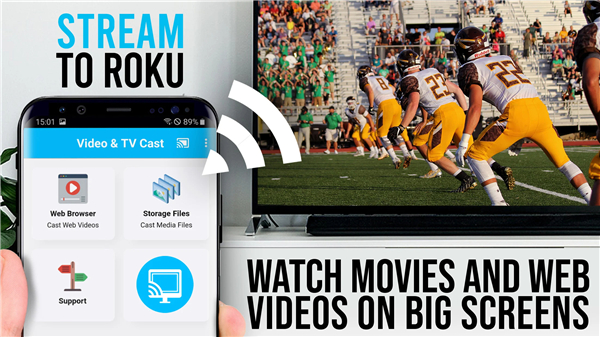
• Unlock the full potential of your Roku Stick, Roku Box, or Roku TV by transforming your television into a powerful web windows.
• Experience the freedom of watching web videos, online movies, and live broadcasts on your largest screen.
+ Stream Full HD content, including mp4 and HLS livestreams, with ease.
+ Take full control of your entertainment using the integrated Roku Remote feature.
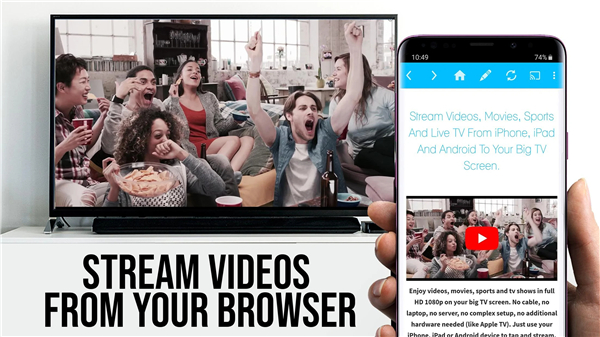
+ Empower your viewing by sending embedded videos from any website to your TV with a single tap.
Simple Steps to Start Streaming
• Connect your device and wait for the status icon to turn white, indicating a successful link to your Roku.
• Browse for your favorite videos or enter a specific URL directly into the address bar.
• Once the app detects a video link, it will appear below the browser for immediate casting.
• Press to cast and enjoy high-quality entertainment instantly.
Compatibility and Requirements
• Supported Devices: Roku TV, Streaming Stick, Express, Premiere, Ultra, and models 2, 3, 4, HD (2500), and LT (2400/2450) running firmware 5.1 or later.
• Unsupported Devices: Classic models (N1000, N1050, N1100, N1101), Roku 2000-2100 series, Now TV, and Sky Ticket devices.
• Video Limitations: This app does not support Flash or DRM-protected content such as Netflix, Amazon Prime, and HBO.
• Functionality Note: The app focuses on casting specific web videos rather than mirroring your entire mobile screen.
Privacy and Performance Tips
• Zero Intrusive Permissions: Your security is a priority. This app does not access your identity, contacts, or GPS location.
• Connection Success: If you encounter issues, a quick restart of your mobile device, Roku, and router often resolves the connection.
• Trial Period: Please verify your favorite websites using the free version before upgrading, as technical limitations on certain sites cannot be bypassed by the premium version.
• Refund Policy: Refunds are available within 24 hours of purchase when providing a Google Purchase ID.
Dedicated Support
• We are committed to providing the best streaming experience possible.
• If you have suggestions or need assistance, please contact our team at info@video-tv-cast.com for a prompt response.
Disclaimer:
• This app is an independent tool and is not officially affiliated with Roku, Inc.
FAQ
Q: How do I know if my mobile device is successfully linked to my Roku?
A: The setup process is quite straightforward and visual. Once you open the app and connect your device, you simply need to wait for the status icon to turn white, which serves as a clear indicator that a successful link has been established.
Q: What is the best way to start streaming a video from a specific website?
A: You can easily find your favorite content by using the built-in browser to search for videos or by entering a specific URL directly into the address bar. As soon as the app detects a valid video link, it will appear at the bottom of the browser, allowing you to cast it with a single tap.
Q: Which specific Roku models are compatible with this casting app?
A: The app supports a wide range of hardware, including the Roku TV, Streaming Stick, Express, Premiere, and Ultra. It also works with older models like the Roku 2, 3, 4, HD 2500, and LT 2400 or 2450 series, provided they are running firmware version 5.1 or later.
Version History
v2.46——27 Apr 2026
Browser + Remote for Roku to stream webvideos, online movies and livestreams Download the latest version of TV Cast for Roku to enjoy new features and updates immediately!
*2.46
- Bugfixes and small improvements
Please rate us on Google Play == It‘s very quick and will help us improve this app to provide you with better features and services.
*2.45
- Bugfixes and small improvements
Please rate us on Google Play == It‘s very quick and will help us improve this app to provide you with better features and services.
*2.44
- Bugfixes and small improvements
Please rate us on Google Play == It‘s very quick and will help us improve this app to provide you with better features and services.











Ratings and reviews
There are no reviews yet. Be the first one to write one.