

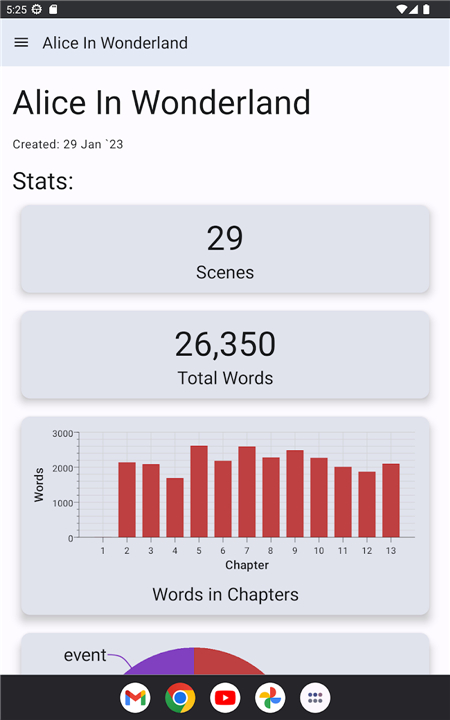
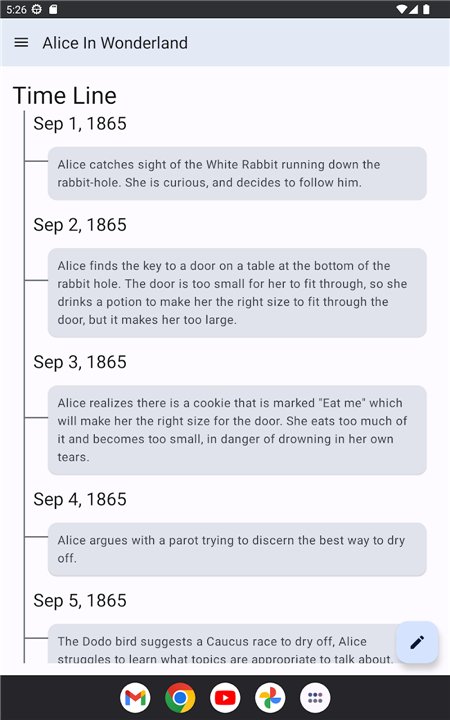
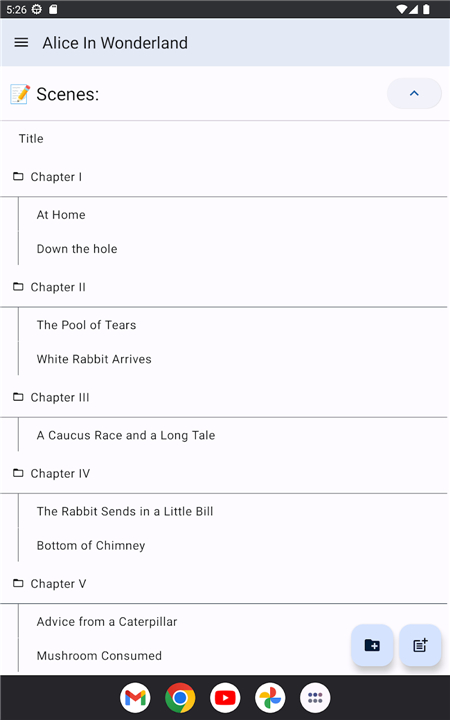
Hammer
Professional Story Writing Software
• We are committed to building the best possible experience for authors.
• If you encounter any issues or wish to provide feedback, please join our community Discord server: https://discord.gg/GTmgjZcupk.
True Multi-platform Support
• Hammer is not a simple website wrapped in a container.
• We utilize native client-side technologies to ensure high performance and seamless integration across your workflow. It is designed to run natively on:
+ Mobile phones and tablets.
+ Desktop and laptop computers.
Offline-First Architecture
• Most modern writing tools rely on web-based technologies that fail when an internet connection is unstable.
• Hammer is designed from the ground up to be fully functional without an internet connection, ever.
• Your work is always accessible, regardless of your signal strength.
Transparent Data Ownership
• Your creative work belongs to you alone.
• We avoid opaque cloud databases, choosing instead to store your projects in simple, human-readable files and folders.
• You can navigate your project structure directly via your operating system’s file explorer.
• If Hammer were to disappear tomorrow, your data would remain yours, fully accessible and ready to use in any other text editor.
Intelligent Multi-Device Syncing
• Consistency is key to productivity.
• Hammer features robust synchronization that tracks changes across your devices.
• Our system is built to prevent data loss, ensuring that updates on one machine never overwrite your progress on another.
Optional, Self-Hosted Freedom
• Privacy and control are paramount.
• Synchronization is entirely optional; you may use Hammer exclusively on a single local device if you prefer.
• For those who need multi-device access, we provide the tools to host your own sync server.
• You decide where your data lives and how it moves, keeping you in complete control of your creative environment.
FAQ
Q: Can I use Hammer if I don’t have an internet connection?
A: Yes, absolutely. Hammer follows an offline-first architecture, meaning it is designed to be fully functional even without a signal. You never have to worry about losing access to your writing just because your internet connection is unstable or non-existent.
Q: Does Hammer store my stories in a secret cloud database?
A: We do not use opaque, proprietary cloud databases. Instead, your projects are saved as simple, human-readable files and folders on your own device. This ensures that your creative work remains yours alone and stays fully accessible through your existing file explorer.
Q: What happens to my work if I stop using Hammer or if the company closes?
A: Because your projects are stored in standard file formats in your local folders, your data will always remain yours. Even if you decide to stop using Hammer tomorrow, you can still open and edit your work in any standard text editor, ensuring your writing is never held hostage by our software.
Version History
v3.6.1——13 Jul 2026
A simple tool for building stories. Download the latest version of Hammer to enjoy new features and updates immediately!
*3.6.1
• [New] Re-added translations
• [New] iOS can now export logs
• [Fix] Encyclopedia image selection
• [Fix] Focus mode UI padding on Desktop
*3.6.0
[New]
- Ideas: capture ideas for new stories
- Project Tags: tag your projects and filter the project list by tag
- "Move To" dialog for moving a scene to an exact spot
[Improve]
- Writing activity reliability improvements
- More reliable sync with automatic self-healing when data gets out of step
[Fix]
- Crash when importing an image on iOS
- Crash on some Linux systems
- Notes could revert to an older version during sync
*3.5.3
• [Fix] Several sync protocol bugs
• [Fix] Spellcheck not respecting disable setting











Ratings and reviews
There are no reviews yet. Be the first one to write one.