

Json List
Overview
• Json List is a lightweight yet powerful application designed to simplify the process of viewing, managing, and editing JSON data.
• Whether you are a developer, data analyst, or simply working with structured data for personal projects, Json List provides a clean and efficient interface to help you quickly interpret and manipulate JSON files.
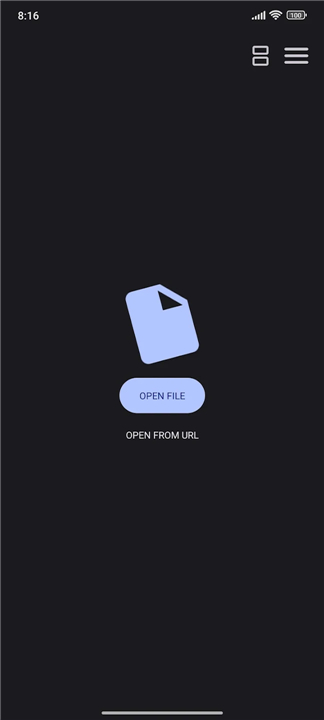
• The tool supports opening local JSON files directly from your device, as well as loading JSON data from a remote URL.
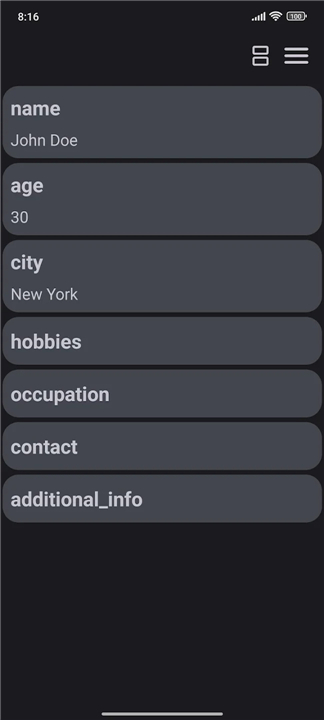
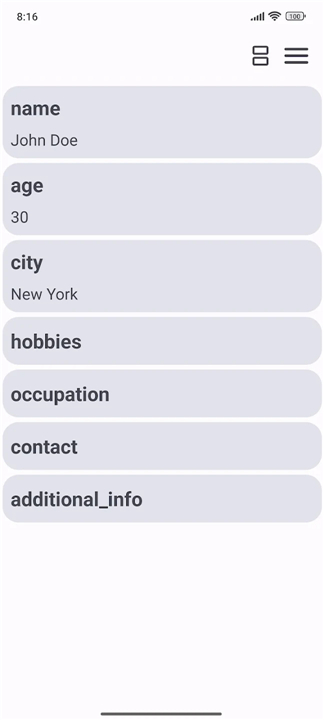
• Once loaded, the data is presented in an organized, easy-to-read list format, making navigation and comprehension much easier compared to raw text views.
Key Features
1. Material You Dynamic Color Support
• Adapts seamlessly to your device’s system theme and color palette.
• Offers a visually pleasing interface that feels integrated with modern Android design principles.
• Improves readability by adjusting colors for both light and dark modes.
2. Split-Screen Mode
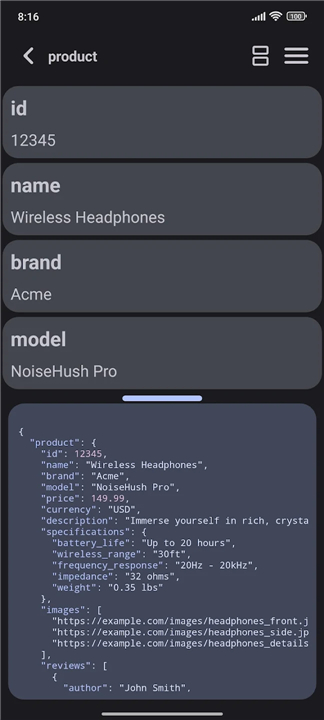
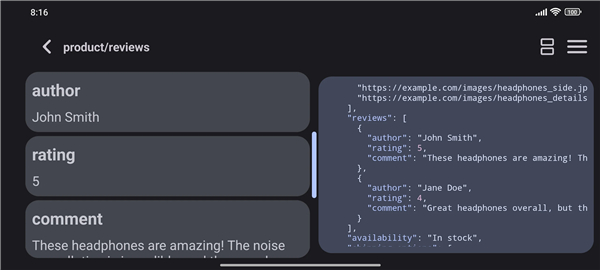
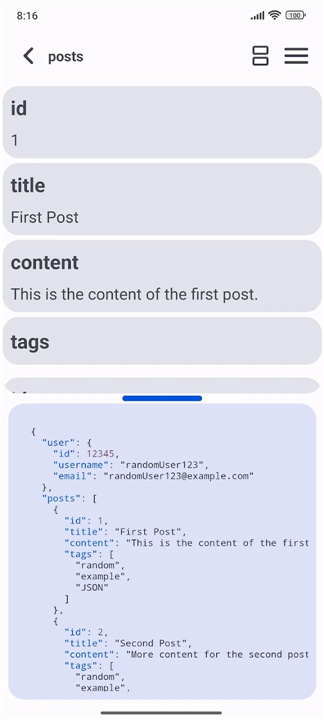
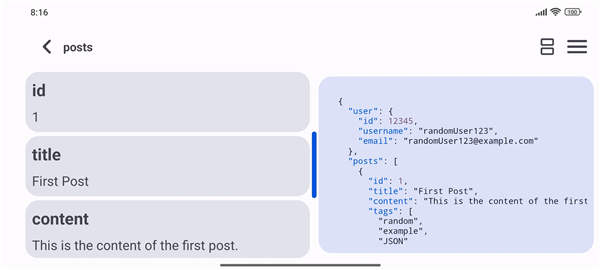
• View raw JSON code alongside the structured list format.
• Makes it easier to compare the original text with the parsed and organized data.
• Ideal for debugging or verifying changes in real time.
3. Search and Filter
• Quickly locate specific keys, values, or nested data points.
• Apply filters to narrow down large and complex datasets.
• Saves time when working with extensive JSON files.
4. Direct Editing
• Modify JSON values directly within the application.
• Supports quick edits without the need for external text editors.
• Changes are reflected instantly in both raw and list views.
Use Cases
• Inspecting API responses during development.
• Cleaning and editing structured data for analysis.
• Reviewing configuration files for software or scripts.
• Teaching and learning JSON data structure in an accessible format.
FAQ
Q: How do I open a local JSON file in Json List?
A: To open a local JSON file, simply tap the “Open File” icon in the main toolbar. A file picker will appear, allowing you to navigate your device’s storage. Once you select your file, Json List will parse the data and present it in the list view automatically. If the file is large, you may see a brief loading indicator while the app organizes the content.
Q: Can I load JSON from a remote URL within the app?
A: Absolutely. Json List provides an “Open URL” option in the toolbar. You can paste any publicly accessible HTTP or HTTPS link that returns valid JSON. After you enter the URL and tap “Load,” the app fetches the data and displays it just as it would with a local file. If the URL requires authentication or uses other protocols, be sure to handle those steps externally before loading.
Q: What exactly is the Split-Screen mode used for?
A: Split-Screen mode lets you view the raw JSON text side by side with the structured, list-based view. This is perfect when you need to debug or verify your edits. As you scroll through one pane, the other adjusts in tandem, ensuring you always know which section of code corresponds to which list item. This synchronicity helps you spot discrepancies and understand deeply nested structures more intuitively.
Version History
v1.9——20 Jan 2026
Json List is a fast, easy tool to view, edit & manage JSON files with search, split-screen & Material You design. Download the latest version of Json List to enjoy new features and updates immediately!
*1.9
Bugfix
• Fixed an issue where overwriting a file could result in invalid JSON
• Fixed bug when large data tries to display in raw JSON View
Optimization
• Working with large data is more faster
New
• Added toggle for scroll animation in settings (3ca9899)
Updates
• Update feedback dialog
• Handle numbers with leading zeros as strings
• Improve search UX and UI feedback
*1.8
Bugfix
• correct handling for escape sequences (n, t, r...) (93581b2)
New
• Resizable Split View
• Search
• Release Notes
Updates
• UI Update
+ Tool menu (e5a0725)
+ Progress bar (22c1592)
+ Save Button position (df30d69)
• Update edit mode
+ Now you can change all key names that has same name in a list at once
• Update animations
*1.7
Bugfix
• Fix shortcut for opening JSON from file crashing (e4556c0)
New features
• Added shortcut for opening JSON from URL (38d9669)
• Added editing support for JSON and exporting to file









Ratings and reviews
There are no reviews yet. Be the first one to write one.