

Are you looking for a way to declutter your smartphone’s home screen and enhance your user experience? Look no further than Discreet Launcher! This unique app provides a minimalistic, distraction-free home screen that allows you to fully enjoy your wallpaper while keeping your favorite apps easily accessible. Unlike traditional launchers, Discreet Launcher simplifies your experience by only showing what’s important and giving you quick access to your apps with just a swipe. With no unnecessary permissions or ads, you can enjoy a seamless, offline experience. Plus, it’s open-source, you can find the source code here: https://github.com/falzonv/discreet-launcher
Clean and Distraction-Free Home Screen
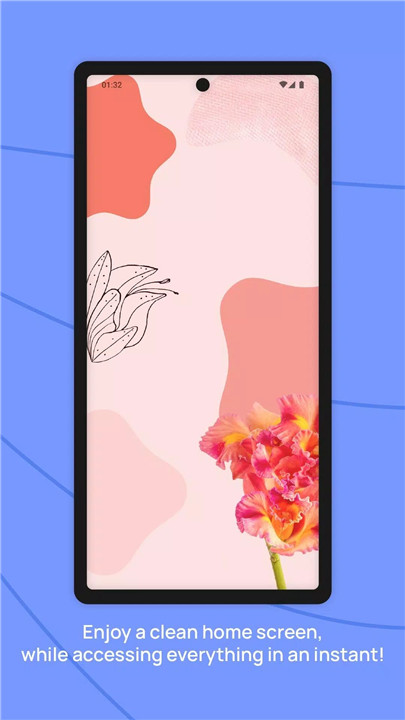
Discreet Launcher provides a minimalist interface that allows you to focus on what matters most. Your wallpaper is the main attraction, and your apps are neatly organized out of view, only a swipe away. Enjoy a clutter-free home screen that feels fresh and simple.
Quick Access to Favorites
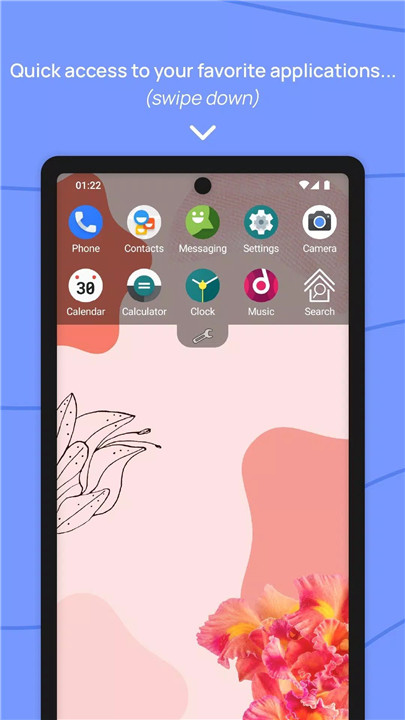
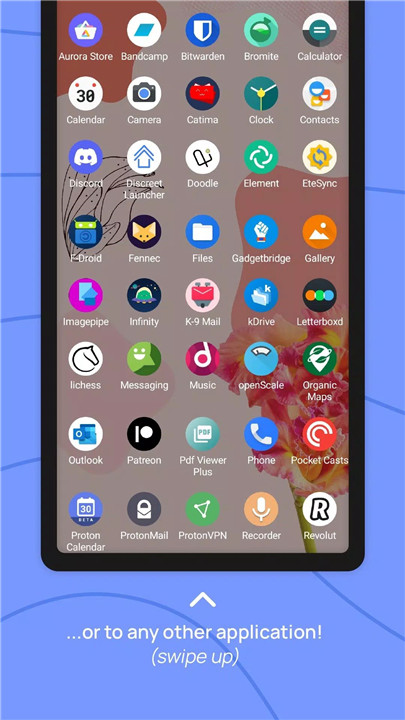
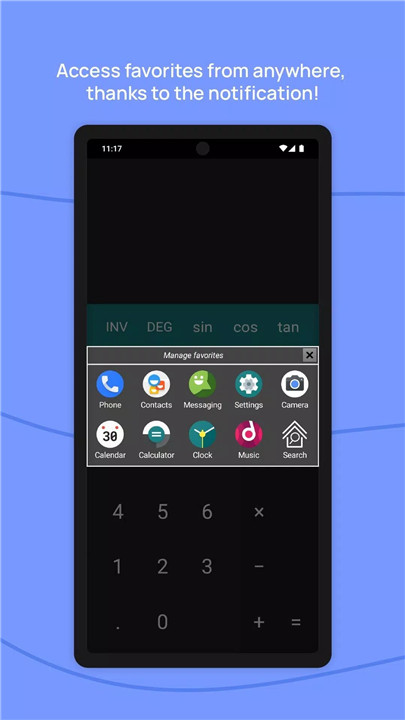
With Discreet Launcher, accessing your favorite apps is as easy as a swipe. Simply slide your finger down to view your preferred applications, or swipe up to see your full app list. Need more control? A long press on any app lets you access system settings or its store page.
Customizable Interface and Options
Make the launcher your own with plenty of customization options. Change the theme and colors, set a transparent status bar, and adjust the clock to your liking. Plus, you can opt for immersive mode, remove system bars, and even reverse the interface for a unique experience.
App Management
Keep your apps organized with features like app renaming, hiding apps, and creating folders. Discreet Launcher also allows you to use shortcuts for web apps and export or import settings, giving you greater flexibility.
No Ads, No Unnecessary Permissions
Discreet Launcher respects your privacy. It doesn’t ask for unnecessary permissions or display ads, making it a clean, smooth, and trustworthy option for those who value simplicity and privacy.
Accessibility Features
The launcher supports touch targets for accessibility, ensuring that users can navigate the interface with ease. You can also enable the option to always show favorites for quick access.
Icon Pack Support
Personalize your app icons with icon pack support. Discreet Launcher is fully compatible with custom icons, allowing you to change the look of your apps to suit your style.
FAQs
1. What makes Discreet Launcher stand out from others?
Discreet Launcher stands out with its minimalist design, offering a clean, distraction-free home screen. It provides quick access to apps, has extensive customization options, and doesn’t include ads or unnecessary permissions. It’s also open-source and completely offline.
2. Can I customize the launcher’s interface?
Yes, Discreet Launcher offers many customization options, including themes, colors, clock settings, and immersive mode. You can also change the orientation, adjust the status bar transparency, and use icon packs to personalize your experience.
3. Is Discreet Launcher free and does it have ads?
Discreet Launcher is completely free to use and does not contain any ads. It respects your privacy by not requesting unnecessary permissions and works offline, providing you with a clean, uninterrupted experience.
--------------------
What's New in the Latest Version v7.7.0
Last updated on Dec 15, 2024
v7.7.0 (66) - 15/12/2024
NEW THINGS
- Badge on work profile apps
- Four additional icon sizes
- Android 14 support
IMPROVEMENTS
- Icon pack support
- Horizontal spacing of icons
- Several Android libraries updated
CORRECTIONS
- Text clock not perfectly centered
- Folder icons search in packs









Ratings and reviews
There are no reviews yet. Be the first one to write one.