

Publisher: MS Publisher APK
5.1.1
Publisher: MS Publisher
Publisher: MS Publisher APK
Download for Android
Publisher: MS Publisher
Create, Edit, and Share PUB Files Anywhere
• Unlock the full potential of your Microsoft Publisher documents right from your Android device.
• Whether you need to view, edit, design, print, or convert PUB files, Publisher App makes it effortless — no internet connection required.
Why Choose Publisher App?
• Works Completely Offline – Keep your files secure without uploading them to the cloud.
• Full MS Publisher Compatibility – Open, edit, and save PUB documents with formatting intact.
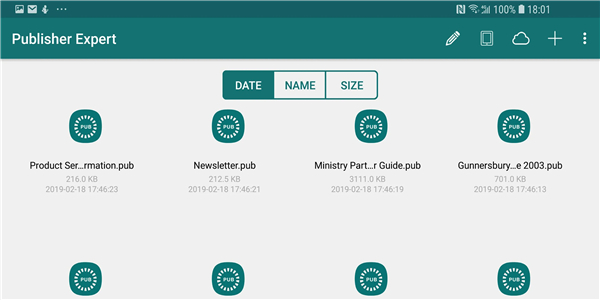
• Versatile File Handling – Import from your device, email attachments, or cloud storage (Dropbox, Google Drive, OneDrive, Box).
Powerful Editing Tools
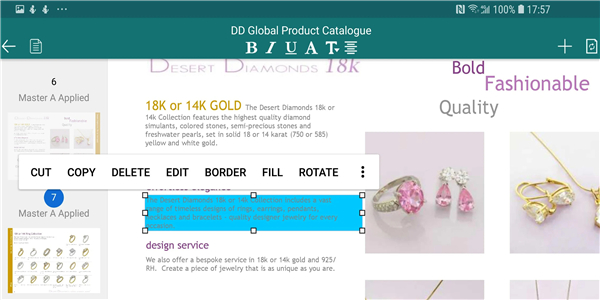
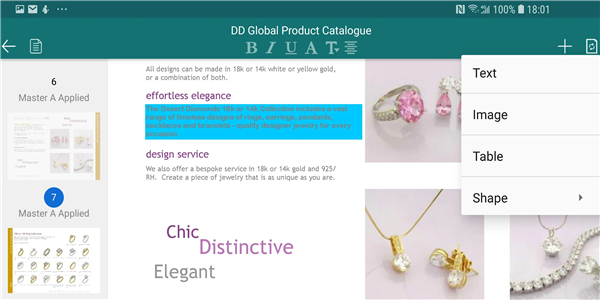
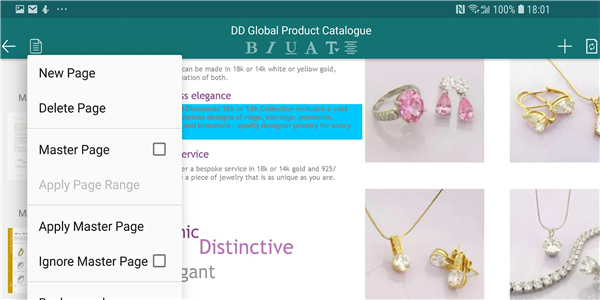
• Edit text, shapes, images, and tables with precision.
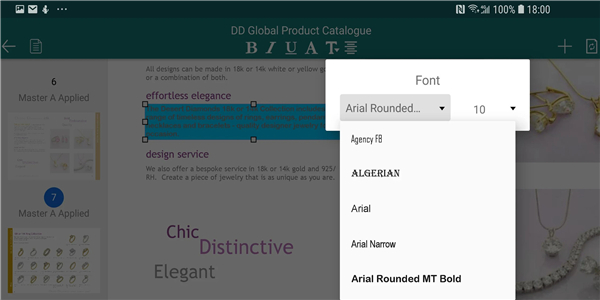
• Insert new design elements and format them with font, color, border, fill, and rotation options.
• Rearrange layers with “Bring to Front” or “Send to Back” controls.
• Modify page backgrounds, add or delete pages, and set master pages.
Create From Scratch or Templates
• Start from a blank page, image, PDF, or over 200+ MS Publisher templates (brochures, business cards, flyers, newsletters, resumes, and more).
• Choose from 5000+ paper sizes for professional results.
Flexible Export & Sharing
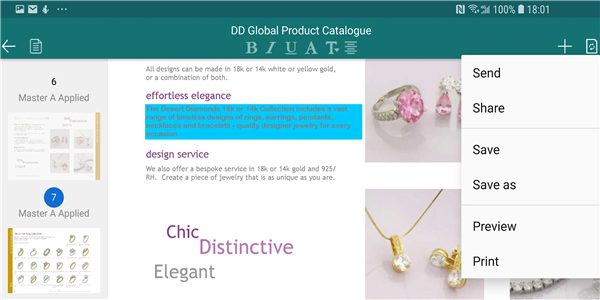
• Save in standard PUB format, fully compatible with Microsoft Publisher.
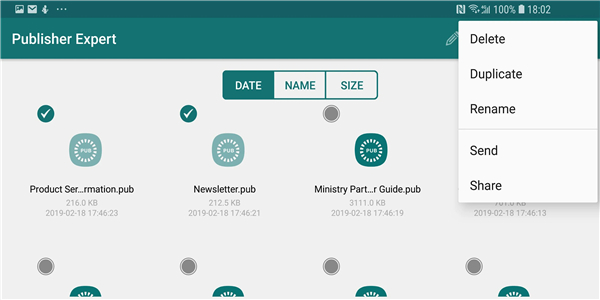
• Convert to PDF, Word, PowerPoint, or image formats (JPG, PNG, WEBP, animated WEBP).
• Share directly via cloud storage or email.
Extra Features
• Print PUB documents directly from your device.
• Import multiple images or PDFs to use in your projects.
Get started today
• Design, edit, and publish without limits.
• With Publisher App, your creativity is always within reach.
FAQ
Q: How do I open existing PUB files on my Android device with Publisher App?
A: Simply launch Publisher App, tap the “Open” icon, and browse to the folder where your PUB file is stored—whether that’s on your device’s internal storage, an external SD card, or a connected cloud drive. Once you tap the file name, it loads instantly with all formatting preserved.
Q: Will the original formatting and layout of my PUB documents remain intact after editing?
A: Yes. Publisher App is built for full MS Publisher compatibility, so text formatting, image positions, table styles, and other design elements remain exactly as they were in the original document. Any edits you make will update those same properties without disrupting the layout.
Q: Do I need an internet connection to view and edit files in Publisher App?
A: No. Publisher App is designed to work completely offline, ensuring that your files never leave your device unless you explicitly choose to share or synchronize them. This keeps your work secure and accessible even when you’re not connected to Wi-Fi or mobile data.
Version History
v5.1.1——7 Jan 2026
Edit, design & convert PUB files offline with full MS Publisher compatibility on Android. Create anywhere. Download the latest version of Publisher: MS Publisher to enjoy new features and updates immediately!
*5.1.1
- Adds PNG, WEBP, WEBP(animation) converter
- Bug fixes and other improvements- Performance optimize
*4.1.34
- Adds PNG, WEBP, WEBP(animation) converter
- Bug fixes and other improvements- Performance optimize
*4.1.33
- Adds image importer
- Adds PDF importer
- Bug fixes and other improvements









Ratings and reviews
There are no reviews yet. Be the first one to write one.