

Air Navigation Pro APK
8.4.162.603182154
Air Navigation Pro
Air Navigation Pro APK
Download for Android
Air Navigation Pro
Redefine Your Horizon
• Your journey begins long before the wheels leave the tarmac.
• Air Navigation Pro is more than a tool; it is your ultimate flight partner, designed to bring clarity to the cockpit and confidence to every mile.
• Experience the future of flight for 28 days at no cost.
Master the Visual Landscape
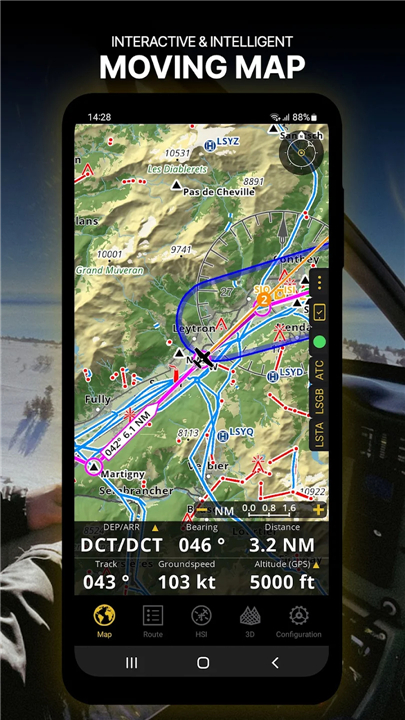
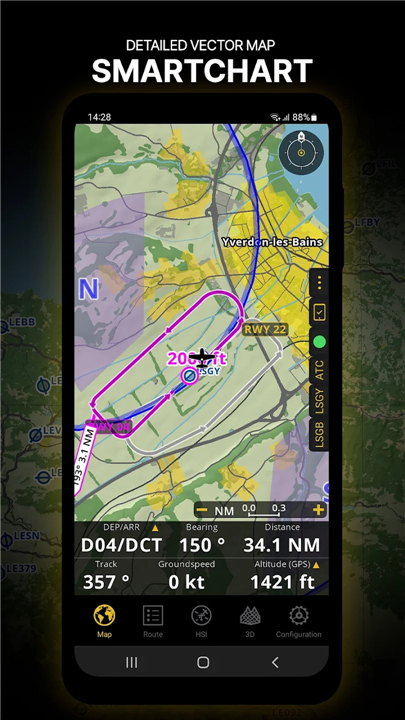
• Navigate with SmartChart, an intelligent vector-based map that intuitively adjusts detail and typography as you zoom.
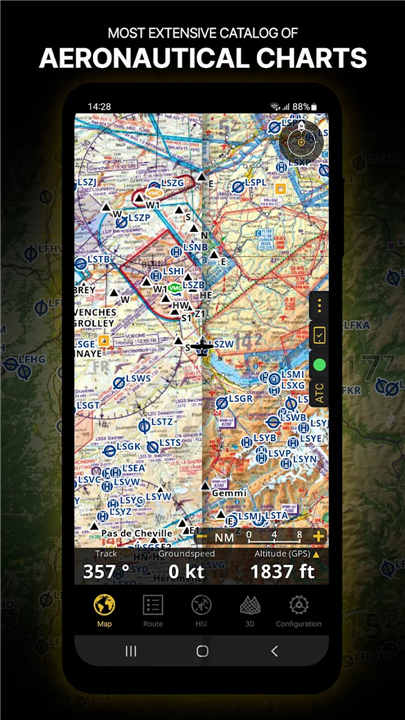
• Overlay high-fidelity ICAO and aeronautical charts directly onto your flight path for professional-grade situational awareness.
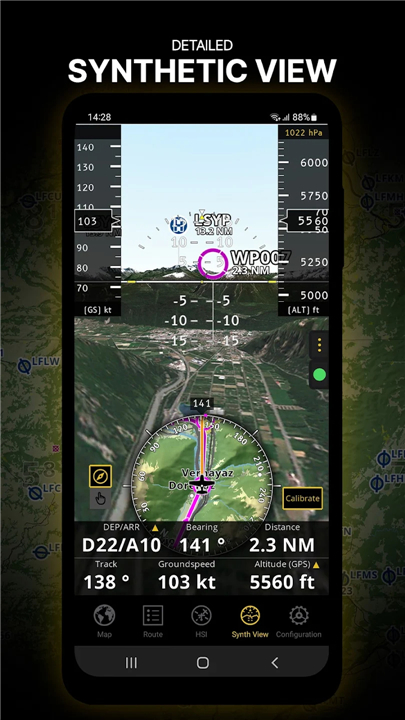
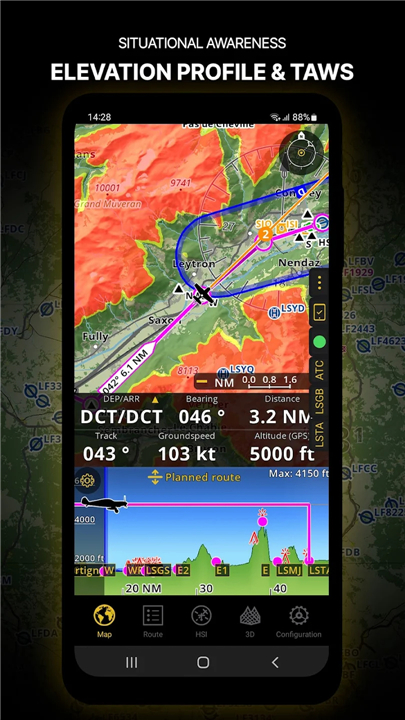
• Visualize the world in 3D through synthetic views and elevation profiles, revealing terrain and obstacles with strike-awareness technology.
Unrivaled Safety and Awareness
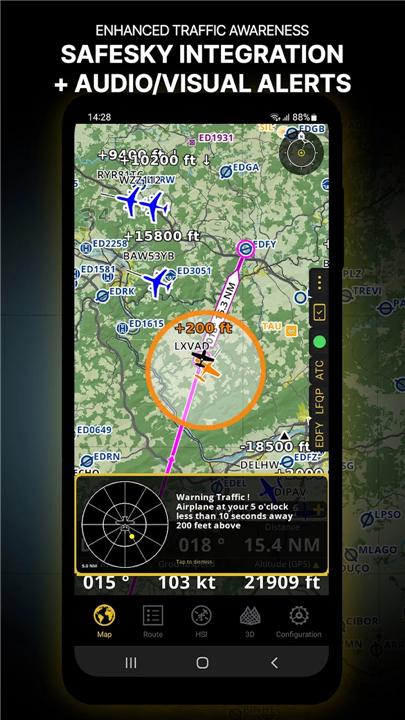
• Fly with peace of mind using SafeSky integration, which provides real-time traffic alerts and visual conflict warnings.
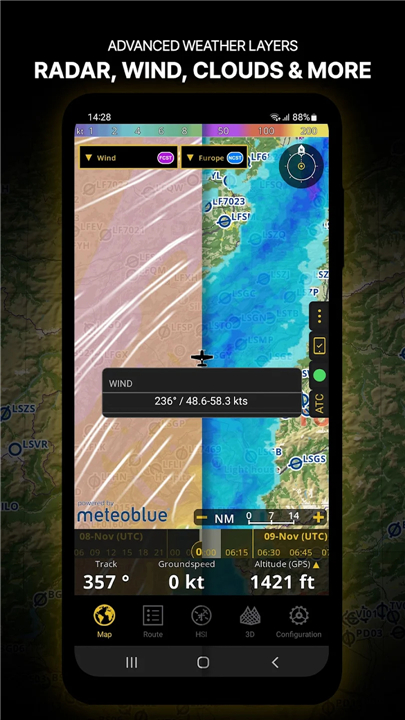
• Predict the unpredictable with advanced weather layers, including live rain radar, wind components, and visibility forecasts.
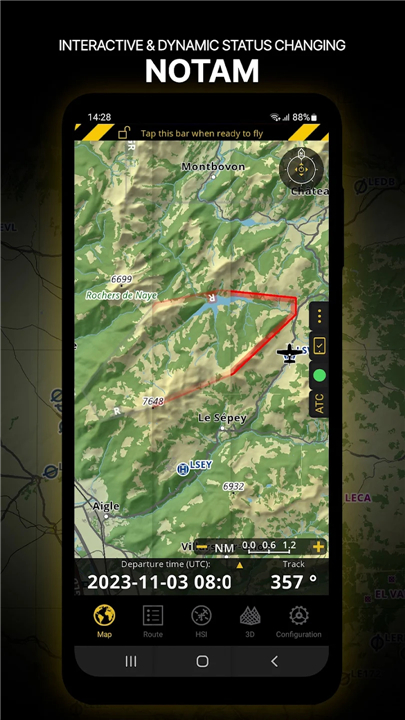
• Monitor time-sensitive NOTAMs that update and change color dynamically based on their active status.
Seamless Technical Precision
• Streamline your pre-flight routine by generating comprehensive briefing documents and automated ATC flight plans.
• Simplify complex logistics with a built-in Weight and Balance calculator tailored to your specific aircraft profile.
• Customize your flight instruments to display the essential data you need, from ETA calculations to vertical speed.
Global Access and Ease
• Synchronize your professional subscription across three separate devices for a consistent cockpit experience.
• Access a world-class database of georeferenced approach procedures and airport information.
• Benefit from a unified digital account that puts all your flight management tools in one place.
• Elevate your perspective today at www.airnavigation.aero.
FAQ
Q: Is there a way for me to test the application before I decide to purchase a subscription?
A: We want you to feel completely comfortable with the interface and its capabilities, which is why you can experience the future of flight with a 28-day trial at no cost. This period allows you to explore the full range of professional features and see how they integrate into your personal flying routine before making any commitments.
Q: How does the SmartChart technology differ from standard digital maps?
A: SmartChart is an intelligent vector-based mapping system that intuitively adjusts its level of detail and typography as you zoom in and out. This ensures that your screen remains clean and easy to read at any scale, providing the exact information you need without the clutter often found on traditional digital charts.
Q: Can I use official aeronautical charts within the application?
A: Yes, the app allows you to overlay high-fidelity ICAO and other professional aeronautical charts directly onto your flight path. This feature provides you with professional-grade situational awareness by combining the familiarity of standardized charts with the power of modern digital navigation.
Version History
v8.4.162.603182154——30 Mar 2026
Air Navigation Pro: Your ultimate flight partner. Get advanced charts, weather, traffic alerts, & 3D views. Try 28 days FREE! Download the latest version of Air Navigation Pro to enjoy new features and updates immediately!
*8.4.162.603182154
• New map styles: ONC and British
• OpenStreetMap can now be used as an online map background
• Added MGRS grid display
• Route creation now supports JeppView syntax
• Additional public-domain airfields added
• Improved contrast for Nature Reserves
• More accurate ETE/ETA computation
• Improved flight tracking
• User points can now be filtered by manager tag
• Import/export of user points (including manager tag)
• Option to hide point names in KML documents
*8.4.161.603130021
• New map styles: ONC and British
• OpenStreetMap can now be used as an online map background
• Added MGRS grid display
• Route creation now supports JeppView syntax
• Additional public-domain airfields added
• Improved contrast for Nature Reserves
• More accurate ETE/ETA computation
• Improved flight tracking
• User points can now be filtered by manager tag
• Import/export of user points (including manager tag)
• Option to hide point names in KML documents
*8.4.160.603071616
• New map styles: ONC and British
• OpenStreetMap can now be used as an online map background
• Added MGRS grid display
• Route creation now supports JeppView syntax
• Additional public-domain airfields added
• Improved contrast for Nature Reserves
• More accurate ETE/ETA computation
• Improved flight tracking
• User points can now be filtered by manager tag
• Import/export of user points (including manager tag)
• Option to hide point names in KML documents









Ratings and reviews
There are no reviews yet. Be the first one to write one.