

OneLogin Protect
Enhanced Security and Seamless Access
• OneLogin Protect provides a robust, user-friendly solution designed to fortify your organization's critical application security and sensitive data.
• By requiring you to personally confirm login attempts on your mobile phone or smartwatch, it adds a crucial layer of protection, significantly minimizing the risk of unauthorized access.
How OneLogin Protect Works
The process is intuitive, ensuring both security and convenience:
• Initiate Login: After entering your username and password into your organization's OneLogin web portal (e.g., https://yourcompany.onelogin.com), OneLogin Protect prompts the next authentication step.
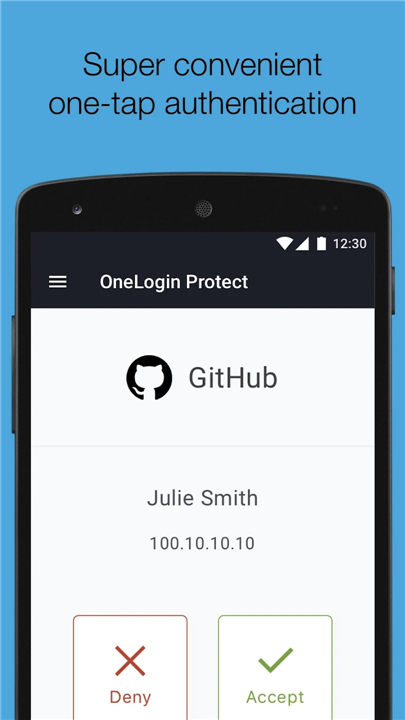
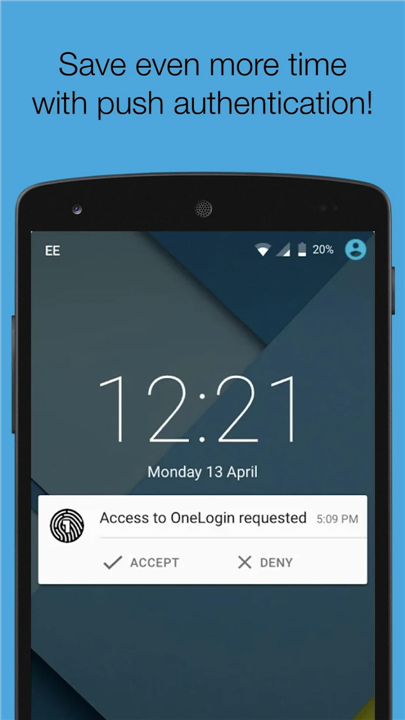
• Confirm on Device: A push notification is sent to your registered mobile phone or smartwatch. You are prompted to either "Accept" or "Deny" the login.
• Instant Access: Clicking "Accept" instantly verifies your identity, granting you secure access to the OneLogin platform and your connected applications.
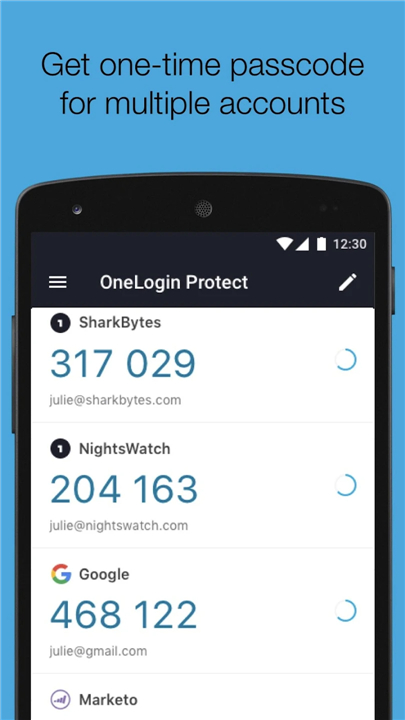
• One-Time Password (OTP) Alternative: Alternatively, you can tap "SEND OTP" within the app to generate and push a secure one-time password for login.
• Preventing Unauthorized Entry: Crucially, if an attempt is unauthorized, clicking "Deny" immediately blocks access and promptly alerts your IT department for investigation and follow-up.
Why Choose OneLogin Protect? A Rethink of MFA
• OneLogin Protect represents a significant evolution in multifactor authentication (MFA), also known as two-factor authentication (2FA).
• Recognizing that traditional MFA often causes frustration and workflow interruptions, our design minimizes these disruptions while maximizing security through:
+ Seamless Push Notifications: Login attempts trigger immediate push notifications, eliminating the need to search for the OneLogin Protect app among numerous others.
+ Effortless Authentication: It eliminates the frustration of manually entering time-sensitive one-time passwords, often prone to errors and failed logins.
+ Wearable Device Integration: For ultimate convenience, smartwatch notifications allow you to quickly "Accept" or "Deny" requests without retrieving your phone.
Requirements for Use
• To utilize the OneLogin Protect application, you must possess an active OneLogin account.
• Your organization typically provides this.
• If unsure or needing assistance, contact your IT department.
Detailed Setup Instructions
• For comprehensive guidance on setting up OneLogin Protect, please refer to the official support documentation available at: https://support.onelogin.com/hc/en-us/articles/202361220
FAQ
Q: How does OneLogin Protect help make my online access more secure?
A: It beefs up your security by mandating a personal confirmation on your registered mobile device or smartwatch for every login attempt. This crucial step drastically reduces the likelihood of unauthorized individuals gaining access to your accounts, even if they happen to know your password.
Q: What is the typical process for logging in using OneLogin Protect?
A: When you enter your username and password into your organization's OneLogin web portal, OneLogin Protect immediately sends a push notification to your registered mobile phone or smartwatch. You'll then simply choose to "Accept" or "Deny" that login attempt.
Q: What happens once I "Accept" a login request on my device?
A: After you tap "Accept" on the push notification, OneLogin Protect instantly verifies your identity. This seamless action grants you secure and immediate access to the OneLogin platform and all the applications connected to it, letting you get straight to your work.
Version History
v4.9.2——11 Mar 2026
OneLogin Protect secures access to cloud apps by requiring a One Time Password. Download the latest version of OneLogin Protect to enjoy new features and updates immediately!
*4.9.2
Minor bug fixes and improvements. Install or update to the newest version to check it out!
*4.9.1
Minor bug fixes and improvements. Install or update to the newest version to check it out!
*4.9.0
Minor bug fixes and improvements. Install or update to the newest version to check it out!









Ratings and reviews
There are no reviews yet. Be the first one to write one.