

Traffic Light: Network Monitor APK
3.1
Traffic Light: Network Monitor
Traffic Light: Network Monitor APK
Download for Android
Traffic Light: Network Monitor
Overview
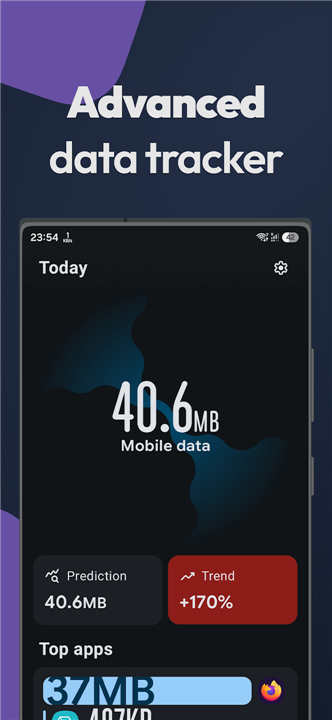
• Traffic Light is an open‑source application designed to give users complete visibility into their mobile data consumption while guaranteeing absolute privacy.
• Drawing inspiration from popular tools such as Internet Speed Meter and GlassWire, it combines powerful analytics with a sleek, low‑impact interface.
Core Functionality
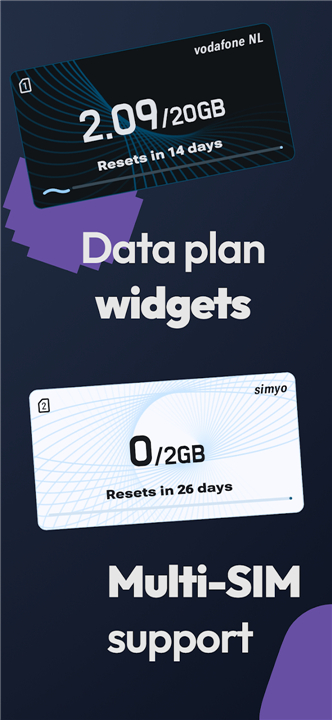
• Data‑Plan Tracking – Monitor usage against any cellular plan, supporting multiple SIM cards and automatic plan changes.
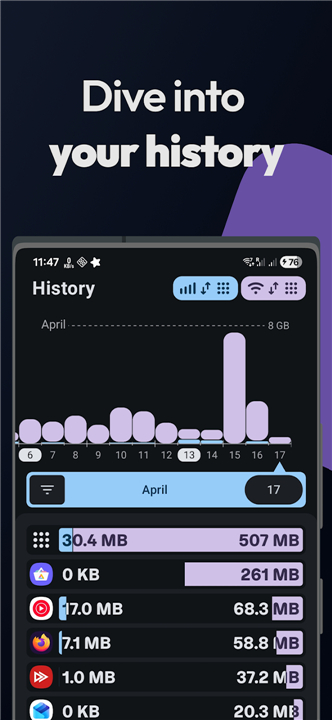
• Historical Data Logging – Store detailed records of daily, weekly and monthly traffic for deep trend analysis.
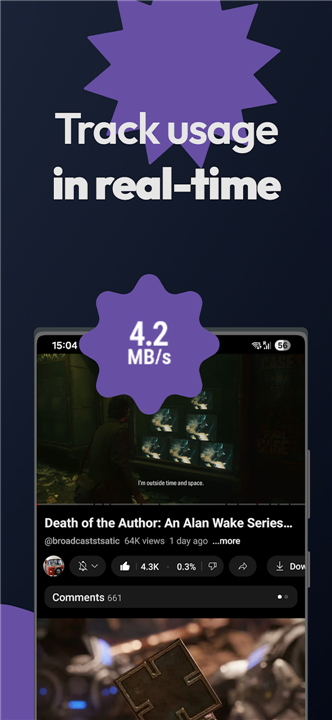
• Real‑Time Status Bar Indicator – A subtle icon in the status bar shows current upload/download speeds and alerts when thresholds are approached.
• At‑a‑Glance Analytics – Quick widgets display total consumption, remaining quota, and average speed without opening the full app.
Visual Experience
• Beautiful Widgets – Customizable home‑screen widgets in several sizes and themes, letting users choose the information they need most.
• Modern, Minimalist Design – High‑resolution icons, smooth animations, and a dark‑mode friendly palette ensure the app looks polished on any device.
• Responsive Layout – Adaptive UI that works seamlessly on phones and tablets, automatically adjusting to screen orientation.
Privacy & Security
• Zero Data Upload – All monitoring occurs locally; no usage data is transmitted to external servers.
• Open‑Source Transparency – Full source code is publicly available for audit, ensuring no hidden telemetry.
• Permission‑Only Access – Requests only the network statistics permissions required for accurate tracking.
Performance & Efficiency
• Battery‑Friendly Engine – Optimized background polling uses significantly less power than competing apps.
• Lightweight Footprint – Minimal RAM and storage consumption, keeping the device responsive even on older hardware.
• Fast Startup – Instant loading of dashboards and widgets, providing immediate insight after launch.
Compatibility
• Supports Android 7.0 (API 24) and later.
• Works with dual‑SIM devices, carrier‑agnostic plans, and both 4G and 5G connections.
• Traffic Light delivers comprehensive, privacy‑first network monitoring with an elegant, efficient user experience.
FAQ
Q: How does the app ensure my personal browsing data remains private and secure?
A: Privacy is a core pillar of the Traffic Light philosophy, which is why the application operates on a "Zero Data Upload" principle. All network monitoring occurs strictly on your local device, and no usage data is ever transmitted to external servers. Because the project is open-source, the entire code base is available for public audit to ensure there is no hidden telemetry or malicious data collection.
Q: I use two different service providers; does Traffic Light support dual-SIM configurations?
A: Yes, the application is fully equipped to handle dual-SIM devices and allows you to monitor usage against different cellular plans simultaneously. It can distinguish between the two sources and can even manage automatic plan changes to ensure your tracking remains accurate regardless of which SIM is active for data.
Q: Will keeping a network monitor running in the background significantly impact my battery life?
A: Traffic Light is designed with a battery-friendly engine specifically optimized for low-impact background polling. Unlike many competing apps that constantly wake the processor, this app uses an efficient monitoring system that consumes significantly less power while maintaining a lightweight RAM and storage footprint.
Version History
v3.1——17 Aug 2026
Advanced network speed & data usage monitor with widgets and no tracking. Download the latest version of Traffic Light: Network Monitor to enjoy new features and updates immediately!
*3.1
Minor bug fixes and improvements. Install or update to the newest version to check it out!
*3.0.1
Minor bug fixes and improvements. Install or update to the newest version to check it out!
*3.0
Minor bug fixes and improvements. Install or update to the newest version to check it out!











Ratings and reviews
There are no reviews yet. Be the first one to write one.