

LocalShare
Overview
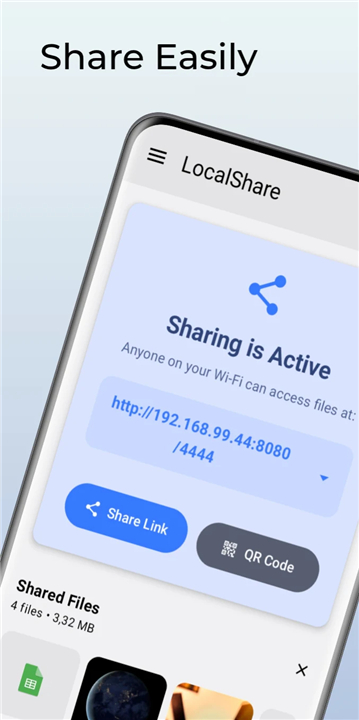
• LocalShare is a lightweight, high-performance Android application designed to facilitate seamless file transfers across your local Wi-Fi network.
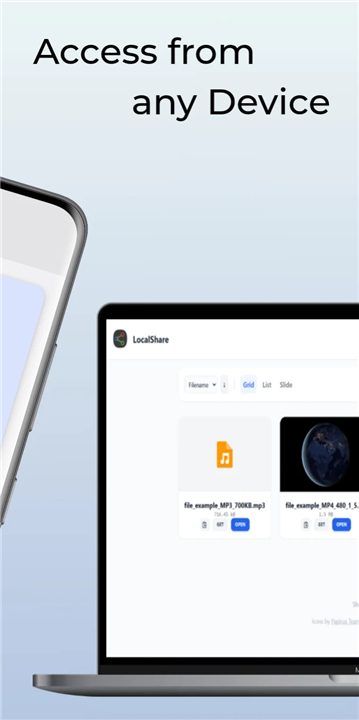
• By hosting a localized web server directly on your mobile device, it allows any receiving device with a standard web browser to access shared files without requiring cloud storage, USB cables, or secondary application installations.
Key Features
• Native Android Integration: Send files instantly through the standard system share sheet.
• Modern Web Interface: Access shared content via a clean, responsive, browser-based UI.
• Real-Time Updates: Web interfaces update live as files are added or removed, eliminating manual page refreshes.
• Media Streaming: Stream video and audio directly in the target browser with native seeking support using HTTP Range requests.
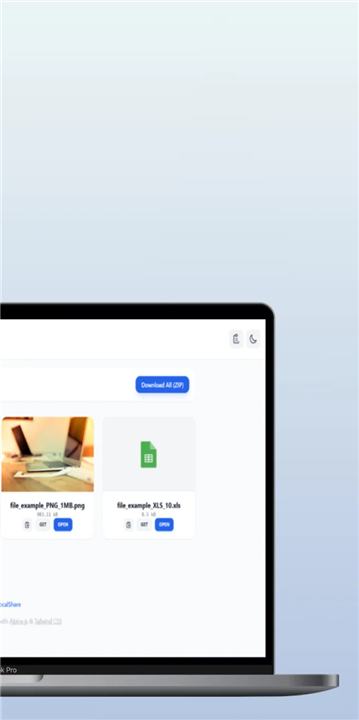
• Flexible Archiving: Share multiple files simultaneously with automated, on-the-fly ZIP compression for batch downloads.
• Robust Access Control: Secure transfers using token-based authorization and optional manual device connection approvals.
• Transparent Experience: Fully open-source software that is 100% ad-free.
Quick Start Guide
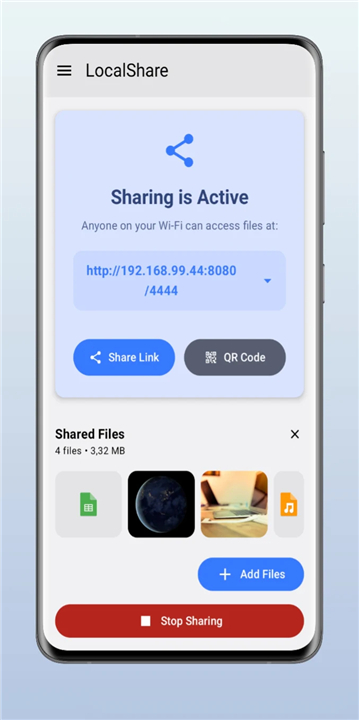
• Select one or more files on your Android device and send them to LocalShare via the share menu.
• Tap "Start Sharing" to initiate the local web server.
• Open the displayed web URL or scan the generated QR code using a browser on the receiving device.
• Stream media directly in the browser or download the files.
Security Guidelines
• Data Encryption: LocalShare utilizes unencrypted HTTP for maximum local transfer efficiency.
• Recommended Usage: Intended strictly for secure, trusted environments such as private home or office Wi-Fi networks.
• Precaution: Avoid sharing sensitive data on public or untrusted wireless networks.
Permissions and System Operation
• Foreground Service: Runs as a dedicated foreground service while active to ensure uninterrupted file transfers.
• System Notifications: Requires notification permissions to maintain continuous server background processing and notify you of incoming connection requests.
FAQ
Q: Do I need to install LocalShare on the receiving device to get my files?
A: No, you do not need to install LocalShare or any other application on the receiving device. This is one of the biggest conveniences of the app, as the receiving device only needs a standard, modern web browser like Chrome, Safari, or Firefox to access and download the files. This means you can effortlessly share files with iPhones, iPads, Windows PCs, Macs, Linux systems, or even smart TVs.
Q: How do I start sharing files from my Android device using LocalShare?
A: To get started, you simply select one or more files on your Android device using your favorite file manager or gallery app, and then send them to LocalShare using the standard system share menu. Once the app opens with your selected files, you tap the Start Sharing button to launch the local web server. From there, the app will display a unique web URL and generate a QR code that the receiving device can scan to instantly open the shared page.
Q: Can I share multiple files at the same time, and how do they download on the other end?
A: Yes, you can absolutely share multiple files at once. When you share a batch of files, the web interface on the receiving device will display them all. To make downloading easier, LocalShare features flexible archiving, which automatically packages your selected files into a single ZIP archive on the fly. This allows the receiver to download everything in one go without having to click on every single file individually.
Version History
v0.2.10——25 Aug 2026
Transfer files instantly over Wi-Fi with LocalShare, a secure, open-source Android app. Share files & stream media directly in any browser. Download the latest version of LocalShare to enjoy new features and updates immediately!
*0.2.10
Minor bug fixes and improvements. Install or update to the newest version to check it out!
*0.2.9
Minor bug fixes and improvements. Install or update to the newest version to check it out!
*0.2.8
Minor bug fixes and improvements. Install or update to the newest version to check it out!











Ratings and reviews
There are no reviews yet. Be the first one to write one.