

OneKeePass Password Manager APK
0.22.1
OneKeePass Password Manager
OneKeePass Password Manager APK
Download for Android
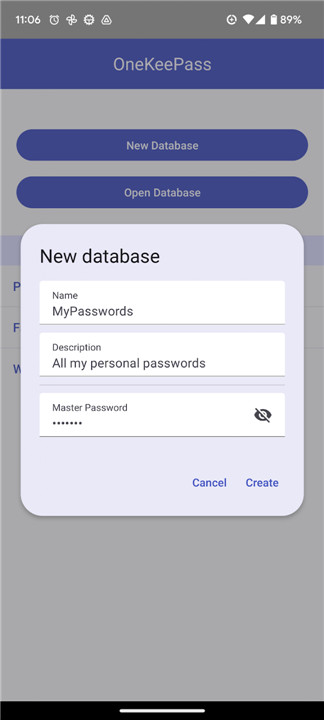
OneKeePass Password Manager
Take Control of Your Digital Identity
• Stop juggling dozens of insecure passwords and start reclaiming your digital privacy.
• OneKeePass is a robust, open-source password manager designed to put you back in the driver’s seat.
• By utilizing the industry-standard Kdbx 4.x format, it ensures your sensitive data remains encrypted, accessible only to you, and stored exactly where you choose—whether that is locally on your device or across your preferred cloud services.
• With OneKeePass, you are not just managing passwords; you are building a secure vault for your entire digital life.
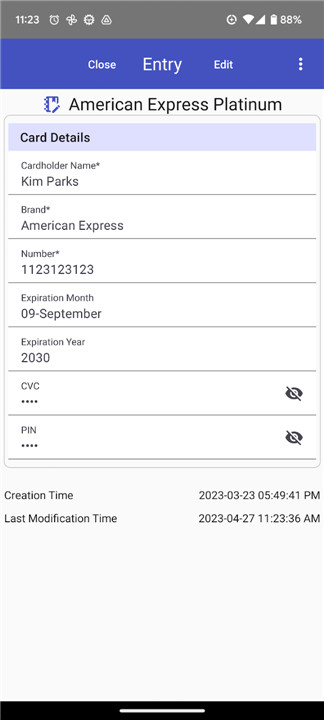
• Every piece of sensitive information—from credit cards and passports to membership IDs—is shielded by state-of-the-art encryption, giving you the peace of mind you deserve.
Why Choose OneKeePass?
1. Complete Sovereignty Over Your Data
• Total Offline Freedom: Your secrets never leave your device unless you authorize it.
• Flexible Storage: Integrate seamlessly with your existing cloud storage providers using native Android support.
• Open Source & Ad-Free: Enjoy a clean, transparent experience built by the community, for the community.
2. Powerful Organization & Customization
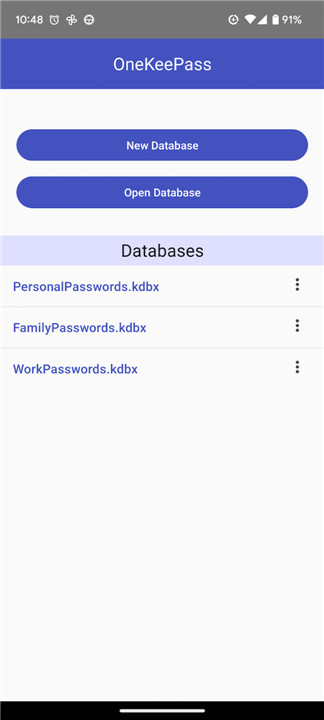
• Personalized Vaults: Segregate your life by creating multiple databases for work, family, or personal use.
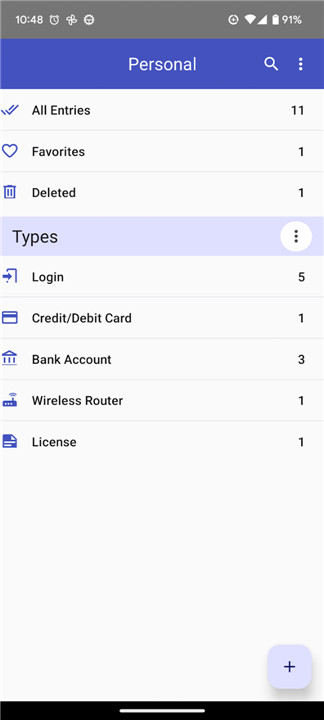
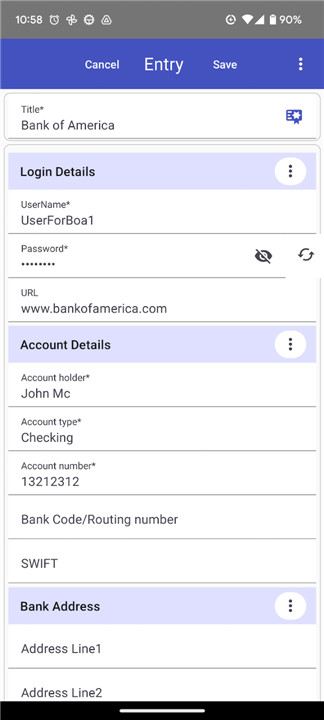
• Tailored Entries: Move beyond simple text fields; add custom categories, specific sections, and unique fields to keep your data organized your way.
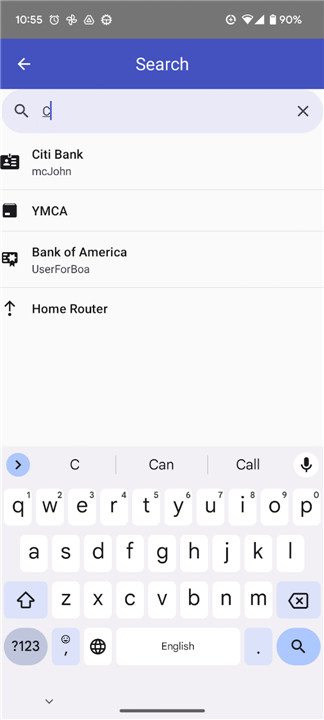
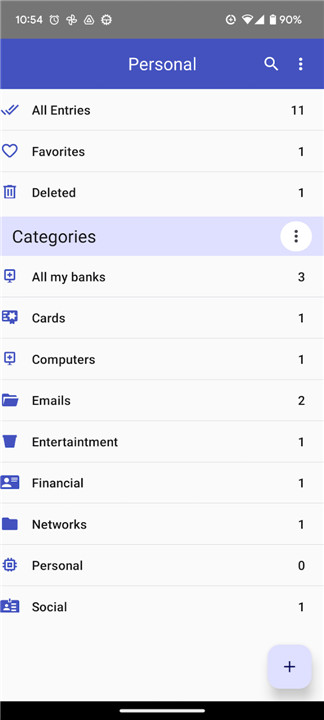
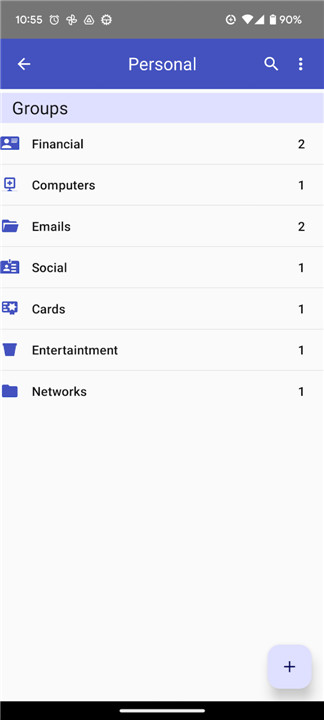
• Intuitive Navigation: Use traditional group trees or custom categories to find what you need in seconds.
3. Security-First Features
• Military-Grade Protection: Lock your data away with the latest, battle-tested encryption standards.
• Smart Password Generation: Create complex, uncrackable passwords instantly.
• Safety Net: Utilize the built-in recycle bin to recover accidentally deleted items or permanently purge sensitive data.
• Detailed Audit Trail: Track changes with entry history, ensuring you always know how your information has evolved.
Get Started
• We believe in radical transparency.
• Follow our progress, contribute to our development, or report issues directly on our community hub:
+ Development Status: https://github.com/OneKeePass/mobile
+ Feature Requests & Bug Reports: https://github.com/OneKeePass/mobile/issues
FAQ
Q: Where is my password database actually stored?
A: You have complete control over your storage location. Because OneKeePass supports flexible storage, you can choose to keep your database locally on your device for maximum privacy or sync it across your preferred cloud storage providers using the native integration on your Android device.
Q: Is OneKeePass truly open-source?
A: Yes, it is. We believe in radical transparency, and the project is built by the community, for the community. You are welcome to view our source code, track our development progress, and contribute to the project directly through our GitHub repository.
Q: Can I use OneKeePass for both my work and personal passwords?
A: Absolutely. You can easily segregate your digital life by creating multiple, distinct databases. This allows you to maintain a professional vault for work-related credentials and a separate, personal vault for your private information.
Version History
v0.22.1——15 Jul 2026
A simple and secure offline password manager Download the latest version of OneKeePass Password Manager to enjoy new features and updates immediately!
*0.22.1
This is a maintenance release with fixes on top of v0.22.0.
Fixes
• Scan QR Code — fixed the "Scan QR Code" button used when setting up a one-time password (TOTP), which had stopped working after the upgrade to react-native-vision-camera v5
• AutoFill matching — corrected how saved entries are matched to the current site or app; verified on Android
• Add custom icon dialog — the "Add icon by URL" dialog now uses a keyboard-avoiding layout so the input is not hidden behind the on-screen keyboard
• Manage Icons page — fixed a scrolling issue on the icons page
• Updated the core library to the latest version
*0.22.0
Improvements
• New built-in entry types — added SSH Key, Identity, Passport and Driver License entry types for storing these details in a structured way
• Custom field types — a custom field can now be a Text, Boolean (on/off toggle) or Date field instead of plain text only; the display adapts for both view and edit modes
• Date fields with a date picker — date values (including the date fields in the new entry types) can be selected and edited using the native mobile date picker
• AutoFill matching improvements — refined how saved entries are matched to the current site or app, and improved the AutoFill search bar behaviour
• Android AutoFill — improved handling of the requesting app / URI when filling credentials
• Case-insensitive title sorting — the entry list now sorts titles without regard to upper/lower case
• Updated to React Native 0.85.3 — the app has been upgraded to the latest React Native for both iOS and Android, including the AutoFill extensions
*0.21.0
Custom icons support — download and assign custom icons to any entry or group
SFTP and WebDAV server credentials can now be stored securely inside the database using the new built-in entry types SFTP Connection and WebDAV
SFTP/WebDAV server stored database change detection and merge — the app detects when a remote database has been changed by another device and prompts to merge the changes
Translations of texts added for
- Brazilian Portuguese - Thanks Romoaldo Cordeiro
- Russian











Ratings and reviews
There are no reviews yet. Be the first one to write one.