

Why Download This Module?
This module transforms how you interact with your Android device, offering a wealth of features that can streamline your daily tasks and enhance your overall experience. Whether you want to quickly navigate your device, control media, or perform specific actions with a swipe or tap, this module provides an extensive range of options.
Actions You Can Perform
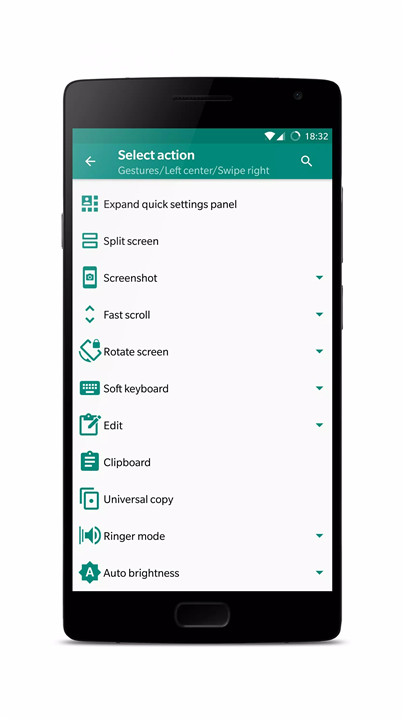
Our module allows you to execute a variety of actions, making your device more intuitive and efficient:
Default Actions: Set default behaviors or choose "None" to do nothing.
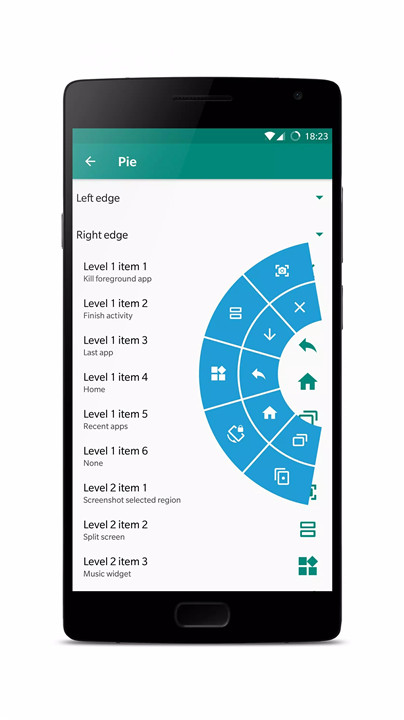
Navigation: Easily navigate back, home, or switch between recent apps.
System Controls: Manage power settings, including sleep, wake, shutdown, reboot, and expanding the notifications panel.
Rotation Control: Adjust screen orientation.
Media Controls: Play, pause, skip, or stop media playback.
Fast Scroll: Quickly scroll to the top or bottom of a page.
Edit Functions: Copy, paste, and manage text efficiently.
Universal Copy: Instantly copy text from anywhere on your device with one tap.
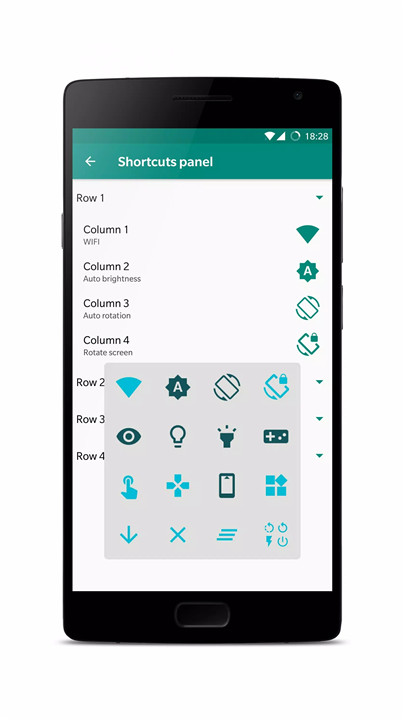
Settings Management: Adjust auto-brightness, rotation, Wi-Fi, mobile data, and more.
App Management: Launch or close apps, manage activities, and switch between apps.
Freezer Function: Freeze or thaw apps to manage their activity.
Custom Input: Trigger gestures, key events, or text input.
Floating Widgets: Use widgets that float over your screen for easy access.
Swipe Adjustments: Adjust brightness, screen filters, and volume with edge swipes.
Gesture Pointer: Extend your finger for more precise gestures.
Drawing Tool: Draw on the screen with a virtual pen.
Notifications: Receive notifications, speech prompts, and toast messages.
Screen Filter and Torch: Adjust screen brightness and use your device's torch function.
How Does It Work?
Once you've installed the Xposed Framework and this module, setting up your controls is straightforward:
Install Xposed Framework: Ensure you have Xposed Framework installed on your device. If you're not familiar with this, please research it thoroughly before proceeding.
Activate the Module: Open the Xposed Installer app and activate this module.
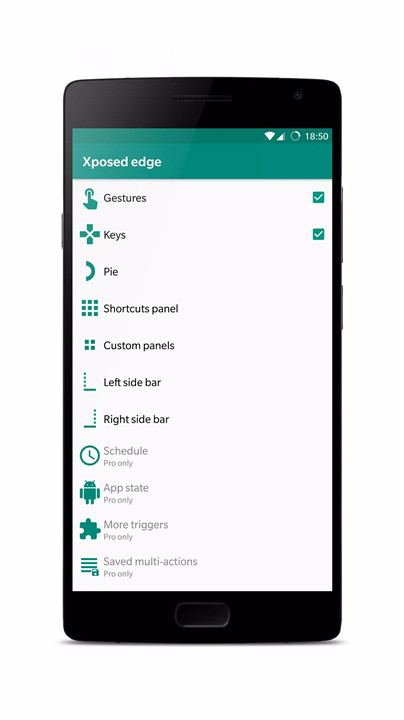
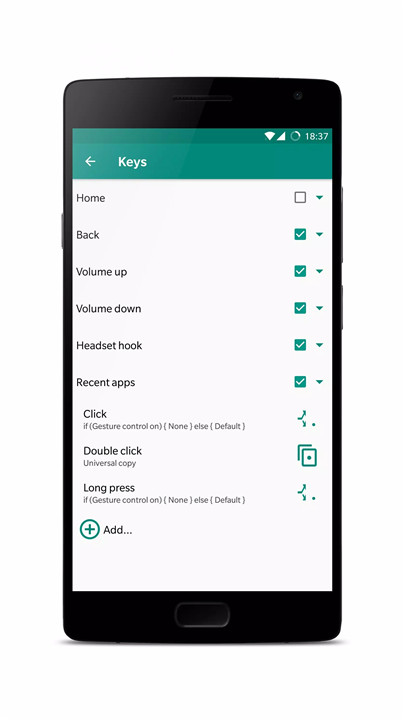
Configure Settings: Customize gestures and key actions according to your preferences through the module's settings menu.
Enjoy Enhanced Control: Use edge gestures, key presses, and other features to enhance your interaction with your device.
FAQ
1. What is Xposed Framework?
Xposed Framework is a tool that allows you to modify the behavior and appearance of your Android device without changing the firmware. It provides a platform for modules like this one to add new features or tweak existing ones.
2. Do I need to root my device to use this module?
Yes, to use the Xposed Framework and this module, your device must be rooted.
3. How do I uninstall this module?
If you need to uninstall the module, go to the Xposed Installer app, deactivate the module, and then uninstall it through your device’s settings or app manager.
4. Can I customize the gestures and key controls?
Absolutely! This module offers extensive customization options. You can assign different actions to various gestures and keys to tailor the module to your needs.
5. What should I do if the module doesn’t work correctly?
Ensure that you have installed the correct version of the Xposed Framework and that your device is rooted. If issues persist, check for module updates or consult the module’s support forums for assistance.
What's New in the Latest Version 8.0.1
Last updated on Oct 25, 2022
- Add support for android T.
- Removed permission QUERY_ALL_PACKAGES.
- Upgrade target SDK to 31.
- More supports for workspace/multi app.
- Less grayed icon.
- Bug fixes and other optimizes.
- New bugs.









Ratings and reviews
There are no reviews yet. Be the first one to write one.