

SessionCloud SIP Softphone APK
3.0.4
SessionCloud SIP Softphone
SessionCloud SIP Softphone APK
Download for Android
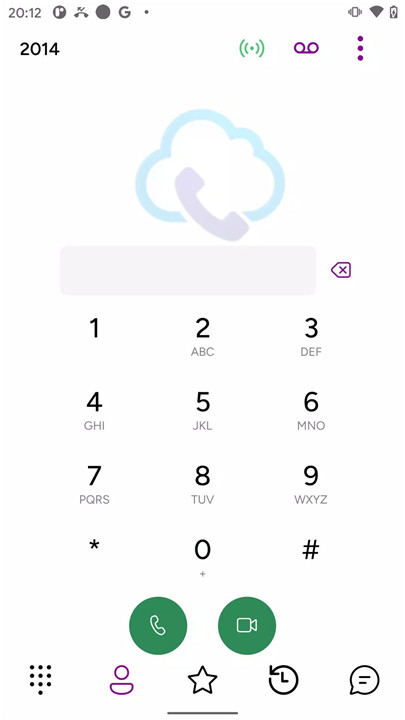
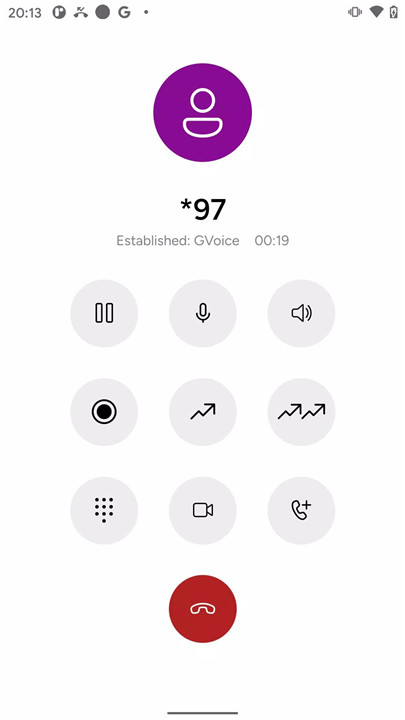
SessionCloud is an advanced SIP softphone designed to provide feature-rich, high-quality communication for both personal and professional use.
Support for SIP VoIP Calls Over LTE and WiFi
SessionCloud makes it easy to stay connected, whether you're on WiFi or using LTE. The app allows you to make SIP VoIP calls without compromising quality, ensuring reliable communication wherever you are.
Incoming Calls via Push Notifications
Never miss a call again! SessionCloud offers push notifications for incoming calls, even if the app isn’t actively running in the background. Stay on top of your communication at all times.
High-Quality Video and Audio Calls
SessionCloud supports video calls with H264 and VP8 codecs, ensuring crystal-clear video and audio. Whether you’re making a personal call or joining a business conference, you can count on high-quality communication.
Multi-Account Support
Manage multiple SIP accounts at once. With SessionCloud, you can register and receive calls on any of the six simultaneous accounts you have configured. You can easily switch between accounts for personal and professional communication.
Advanced Call Features
SessionCloud comes packed with features such as attended and unattended call transfers, six-way conferencing, and a customizable dial plan. Whether you’re managing a small team or running larger operations, these features will keep your communication smooth.
Secure Communications with TLS and SRTP Encryption
For added security, SessionCloud supports TLS encryption with optional certificate verification and SRTP for secure calls. Your conversations remain private and protected against unwanted breaches.
Customizable Call Settings
Customize your calling experience with features such as the ability to set a background image for calls, use Bluetooth for hands-free calling, and integrate contacts directly within the app. Plus, with quick import functionality, it’s easy to get started with major VoIP providers.
Call Recording and Voicemail Notifications
SessionCloud also allows you to record your calls for later reference, along with receiving voicemail notifications when you’re unable to answer. This makes it easy to track important conversations or messages you may have missed.
Comprehensive Audio Codec Support
For the best sound quality, SessionCloud supports G722, G711, GSM, iLBC codecs, and even the premium G729 Annex A codec. Enjoy excellent audio quality regardless of network conditions.
FAQs
1. How do I get started with SessionCloud?
To use SessionCloud, you’ll need an operator code from your VoIP provider or IT department. Once you have it, you can easily provision the app for your SIP account.
2. Does SessionCloud support video calls?
Yes! SessionCloud supports video calls with H264 and VP8 codecs, offering a high-quality video calling experience.
3. Can I use SessionCloud with multiple accounts?
Absolutely! SessionCloud supports up to six accounts simultaneously. You can receive calls on any registered account and switch between them as needed.
----------------------------
What's New in the Latest Version 3.0.4
Last updated on Dec 10, 2024
Improved startup time









Ratings and reviews
There are no reviews yet. Be the first one to write one.