

Ice Box - Apps freezer APK
3.25.7 C
Ice Box - Apps freezer
Ice Box - Apps freezer APK
Download for Android

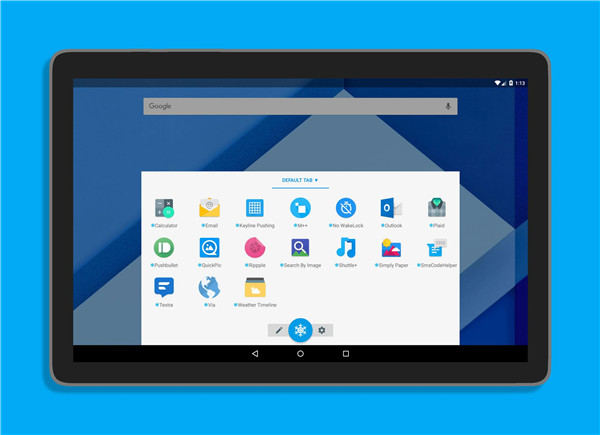
Ice Box: Manage and Conceal Infrequently Used Apps
Ice Box is an effective application designed to help you streamline your device by freezing and concealing apps that you seldom use. This functionality prevents these apps from draining your battery or using cellular data in the background, thereby enhancing your device's overall performance and efficiency.
Setup for Rooted Devices
If your device is rooted, you can easily install and start using Ice Box without any extra steps. Having root access allows you to fully utilize all the features of Ice Box right away.
Setup for Non-Rooted Devices
For those with non-rooted devices, the setup process requires a few more steps. It’s essential to carefully read through the complete instructions to ensure a seamless installation. You can find the detailed setup guide here:
Non-Root Setup Guide: http://iceboxdoc.catchingnow.com/Device%20Owner%20(Non%20Root)%20Setup
Once you’ve set it up with the assistance of a computer, Ice Box will grant "Device Owner" permissions to freeze or defrost apps. Please refrain from manually granting "Device Administrator" permissions on your phone, as this will not function correctly. If you decide to stop using Ice Box, you can uninstall it anytime through its settings.
Ice Box serves as a storage solution for apps you rarely access.
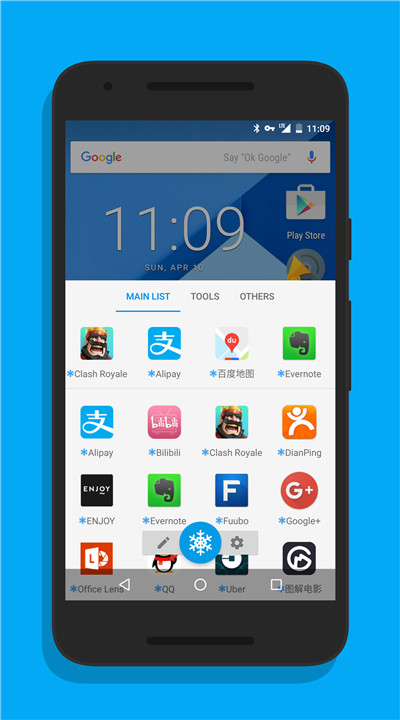
Apps placed in the box will be HIDDEN from your launcher, preventing them from consuming battery or cellular data in the background. You can easily access them from Ice Box, similar to launching from a home screen folder. They will automatically freeze when the screen locks or when you return to the launcher, ensuring they remain inactive in the background.
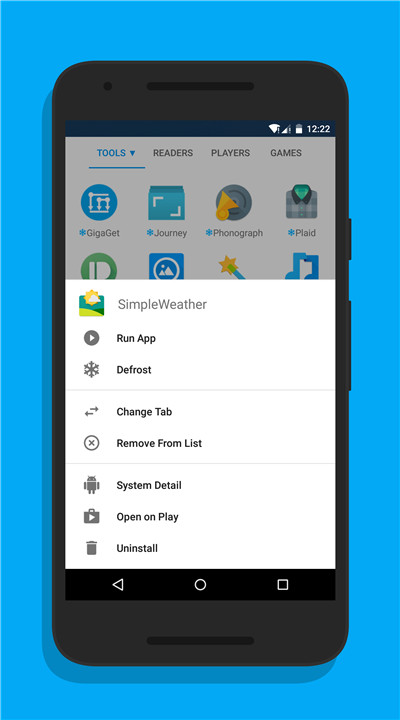
You can long-press a single icon or drag to select multiple icons to:
- Launch the app.
- Freeze or defrost the app.
- View app details.
- Open the app on Google Play.
- Uninstall the app.
Launcher shortcuts supported:
- Freeze All Apps
- Freeze All + Lock Screen
- Defrost and Run Specific App
Additional Features:
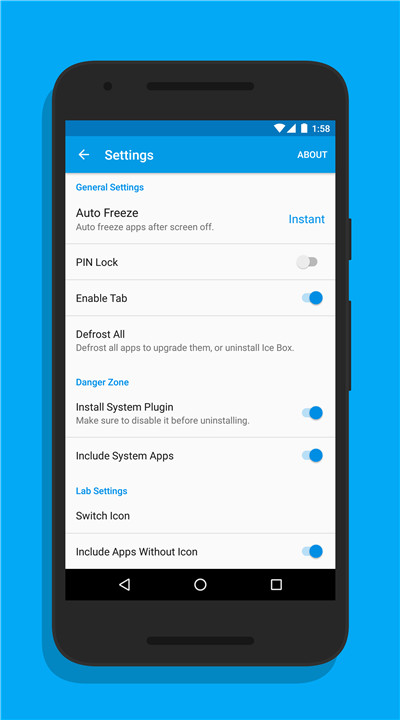
- Fingerprint lock.
- Notification shortcut.
- Android quick shortcut.
- Double-click shortcut to freeze.
FAQ
Q: What is Ice Box?
A: Ice Box is an application designed to help you manage and conceal infrequently used apps on your device. By freezing these apps, you can prevent them from draining your battery or using cellular data in the background, thus improving your device's performance and efficiency.
Q: What does it mean to "freeze" an app?
A: Freezing an app means that the app is temporarily disabled and hidden from your launcher. It cannot run in the background, use battery, or access cellular data. However, the app remains installed on your device and can be easily unfrozen when needed.
Q: How do I set up Ice Box on a non-rooted device?
A: For non-rooted devices, the setup process requires a few more steps. You need to follow the detailed setup guide available here: Non-Root Setup Guide. This guide will assist you in setting up Ice Box with the help of a computer and granting "Device Owner" permissions.
-----------------
v3.25.7 C——3 Mar 2025
Freeze and hide apps rarely used. Please read instructions before installation! Download the latest version of Ice Box - Apps freezer 3.25.7 C to enjoy new features and updates immediately!
Minor bug fixes and improvements. Install or update to the newest version to check it out!









Ratings and reviews
There are no reviews yet. Be the first one to write one.