

OpenBible
A Minimalist Android Bible Reader
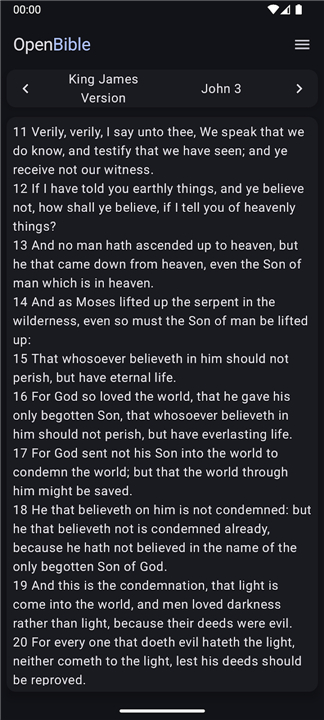
• Provides a clean, lightweight Android application dedicated solely to displaying the biblical text.
• Excludes ancillary material such as section headings, commentary notes, reading plans, devotional tips, or advertisements.
• Designed for users who want an unobtrusive, distraction‑free reading experience.
Language & Translation Management
• Offers downloadable Bibles in dozens of languages and numerous translations (e.g., King James Version, New International Version, Lutherbibel, etc.).
• Each translation is stored locally after download, enabling offline access.
• The development team monitors upstream sources and releases periodic updates to correct formatting errors, Unicode inconsistencies, and other translation‑specific issues.
Navigation & Search
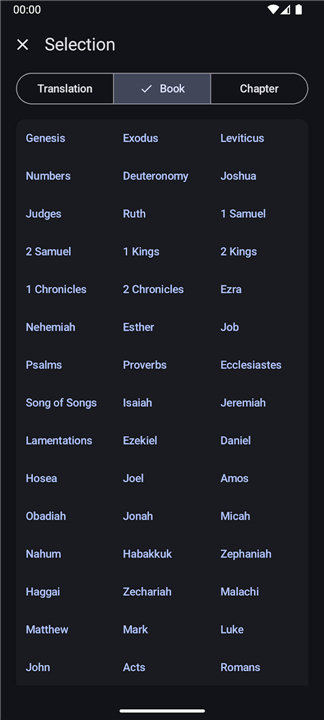
• Users can quickly select a specific translation, then choose a book and chapter via drop‑down menus or side‑drawer navigation.
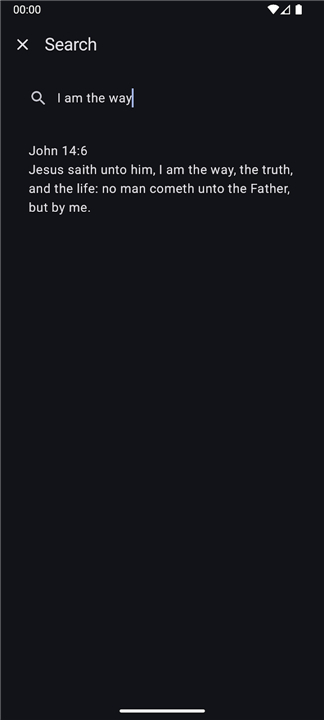
• A full‑text search engine allows verses to be located by entering any word or phrase contained in the scripture.
• Search results display the verse reference and a snippet of context for easy identification.
Reading‑Experience Customization
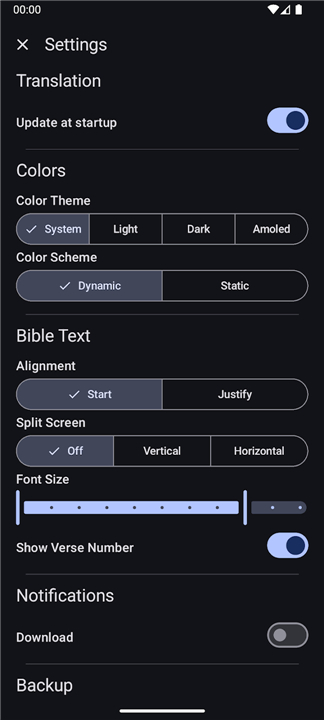
• Themes & Color Schemes: Light, dark, and high‑contrast palettes adapt to ambient lighting and visual‑accessibility needs.
• Text Alignment: Left‑aligned, justified, or centered options suit personal preferences.
• Split‑Screen Mode: Two‑column view for side‑by‑side verse comparison or simultaneous reading of parallel translations.
• Font Controls: Adjustable font size, line spacing, and optional serif/sans‑serif typefaces. Default values follow the device’s system font settings to minimize manual tweaking.
• Verse Numbers: Toggle visibility of verse markers to achieve a continuous‑text presentation if desired.
Interactive Features
• Pinch‑to‑zoom or double‑tap gestures temporarily enlarge or shrink the text without altering saved font settings.
• Long‑press on any segment selects the text, enabling copy‑to‑clipboard or share‑via‑intent actions (messaging apps, email, etc.).
Data Persistence & Backup
• All user preferences, selected translation, last‑read position, and highlighted verses are stored locally.
• An export function creates a backup file that can be imported on a new device or after reinstallation, ensuring a seamless transition.
• OpenBible thus delivers a focused, customizable, and reliable platform for reading the Bible on Android, respecting both simplicity and user autonomy.
FAQ
Q: What features distinguish OpenBible from other Bible reading apps?
A: OpenBible stands out by excluding non-essential content like section headings, notes, devotionals, and ads. Instead, it provides a bare-bones interface dedicated solely to the biblical text, allowing readers to immerse themselves in the word without distractions.
Q: How many languages and translations are available in OpenBible?
A: The app offers downloadable Bibles in dozens of languages and numerous translations, including popular options like the King James Version, New International Version, and Lutherbibel, among others.
Q: How do you ensure the accuracy and formatting of the translations?
A: The OpenBible development team regularly monitors upstream sources and releases periodic updates to correct any formatting errors, Unicode inconsistencies, or translation-specific issues that may arise.
Version History
v3.3.0——24 Aug 2026
OpenBible provides the Bible with as little distractions as possible Download the latest version of OpenBible to enjoy new features and updates immediately!
*3.3.0
Minor bug fixes and improvements. Install or update to the newest version to check it out!
*3.2.3
Minor bug fixes and improvements. Install or update to the newest version to check it out!
*3.2.2
Minor bug fixes and improvements. Install or update to the newest version to check it out!











Ratings and reviews
There are no reviews yet. Be the first one to write one.