





Why Download Puffin Web Browser?
Puffin Web Browser is designed to deliver an unmatched browsing experience. Whether you're tired of sluggish loading times or concerned about security on public Wi-Fi, Puffin offers solutions tailored to meet your needs. With a variety of subscription options, you can choose a plan that fits your usage and budget. Here’s why you should consider downloading Puffin:
Incredible Speed: Puffin utilizes cloud servers to handle even the most resource-heavy web pages. This means you can expect pages to load almost instantly, saving you time and frustration.
Enhanced Security: Browsing on public Wi-Fi can be risky, but Puffin secures your internet traffic with end-to-end encryption. This ensures that your data is protected and your browsing is private.
Flash Support: Despite the decline of Flash, Puffin continues to support Flash content through its cloud services. This allows you to enjoy old Flash games and videos seamlessly.
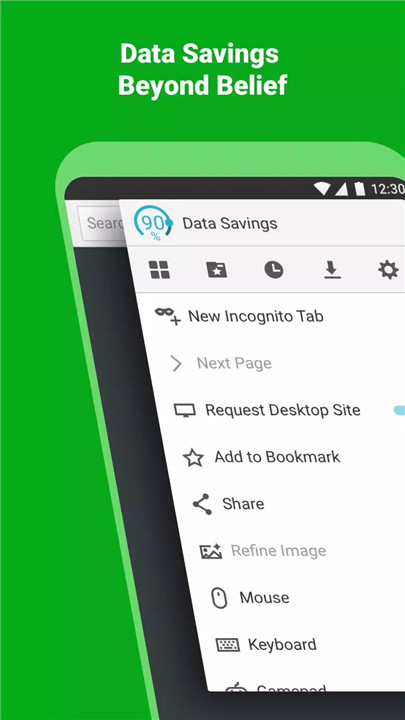
Data Savings: Puffin’s unique compression technology reduces the amount of data you use by up to 80%. This is perfect for those who want to save on their data usage while browsing the web.
How Does It Work?
Puffin Web Browser uses cloud technology to enhance your browsing experience. Here’s a breakdown of how it works:
Cloud-Based Processing: Instead of relying on your device's processing power, Puffin routes your web traffic through its cloud servers. These servers handle complex web tasks, making page loading incredibly fast.
Data Compression: Puffin’s servers compress web data before sending it to your device. This compression reduces the amount of data transmitted, which can significantly lower your bandwidth usage.
Security Measures: All data transmitted between Puffin and its cloud servers is encrypted. This means that even if you’re using an unsecured public Wi-Fi network, your information remains safe.
Flash Content: Flash content is rendered on Puffin’s servers and then sent to your device. This allows you to view and interact with Flash-based games and videos without needing Flash installed on your device.
FAQ
1. What are the subscription options for Puffin Web Browser?
Puffin offers several subscription plans to cater to different needs:
Monthly Subscription: Priced at $1 per month, with a 7-day free trial available.
Prepaid Options: Choose from $0.25 per week or $0.05 per day, allowing you to pay only for the days you use Puffin.
2. Why did Puffin retire the yearly subscription?
The yearly subscription has been retired to offer more flexible options that align better with individual needs. Existing yearly subscribers should switch to the monthly plan upon renewal.
3. How does Puffin protect my data on public Wi-Fi?
Puffin uses end-to-end encryption for all internet traffic between the app and its cloud servers. This encryption protects your data from potential threats on public Wi-Fi networks.
4. Can I still use Flash content with Puffin?
Yes, Puffin continues to support Flash content through its cloud-based services. This means you can access and enjoy Flash games and videos as you did before.
5. Will Puffin save data on all types of browsing?
Puffin's compression technology helps save data on most web browsing activities. However, streaming Flash content or videos may require more bandwidth than regular browsing.
6. How do I access the cloud download feature?
You can download files up to 1GB in size to the cloud through Puffin’s built-in capabilities. This allows you to save and access large files directly from the cloud.
Key Features
Unparalleled Speed: Enjoy the fastest loading speeds for both mobile and desktop browsing.
Advanced JavaScript Engine: Puffin's JavaScript engine ensures smooth and rapid interactions on web pages.
Built-In Ad Blocker: Reduce interruptions with Puffin’s integrated ad-blocking feature.
Mobile and Desktop Modes: Switch between mobile and desktop views for a versatile browsing experience.
Cloud Download: Download files up to 1GB directly to the cloud for easy access.
Theater Mode: Perfect for watching Flash videos and playing Flash games with a full-screen experience.
Virtual Trackpad and Gamepad: Use these features for enhanced control and navigation during web activities.
Adobe Flash Support: Continue accessing Flash content with Puffin’s cloud support.
What's New in the Latest Version 10.2.1.51662
Last updated on Apr 10, 2024
Thanks for using Puffin. In this release (10.2.1.51662), we fixed several reported issues. In addition, Puffin no longer contains ads.









Ratings and reviews
There are no reviews yet. Be the first one to write one.