

StandBy Mode Always On Display APK
3.1.5
StandBy Mode Always On Display
StandBy Mode Always On Display APK
Download for Android
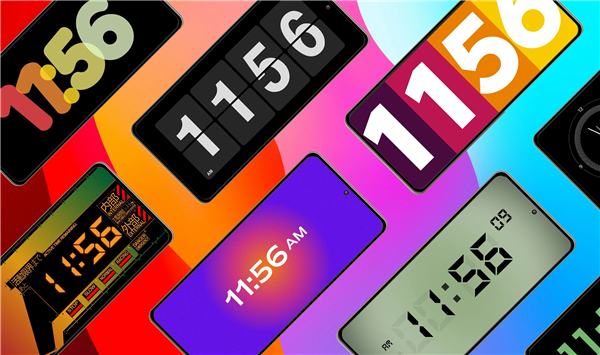
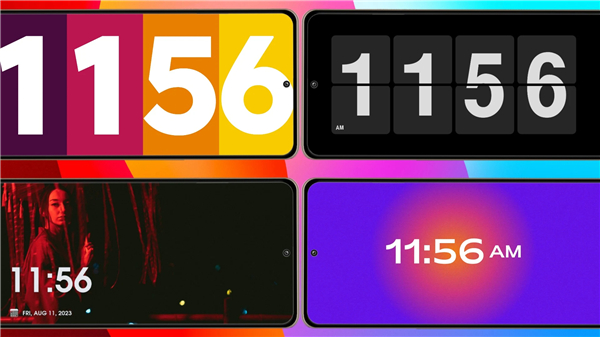
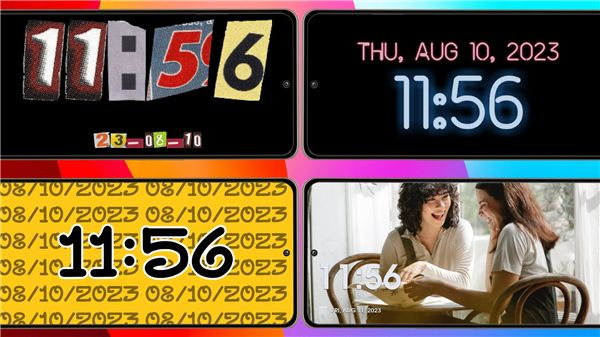
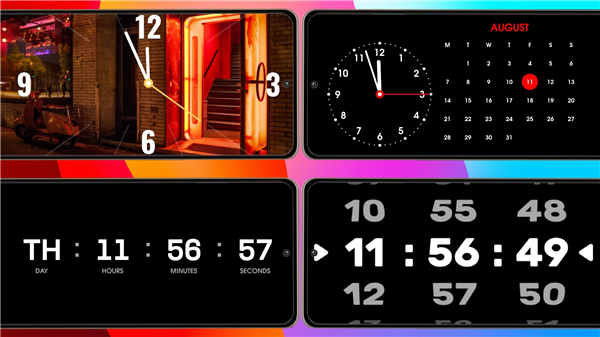
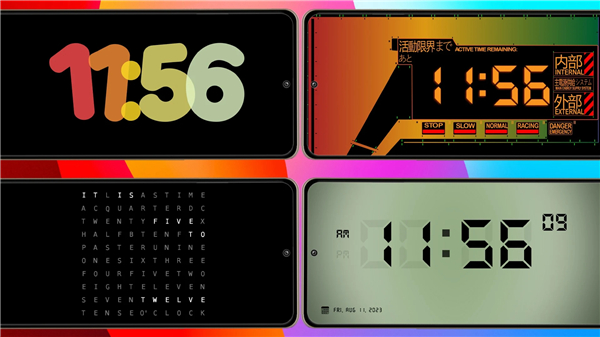
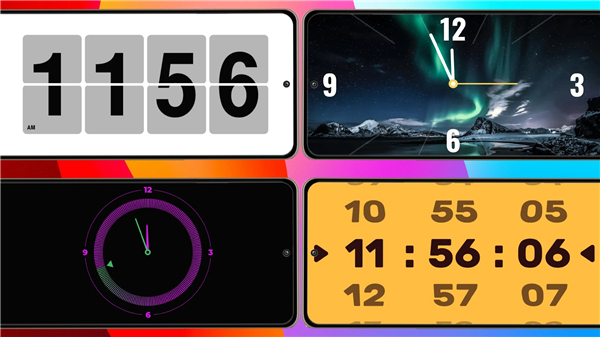
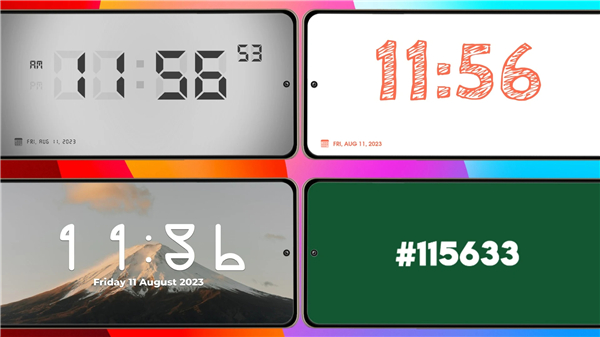
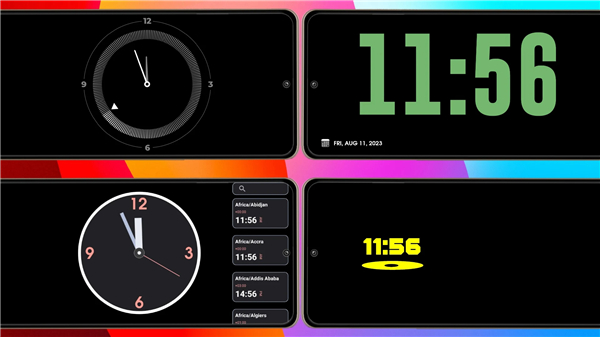
StandBy Mode Always On Display
Reimagine your Android device
• StandBy Mode transforms your phone or tablet into an elegant, always-on display, perfect for your nightstand, desk, or any moment you need a beautiful timekeeping companion.
• Experience a blend of aesthetic design and intuitive functionality, seamlessly activated when charging in landscape mode.
Curate Your Perfect StandBy Display
• Dive into a world of exquisite clock designs and endless personalization.
• StandBy Mode provides a dynamic canvas for your device, offering:
1. Diverse Clock Styles:
• From timeless analog elegance to modern digital clarity, explore options like:
+ Nostalgic Flip Clocks
+ Vibrant Neon, Solar, and Matrix designs
+ Bold, easy-to-read Pixel-style clocks
+ Burn-in safe Radial Inverters (ideal for AMOLED)
+ Versatile Analog + Digital combinations
2. Deep Customization:
• Personalize every detail.
• Adjust clock faces, background colors, text fonts, and sizes to craft a look that perfectly resonates with your unique style.
• Go further with custom digital themes, changing colors for the clock, background, and date, using any font imaginable.
3. Personalized Photo Backdrop:
• Infuse your display with warmth by setting your favorite photo as a beautiful background for a clear digital clock.
Beyond Time: Intelligent & Immersive Features
StandBy Mode extends beyond simple time display, enriching your environment with:
• Smart Weather Insights: Stay informed with real-time weather updates embedded directly into your clock display, available in various layouts.
• Photo Slideshow & Frame Mode: Showcase cherished memories. Display your favorite photos with elegant time and date overlays, intelligently framed for perfection.
• Vibes Lo-fi Radio: Create the ideal ambiance with a curated selection of Lo-fi, ambient, or focus-friendly radio stations, complete with matching visuals. Premium users can even integrate custom YouTube videos for a truly personalized vibe.
• Aesthetic Widgets: Design a truly integrated screen with customizable clocks, calendars, weather updates, and productivity tools, all beautifully styled to complement your standby experience.
Effortless Integration & Device Safeguarding
StandBy Mode is designed for seamless operation and long-term device health:
• Automatic Activation: Enjoy instant transformation. StandBy Mode effortlessly launches whenever your device starts charging, with an option to activate exclusively in landscape mode.
• Burn-in Protection: Advanced chessboard pixel shifting intelligently safeguards your display from burn-in, preserving your device's visual integrity without compromising aesthetics.
Unleash the full potential of your Android device
• StandBy Mode transforms your screen into a captivating, functional hub, enriching your desk, nightstand, or workspace with unparalleled style and utility.
• Elevate your standby experience today.
FAQ
Q: How do I get the display to activate automatically?
A: The app is built for effortless integration, meaning it is designed to launch itself whenever your device starts charging. You can also customize the settings so that it only triggers when the device is placed in landscape mode, ensuring that your phone behaves like a dedicated smart clock while it rests on a charging stand.
Q: What kind of clock designs can I choose from?
A: You can explore a wide world of exquisite clock styles that cater to almost any aesthetic preference. The library includes nostalgic flip clocks, classic analog faces, and modern digital designs, along with more unique options like vibrant neon, solar, matrix themes, and bold pixel-style clocks that are very easy to read from across the room.
Q: Is it possible to personalize the colors and fonts of the display?
A: Personalization is a core part of the experience, allowing you to adjust almost every detail to match your unique style. You can change clock face colors, background hues, and text sizes, and you even have the freedom to use any font imaginable to create a truly custom digital theme for your clock and date display.
Version History
v3.1.5——9 Mar 2026
A collection of standby clocks widgets, turn your device into an iOS 19 standby Download the latest version of StandBy Mode Always On Display to enjoy new features and updates immediately!
*3.1.5
Thank you for using the StandBy app! We regularly update the app to fix bugs and improve features. Download the latest version to get the best StandBy experience. If you find any issues, please let us know at support@maaforapps.com.
*3.1.4
Thank you for using the StandBy app! We regularly update the app to fix bugs and improve features. Download the latest version to get the best StandBy experience. If you find any issues, please let us know at support@maaforapps.com.
*3.1.3
Thank you for using the StandBy app! We regularly update the app to fix bugs and improve features. Download the latest version to get the best StandBy experience. If you find any issues, please let us know at support@maaforapps.com.









Ratings and reviews
There are no reviews yet. Be the first one to write one.