

Launcher314
Take Back Your Home Screen
• I developed Launcher314 because I was tired of playing hide-and-seek with basic settings.
• Whether you are switching to a privacy-focused OS or just want a cleaner interface, this launcher puts total control at your fingertips without the digital scavenger hunt.
Privacy Above All
• Total Local Storage: Your data never leaves your device.
• Zero Bloat: No internet permissions, no tracking libraries, and no data collection. You are welcome to verify this with tools like TrackerControl.
• Transparent Accessibility: The Accessibility Service is used exclusively for the optional double-tap-to-lock gesture. It does not monitor, store, or share your personal information.
Customization Made Simple
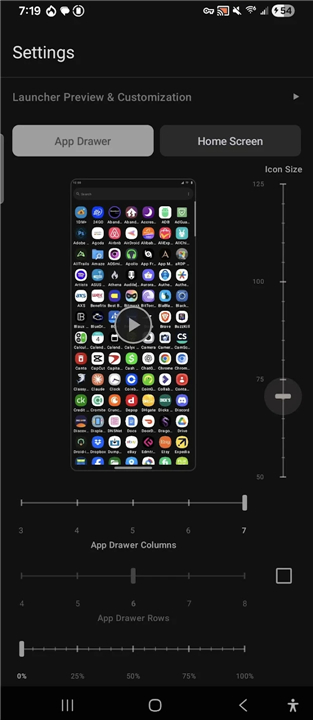
• Instant Previews: See exactly how your changes will look before you apply them.
• Logical Layouts: Customize rows and columns independently for your home screen and app drawer. Our universal icon scaling ensures your text and icons never overlap or look messy.
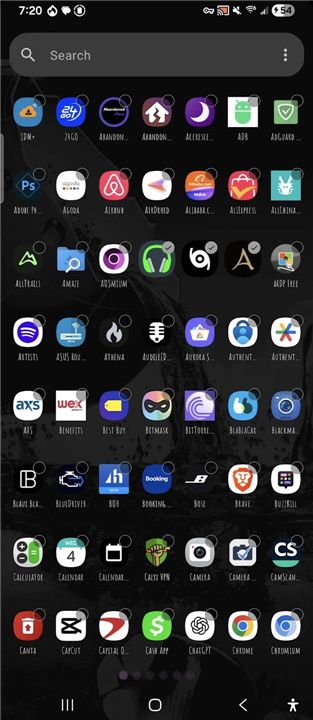
• Flexible Navigation: Switch between scrolling and paged drawers with a single tap. Easily toggle navigation indicators and choose from a curated list of fonts to get your home screen looking just right.
The Philosophy
• Efficiency: Everything is accessible within a few screens. No buried menus, no endless scrolling—just direct customization.
• Open Source: This project is free, open-source software (FOSS) licensed under the GPL-3.0.
Stop wrestling with complex settings and start building the launcher you actually want.
FAQ
Q: Does Launcher314 track my usage or collect personal data?
A: Absolutely not. Launcher314 is built with privacy as a foundational principle. It contains no tracking libraries, no data collection mechanisms, and no internet permissions, meaning your data stays entirely local on your device.
Q: Can I verify the privacy claims regarding internet access?
A: Yes, you are encouraged to verify our privacy measures. Because the app has no internet permissions or tracking code, you can use auditing tools like TrackerControl to confirm that the launcher never attempts to communicate with the outside world.
Q: Why does the app require Accessibility Service permissions?
A: The Accessibility Service is requested solely to enable the optional double-tap-to-lock screen gesture. We do not use this permission to monitor, store, or share any of your personal information or activity.
Version History
v0.0.20-beta——6 Jul 2026
Take back your home screen with Launcher314. Experience a bloat-free, private, and fully customizable FOSS Android launcher. No tracking. Download the latest version of Launcher314 to enjoy new features and updates immediately!
*0.0.20-beta
Added drawer tabs and "manage tab setting"; this is a first iteration so I'm sure it's going to need some work in the future but I wanted to get something out that people can test since it's been a highly requested feature - issue #49
Did some minor UI changes to delete/remove popups
Did minor animation changes to the popup menu for icons, folders, widgets, dropdown menus
*0.0.19-beta
Working on fixing bug reports and homogenizing the app.
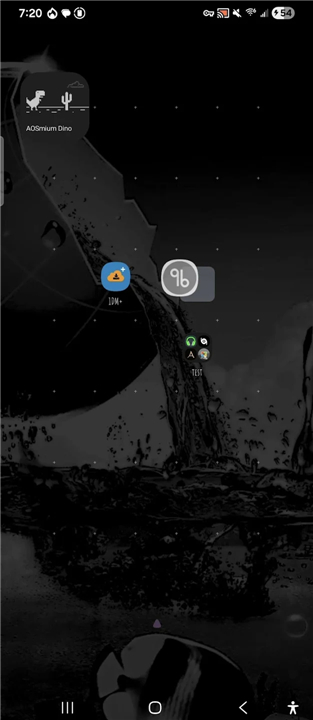
Fixed an issue with the home screen preview grabbing widgets from different screens.
Fixed a bug with widget rendering. Widgets now use standard launcher host ID and get banded the size on "bind" the way these launchers expect to be handled. Sizing updates go through modern API instead fixing rendering and errors; this should fix all widgets, if you have any problems just let me know.
Minor UI improvements on the customize widget popup.
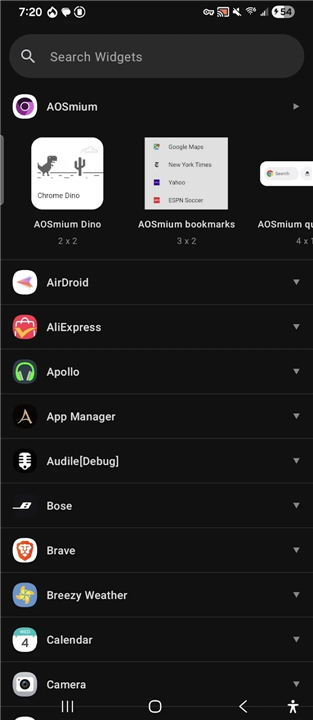
Widgets preview menu overwent an overhaul for widget display, widget count, fixed live preview renders, fixed corner rounding issues; widgets in the picker menu also only show widgets that can be added to home screen (hidden widgets & lock screen widgets are now hidden)
Fixed an issue where the drawer & app would start lagging after being in use, cached widgets views were overlapping previous copies and not getting cleared in cache causing the UI to lag.
Drawer sorting issues addressed and persist through opening and closing
Fixed an accessibility issue that was causing the app to be unable to upload to google play
*0.0.18-beta_hotfix3
Added the ability to hide icon source badge (for PWAs & Shortcuts) by going into the Customize menu -> Shape tab; then toggle











Ratings and reviews
There are no reviews yet. Be the first one to write one.