

Theme Launcher - Icons Center APK
1.0.2
Theme Launcher - Icons Center
Theme Launcher - Icons Center APK
Download for Android
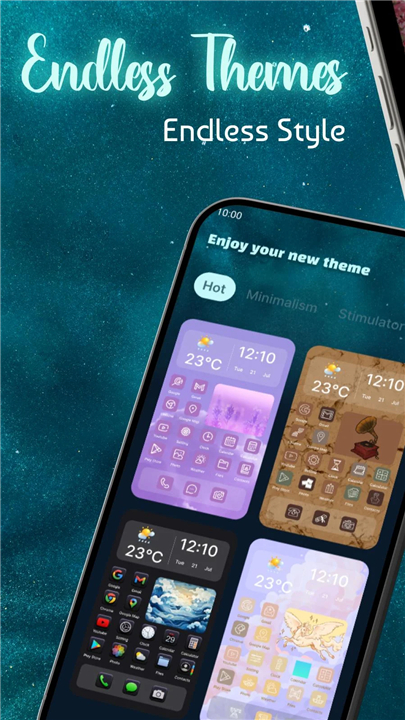
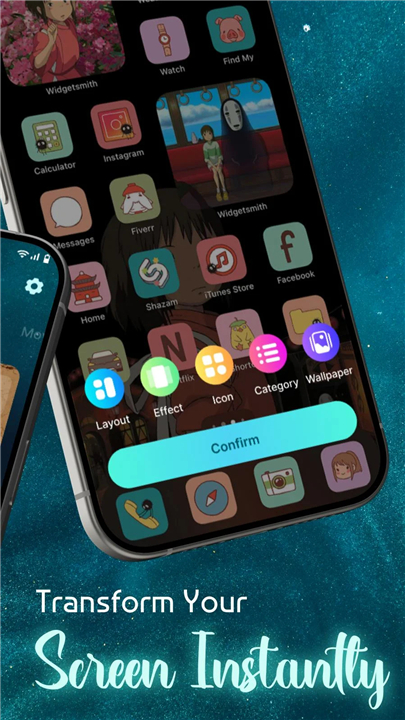
Theme Launcher – Icons Center
Overview
• Transform your everyday device into a workspace that truly reflects who you are.
• Theme Launcher – Icons Center empowers you to customize, organize, and elevate your home screen experience with powerful themes and intuitive design tools.
• Whether you crave sleek minimalism or bold artistic expression, this app puts the creative control firmly in your hands.
Key Features
1. Tailored Selections
• Browse an extensive library of functional and fashionable app icons designed to suit every preference and purpose.
2. Icon Packs & Personalized Designs
• Craft a unified aesthetic by mixing and matching icon packs, adjusting sizes, and creating visual harmony across your entire screen.
3. Smart Organization
• Group applications, shortcuts, and tools into customized layouts using folders, grids, or creative combinations that balance beauty with efficiency.
4. Clean, Intuitive Interface
• Navigate a thoughtfully designed environment where anyone—from beginners to advanced users—can build their perfect home screen in mere minutes.
5. Complete Theme & Layout Control
• Switch themes effortlessly while fine-tuning grid dimensions, margins, and icon positioning to match your vision exactly.
6. Optimized Performance
• Enjoy lightweight, efficient operation that enhances your device without draining battery life or compromising speed.
Why Choose Theme Launcher – Icons Center
• Complete creative authority over your home screen's appearance and structure
• Versatile customization options spanning minimalist elegance to vibrant dynamic styles
• Streamlined access to your most-used applications and essential information
• Smooth, accessible experience regardless of your technical skill level
Get Started
• Design a home screen that works the way you do—smart, stylish, and uniquely yours.
• Download Theme Launcher – Icons Center today and begin transforming your device into something extraordinary.
Thank you for your support
• We welcome your feedback and suggestions to help us continually improve this theme launcher experience.
FAQ
Q: Do I need a special Android version to run the app?
A: The launcher works on Android 6.0 (Marshmallow) and newer. While it runs best on recent versions because of newer system APIs, you’ll still enjoy the core customization features on older devices that meet the minimum requirement.
Q: How do I install an icon pack that isn’t in the built‑in library?
A: Simply download the icon pack from the Play Store or any trusted source, then open Theme Launcher – Icons Center, tap “Add New Pack,” and select the downloaded file. The launcher will import the icons, and you can start applying them right away.
Q: Can I change the size of individual icons without affecting the whole grid?
A: Yes. Within the “Icon Settings” menu you can adjust the size of each icon manually, or apply a uniform scaling factor to the entire grid. The changes are previewed live, letting you fine‑tune the look before you save.
Version History
v1.0.2——12 May 2026
Your customize theme launcher Download the latest version of Theme Launcher - Icons Center to enjoy new features and updates immediately!
*1.0.2
Minor bug fixes and improvements. Install or update to the newest version to check it out!
*1.0.1
Minor bug fixes and improvements. Install or update to the newest version to check it out!











Ratings and reviews
There are no reviews yet. Be the first one to write one.