

Call Forwarding Status Widget APK
2.2
Call Forwarding Status Widget
Call Forwarding Status Widget APK
Download for Android
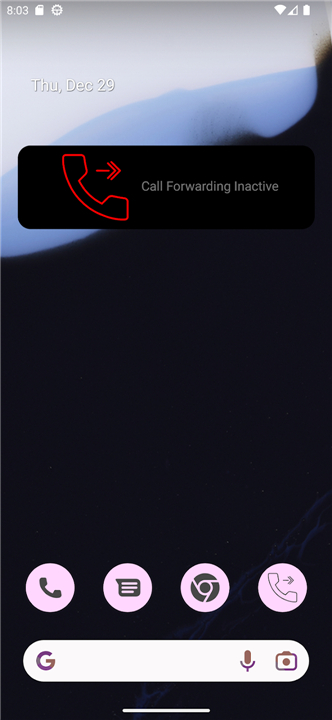
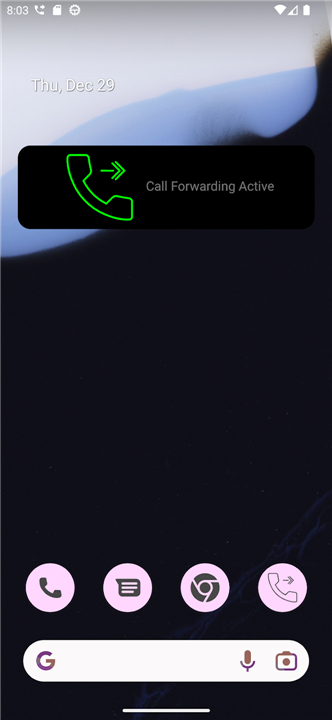
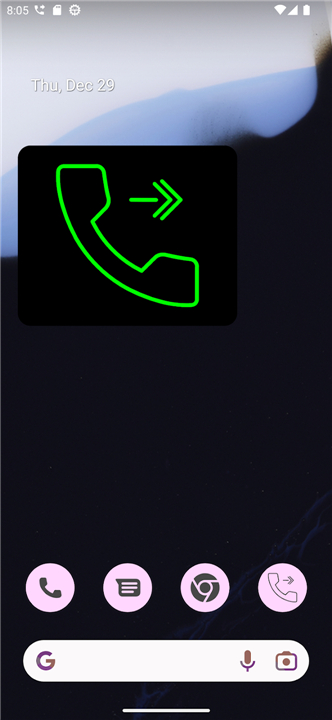
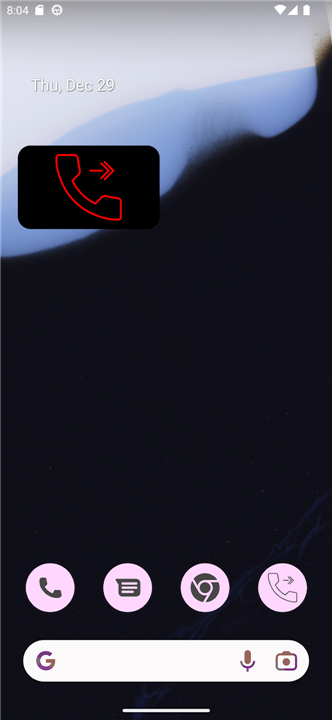
Call Forwarding Status Widget
Application Overview
• The Call Forwarding Status Widget is an indispensable and intuitive utility application crafted to profoundly simplify the often-cumbersome process of managing call forwarding directly from your mobile device.
• This innovative tool eradicates the necessity of navigating through deeply nested, complex system settings menus, thereby empowering users to instantly and effortlessly redirect all incoming calls with unparalleled ease and efficiency.
Key Features
1. Instant Activation/Deactivation:
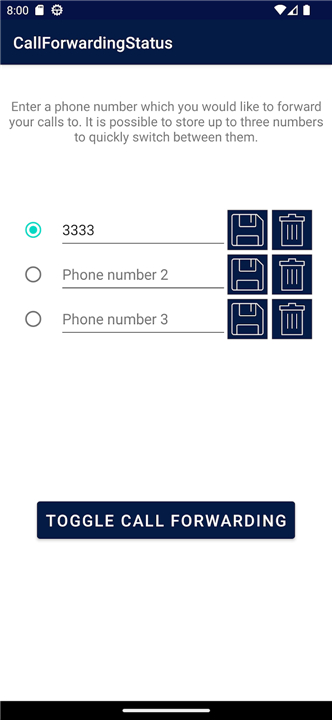
• Offers a crucial one-touch toggle functionality, allowing users to enable or disable call forwarding instantaneously, providing immediate control over incoming communications.
2. Real-time Visibility:
• Features dynamic status indicators that graphically display, in real-time, whether call forwarding is currently active or inactive, offering at-a-glance confirmation.
3. Broad Compatibility:
• Engineered to support a wide array of standard carrier codes, ensuring seamless functionality and reliable compatibility across virtually all major mobile networks and providers.
4. Pre-configured Profiles:
• Provides the ability to pre-configure and save multiple forwarding numbers, enabling rapid activation to specific contacts or devices with a quick selection.
Widget and Accessibility
1. Home Screen Integration:
• Boasts seamless home screen widget integration, providing users with the convenience of instant status checks and basic controls directly from their device's main screen.
2. Direct Widget Control:
• Empowers users to toggle call forwarding directly from the widget itself, eliminating the need to fully launch the main application for routine adjustments.
3. Optimized Performance:
• Designed with a lightweight architecture that ensures minimal impact on battery life and conserves valuable system resources, even when running continuously in the background.
4. Intuitive Interface:
• Presents a clean, modern, and exceptionally user-friendly in-app interface for comprehensive detailed configuration, advanced settings adjustments, and initial setup procedures.
Practical Benefits
1. Professional Continuity:
• Streamlines the efficient transition of critical business calls to dedicated personal lines, office numbers, or colleagues after standard working hours, ensuring no important communication is missed.
2. Enhanced Connectivity:
• Facilitates effortless redirection of calls to alternative devices or stable landlines, especially beneficial when operating in geographic areas plagued by weak or non-existent cellular coverage.
3. Optimized Call Management:
• Enables users to manage incoming calls with superior efficiency, particularly during scenarios such as a critically low primary phone battery, international travel, or when engaged in activities requiring minimal phone interaction.
FAQ
Q: How do I quickly turn call forwarding on or off using this tool?
A: Activating or deactivating your call forwarding is incredibly simple thanks to the app's one-touch toggle functionality. You can handle the entire process directly from your home screen using the widget, allowing you to instantly redirect incoming communications the moment your situation changes. This immediate control ensures that you never have to worry about missing an important call just because you were in a hurry.
Q: How will I know at a glance if my calls are currently being forwarded?
A: One of the best features of this app is its real-time visibility through dynamic status indicators. These indicators graphically display whether call forwarding is active or inactive at any given moment. By simply looking at your home screen widget, you get an at-a-glance confirmation of your current status, which provides peace of mind and eliminates the need to double-check your settings manually.
Q: Will this application work with my specific mobile network provider?
A: You can rest easy knowing that the app is engineered for broad compatibility. It supports a wide array of standard carrier codes, which ensures that it functions seamlessly across virtually all major mobile networks and service providers. Whether you are on a large national carrier or a smaller local provider, the widget is designed to communicate effectively with your network's infrastructure.
Version History
v2.2——23 Jul 2026
Call forwarding app Download the latest version of Call Forwarding Status Widget to enjoy new features and updates immediately!
*2.2
Minor bug fixes and improvements. Install or update to the newest version to check it out!
*2.1
Minor bug fixes and improvements. Install or update to the newest version to check it out!
*2.0
Minor bug fixes and improvements. Install or update to the newest version to check it out!











Ratings and reviews
There are no reviews yet. Be the first one to write one.