

GitSync
Simple, Seamless Git Folder Syncing
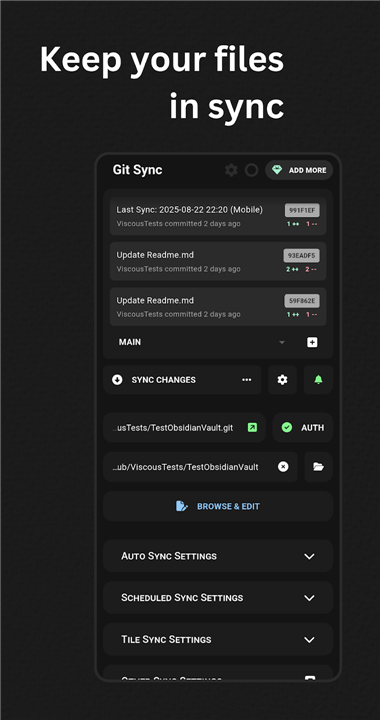
• GitSync is a versatile, cross-platform Git client designed to make syncing between a remote repository and a local folder effortless.
• Once set up, it quietly runs in the background, keeping your files up to date.
• You can also trigger manual syncs at your convenience with a variety of options.
Platform & Compatibility
• Works on Android devices running version 5 and above.
Authentication Options
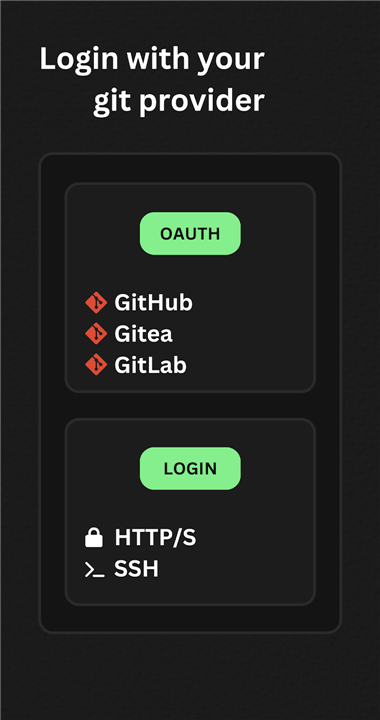
GitSync supports multiple ways to connect securely to your repositories:
• HTTP/S
• SSH
• OAuth
• GitHub
• Gitea
• GitLab
Core Features
With GitSync, you can:
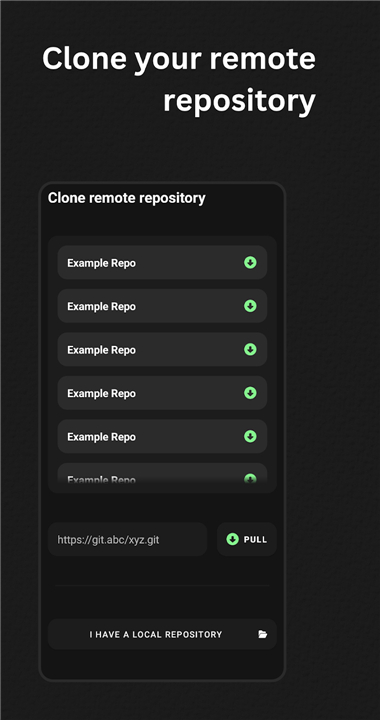
• Clone remote repositories
• Sync local and remote repositories
• Fetch and pull updates
• Stage and commit changes
• Push updates to your remote
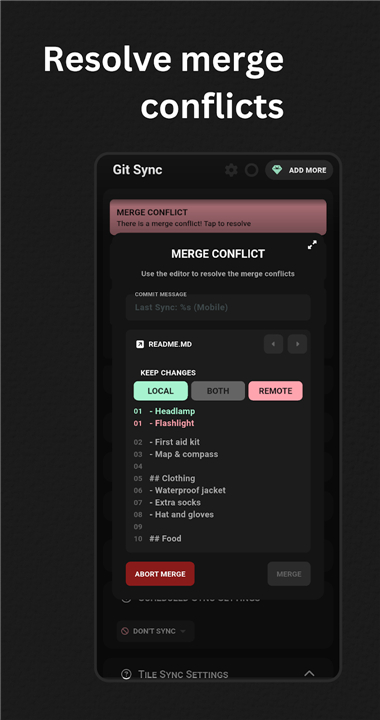
• Resolve merge conflicts
Flexible Sync Methods
Choose how and when syncing happens:
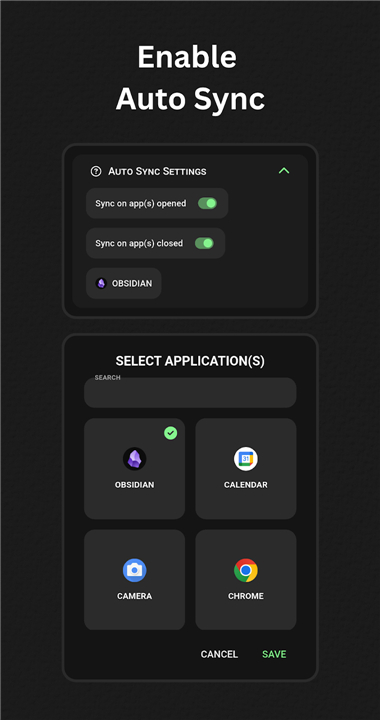
• Automatically when opening or closing an app
• Automatically on a schedule
• From a quick tile in your device interface
• Via a custom intent (for advanced users)
Repository Settings & Customisation
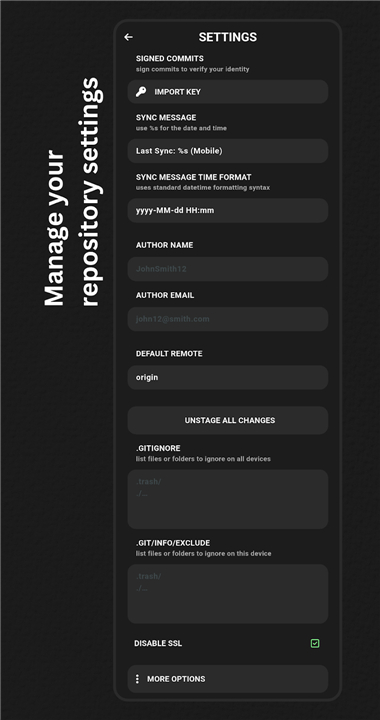
• Enable signed commits
• Personalise sync commit messages
• Set author details
• Edit .gitignore and .git/info/exclude files
• Option to disable SSL
Documentation & Policies
• Documentation: https://gitsync.viscouspotenti.al/wiki
• Privacy Policy: https://gitsync.viscouspotenti.al/wiki/privacy-policy
Accessibility Service Information
• GitSync uses Android’s Accessibility Service to detect when apps are opened or closed.
• This allows the app to deliver tailored sync features without collecting or sharing any personal data.
Key Points:
• Purpose: The service is used solely to enhance your GitSync experience.
• Privacy: No information is stored or transmitted.
• Control: You can turn off these permissions in your device settings at any time.
FAQ
Q: Which authentication methods does GitSync support and when would I choose each?
A: GitSync offers HTTP/S credentials, SSH key pairs, OAuth for hosted services, and native GitHub, Gitea, or GitLab integrations. HTTP/S is simple for quick setups, SSH provides stronger security for advanced users, OAuth prevents you from storing passwords on your device, and specialized integrations streamline token management with those platforms.
Q: How do I configure automatic syncing and what are my scheduling options?
A: In your repository settings you can enable automatic sync on app open or close, set a fixed interval for scheduled syncs, or bind a quick-access tile in your Android tray. Once activated, GitSync will quietly pull or push changes according to your preferences without further prompts.
Q: Can I trigger a manual sync on demand?
A: Yes. You can initiate a manual sync through the app’s main interface, by tapping the quick tile you’ve added to your notification shade, or by sending a custom Android intent if you prefer to script or automate sync commands from third-party apps.
Version History
v1.819——20 Jan 2026
Android git client for syncing a repository between remote and a local directory Download the latest version of GitSync 1.8.20 to enjoy new features and updates immediately!
*1.819
New Features
• errors reported from in gh issues (a557c82)
• reload recent commits after sync (6241d65)
• added file diff log view (ed8c7cf)
• add sync option descriptions (911c801)
• allow copy auth from container (d0675fe)
Bug Fixes
• release mode quick action icons (9db044f)
• landscape navbar padding (039e9c8)
• improve ui for multiline commit messages (a402548)
• error occurred ui error (5afbf45)
• remove current container from auth copy list (54e40d5)
• ios widget background trigger (5ed0c4d)
• error parsing (6c066c5)
• quick sync docs link (4abbe9d)
• auth dialog ui (a4b0997)
• copy between repos ui logic (f31e8ec)
• modify remote url copy (7d3d97a)
Reverts
• reversed recent commits list in landscape
*1.816
New Features
• exclude from recents (57ebb3b)
• add nested clone (1d3991b)
• add ability to untrack and ignore selected files (4487c10)
• add copy + move to file explorer (2268fd2)
• separate out sync loader and put on timer (a223565)
Bug Fixes
• optimised sync pull if push needed (ad8a27e)
• (potential) for github too many redirects (7c03f9e)
• untrack changes when ignore files changed (25a4f02)
Chores
• format rust code (0350106)
• minor refactor (9cc195e)
Other Changes
• sync/client toggle ui animations (eaa6471)
• recommended action ui
*1.815
New Features
• add image viewer (d9994af)
• add landscape ui functionality (cd06103)
• add obsidian git warning message (e3eb824)
• message for zlib error (e4b5b17)
• message for empty author name or email (e667ad4)
• enable in editor line wrap (2b0584c)
• use monospaced font for code editor (bd99c05)
• message for android filename limitations (fd615cf)
Bug Fixes
• route names (b5d2f08)
• show end of file explorer current path (a31a8b8)
• landscape navbar compensation (1c9dab7)
• unstage before discarding changes (e1a7a71)
• manual sync loader (6e750b1)
• error occurred dialog styling (464b460)
• appname desync (49e992f)
• reset repository locks on settings restore (4e51a33)
Chores
• refactor (822a02b)
• refactor and update ui when error dialog opened (0757ade)
Other Changes
• colours and fonts in merge conflict page (6954d65)
• auto sync copy to app sync









Ratings and reviews
There are no reviews yet. Be the first one to write one.