

Planday Employee Scheduling APK
10.29.0
Planday Employee Scheduling
Planday Employee Scheduling APK
Download for Android
Planday Employee Scheduling
Overview
• Planday Employee Scheduling is a comprehensive and intuitive mobile application designed to streamline shift planning and workforce management for both managers and their teams.
• It centralizes all essential scheduling functions, eliminating the complexities of traditional methods and fostering a more efficient and connected work environment.
• This all-in-one platform empowers businesses to manage their staffing needs seamlessly from anywhere.
Core Scheduling and Workforce Management
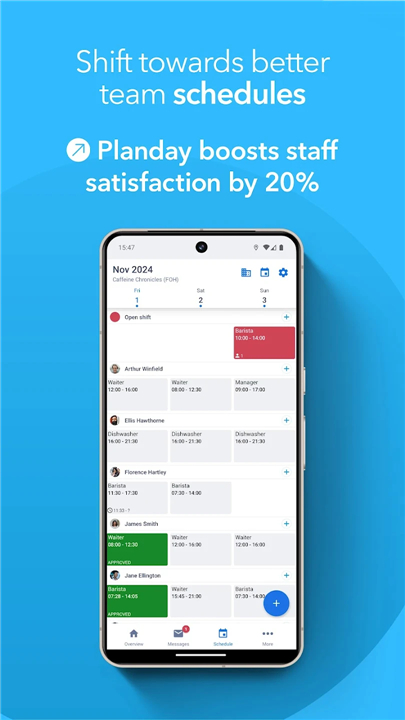
• Planday provides robust tools that make creating and managing work schedules effortless for managers, while offering staff complete clarity over their commitments.
• The app simplifies dynamic scheduling requirements through:
1. Detailed Schedules:
+ View comprehensive shift breakdowns instantly.
+ Staff can access their upcoming shifts, assigned roles, and colleague information directly within the app, ensuring everyone is consistently informed and prepared.
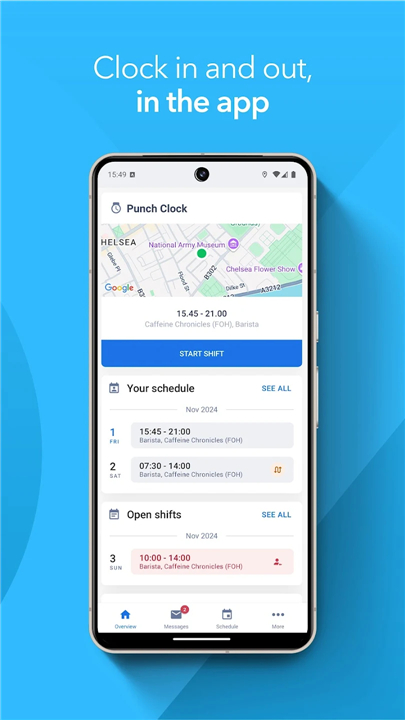
2. Time Tracking:
+ Employees can clock in and out directly from their mobile device using the integrated time tracker.
+ This feature automates accurate hour tracking, simplifies payroll preparation, and provides real-time data on punctuality and attendance.
Enhanced Flexibility and Team Communication
• Planday significantly improves internal communication and staff flexibility, addressing common challenges in shift-based work.
• The app facilitates better work-life balance and team collaboration with features such as:
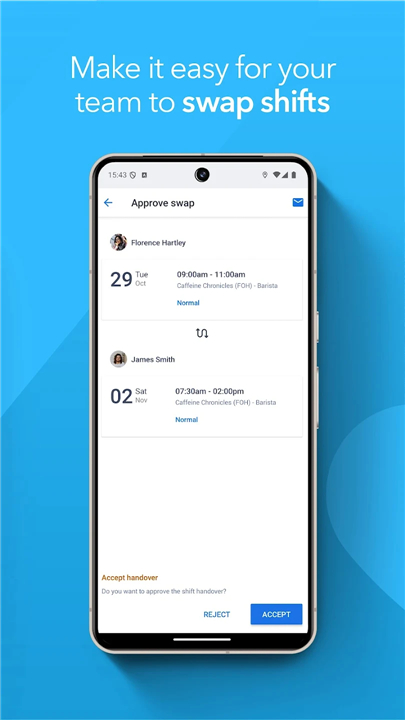
1. Shift Swaps:
+ Employees can efficiently initiate shift handovers or swap shifts with approved colleagues directly through the app, subject to manager approval, thereby reducing administrative burden.
2. Availability Preferences:
+ Staff can submit their preferred working hours and days off, allowing managers to create schedules that better accommodate individual needs and optimize team morale and productivity.
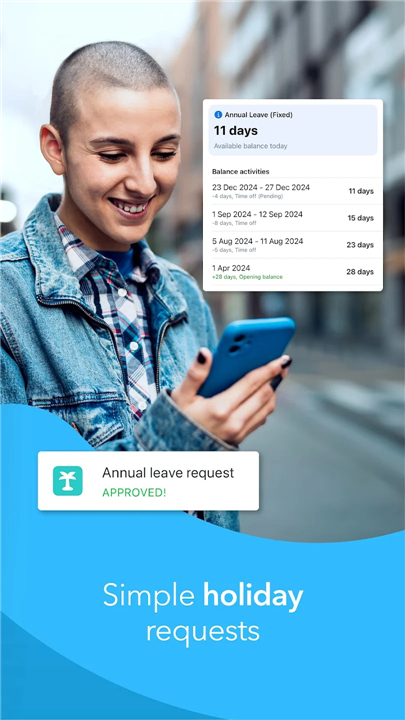
3. Time Off Requests:
+ Streamline vacation and leave requests.
+ Employees can submit time off applications directly through the app, and managers can review and approve them swiftly, keeping everyone updated on leave plans.
4. Messaging:
+ Foster instant communication within the team.
+ Send quick, direct messages to individual coworkers or entire groups, ensuring vital information is shared promptly and effectively without leaving the platform.
Getting Started with Planday
Whether you're looking to revolutionize scheduling for your entire organization or simply joining a team already benefiting from Planday, getting started is straightforward:
1. For New Teams:
• Download the Planday app today and initiate your free trial to experience firsthand how effortless and efficient employee scheduling can be.
2. For Existing Users:
• If your workplace already utilizes Planday, simply download the application and log in with your provided credentials to connect instantly with your colleagues and access your personalized schedule.
FAQ
Q: How does the app make it easier for employees to manage their work schedules?
A: The app provides employees with detailed schedules that they can access instantly from their mobile devices. This transparency allows staff members to see their upcoming shifts, their assigned roles, and even which colleagues they will be working with, ensuring that everyone stays informed and well-prepared for their workday.
Q: Can I use Planday to keep track of the actual hours I have worked?
A: Planday features an integrated time tracker that allows employees to clock in and out directly through the app on their phones. This functionality automates the process of recording work hours, which helps ensure that payroll data is accurate and gives managers real-time visibility into staff attendance and punctuality.
Q: What is the process for swapping a shift with a coworker if I can no longer work?
A: If you need to change your schedule, you can use the app to initiate a shift handover or swap with an approved colleague. Once you find someone to take the shift, you simply submit the request through the platform, and your manager can then review and approve the swap to keep the schedule updated.
Version History
v10.29.0——11 Mar 2026
Planday’s employee scheduling software can save you up to 75% of your admin time Download the latest version of Planday Employee Scheduling to enjoy new features and updates immediately!
*10.29.0
Welcome to the new and improved version of the Planday app!
The app update can include, but is not limited to:
- App stability improvements & bug fixes
- New and/or enhanced features
- Further improvements to performance
To get the best from the app, please keep the app up to date and regularly check for updates.
If you have any questions, please don't hesitate to reach out to us via support@planday.com
*10.28.1
Welcome to the new and improved version of the Planday app!
The app update can include, but is not limited to:
- App stability improvements & bug fixes
- New and/or enhanced features
- Further improvements to performance
To get the best from the app, please keep the app up to date and regularly check for updates.
If you have any questions, please don't hesitate to reach out to us via support@planday.com
*10.27.0
Welcome to the new and improved version of the Planday app!
The app update can include, but is not limited to:
- App stability improvements & bug fixes
- New and/or enhanced features
- Further improvements to performance
To get the best from the app, please keep the app up to date and regularly check for updates.
If you have any questions, please don't hesitate to reach out to us via support@planday.com









Ratings and reviews
There are no reviews yet. Be the first one to write one.