

Calendula: Calendar
Overview
• Elevate how you organize your life with Calendula, a beautiful and deeply personal gateway to the schedules you already keep.
• Designed as an elegant, high-performance interface for your Android system calendar, Calendula brings harmony to your daily flow while keeping your data strictly your own.
Seamless Connectivity
• Integrates instantly with Google, Nextcloud, local accounts, and WebCal subscriptions by utilizing your Android system's native calendar provider.
• Acts as a pure visual interface, leaving your device as the absolute, secure source of truth.
• Works in harmony with external apps, letting you import event files or accept schedules sent from other utilities.
Dynamic Visualizations
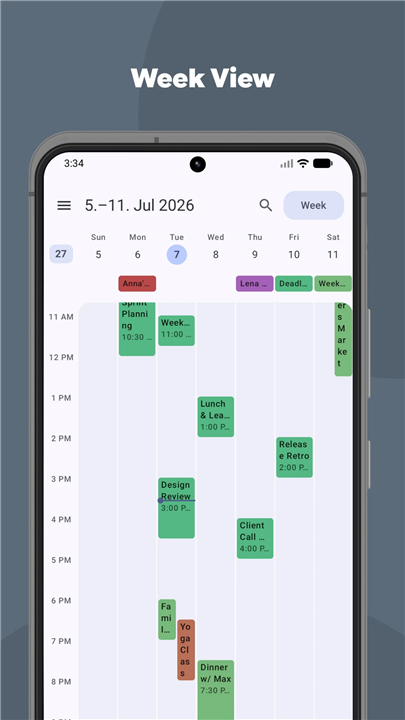
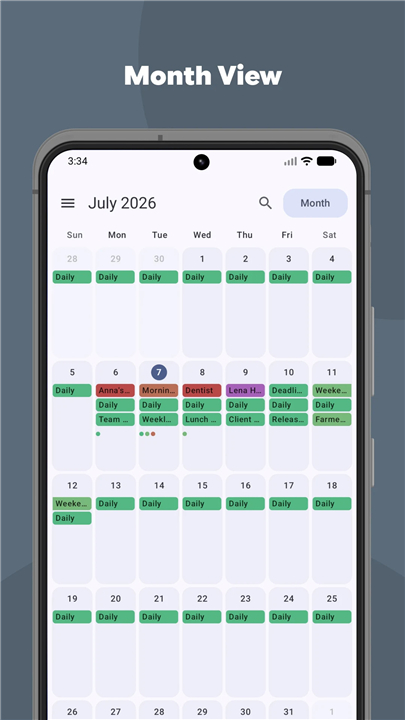
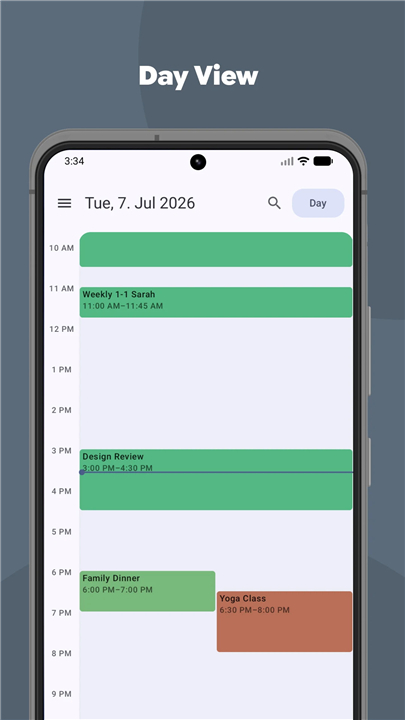
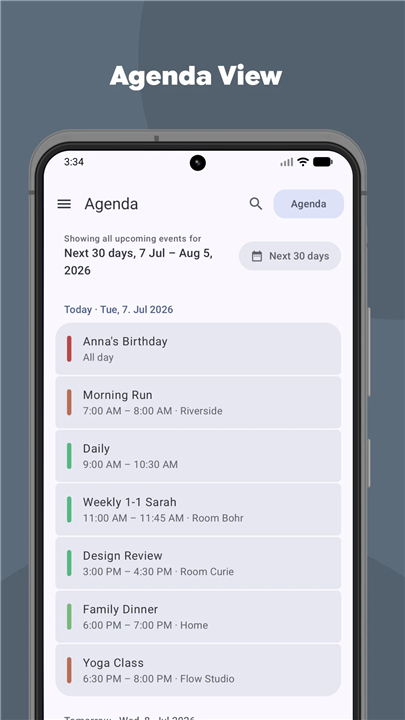
• Navigate your days through clean month, week, day, and agenda layouts.
• Choose your preferred monthly view: paged layouts, endless scrolling, or a minimalist dot grid.
• Locate any plan instantly with a deep global search across all your schedules.
Smart Event Creation
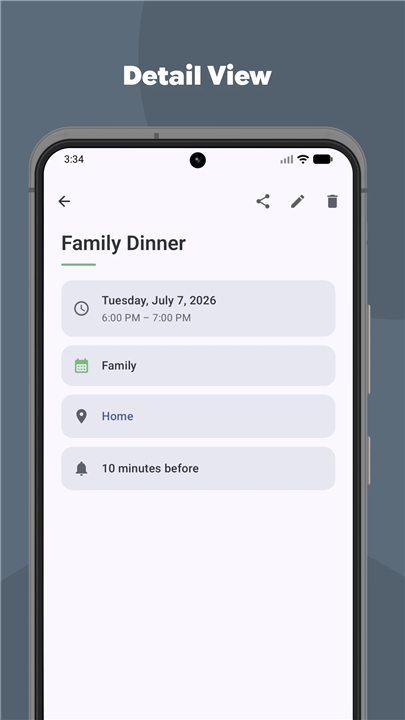
• Draft, duplicate, and shift events between different calendars in seconds.
• Set up repeating events with natural, readable rules rather than complex technical formulas.
• Assign dedicated time zones to specific events so your plans remain anchored, even through daylight-saving changes.
Personalized Customization
• Elevate your screen with expressive Material 3 styling, dynamic color schemes, and custom fonts.
• Place vital info front and center with elegant home screen widgets and a convenient Quick Settings tile.
• Shape your experience by choosing your default opening view, fading past events, or renaming the app icon itself.
Uncompromising Privacy and Trust
• Runs entirely offline with zero internet permissions, guaranteeing that your personal data never leaves your device.
• Safely integrate anniversaries and birthdays from your local contacts list without uploading or altering any details.
• Built for everyone, featuring built-in accessible fonts, text scaling, and respect for system motion settings.
FAQ
Q: How does Calendula connect with my existing calendar accounts?
A: Calendula integrates seamlessly and instantly with accounts you already use, such as Google, Nextcloud, local accounts, and WebCal subscriptions. It achieves this by directly utilizing your Android system's native calendar provider, meaning it doesn't need to rebuild connections from scratch.
Q: Does Calendula store my personal calendar data on its own servers?
A: Absolutely not. Calendula functions purely as a visual interface. It never stores your personal data on any external servers. Your Android device remains the absolute and secure source of all your calendar information, guaranteeing that your data is strictly your own.
Q: Can I use Calendula with any external calendar apps or files?
A: Yes, Calendula works in harmony with external apps. You can easily import event files into Calendula or accept schedules sent from other utilities, integrating them smoothly into your daily flow through your device's native calendar provider.
Version History
v2.20.3 ——14 Sep 2026
A Material 3 calendar for the calendars already on your device. No account. Download the latest version of Calendula: Calendar to enjoy new features and updates immediately!
*2.20.3
Fixed
A custom agenda range crashed the app in French. Choosing a custom range
for the agenda — or simply typing a number into that field — closed the app on
any phone set to French. The French translation of the "%d days" label was
missing the wording French uses for counts of two and above, and Android has
nothing to fall back on when that particular form is absent, so every value
except one day was affected
*2.20.1
Fixed
An empty calendar now explains itself. "No calendars configured" offered
an "Open system calendar settings" button that opened nothing — every screen
wired it to the same reload that had just produced the empty state. It now
opens the system's account chooser, filtered to the providers that sync
calendars
Calendars that are all switched off no longer look like an empty month.
When every calendar on the device is hidden at system level there is nothing
to draw, but the app said nothing at all: it only ever checked whether the
device had no calendars, so a device that had them and hid them fell
through to a blank grid with no hint. That case now says so, and points at
Settings → Calendars — the one screen that can switch a calendar back on. The
navigation drawer's calendar list drew the same conflation and is fixed with
it
*2.20.0
Minor bug fixes and improvements. Install or update to the newest version to check it out!











Ratings and reviews
There are no reviews yet. Be the first one to write one.