

Zello PTT Custom Button - Fast APK
3.1.3-744-free-e18401
Zello PTT Custom Button - Fast
Zello PTT Custom Button - Fast APK
Download for Android
Fast Talkie – Instant Push-To-Talk Control
Overview
• Transform your phone into a true walkie-talkie companion.
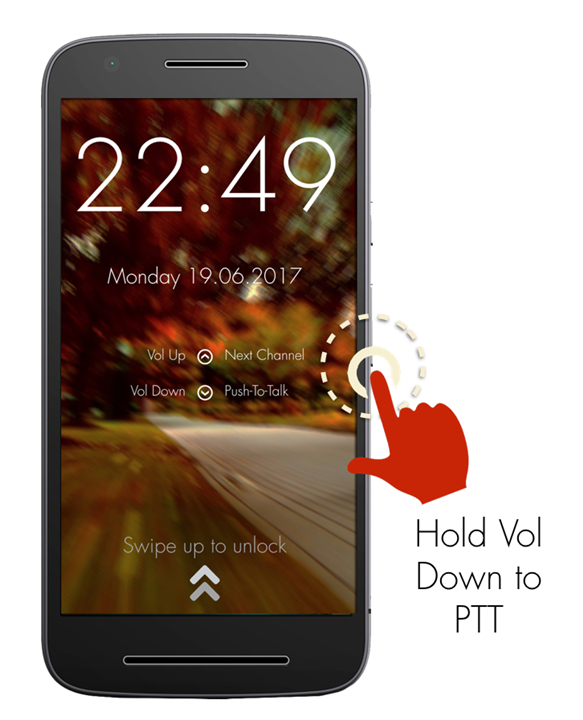
• Fast Talkie lets you trigger Push-To-Talk (PTT) instantly, using your volume down button or even a programmable custom button.
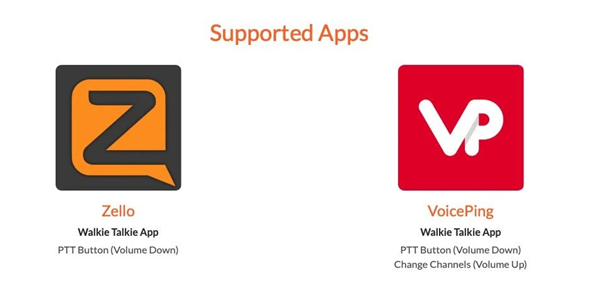
• Whether you’re using Zello, VoicePing, or other supported apps, communication is now faster, simpler, and always within reach.
Why It’s Powerful
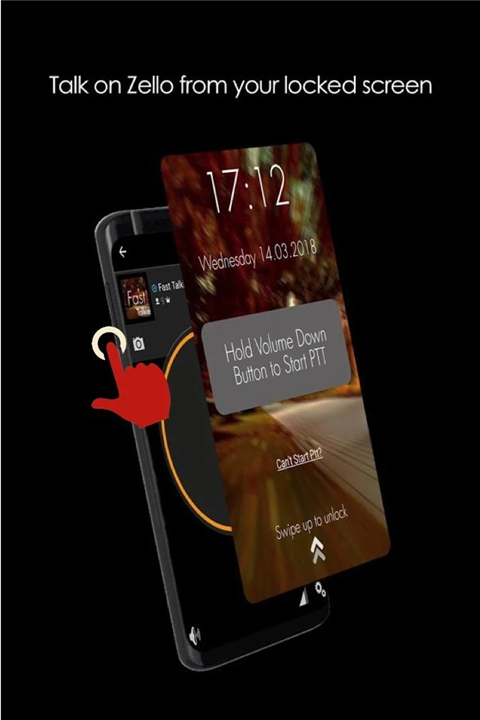
• Speak without unlocking – Start talking as soon as your phone wakes.
• Hands-on speed – One button, instant voice connection.
• Flexible triggers – Choose volume keys or special hardware buttons like SOS or camera keys.
• Accessibility-Driven – Uses accessibility permissions to detect button presses quickly and reliably.
Core Features
• Fully compatible with Zello and VoicePing.
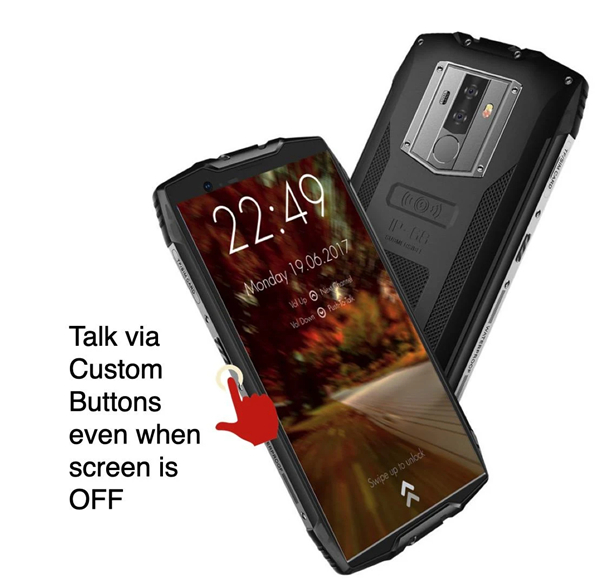
• PTT works in Accessibility Mode as long as the screen is active; some devices support PTT even with the screen off.
• Initiate conversations faster than traditional app controls.
PRO Mode Advantages
• Assign PTT to custom hardware buttons for more control.
• Extend support to a wider range of PTT-enabled apps.
• Switch channels instantly in supported apps.
• Restrict PTT activation to when the screen is on—ideal for devices with extra-sensitive buttons.
Getting Started
1. Install Fast Talkie.
2. Enable Accessibility Permission in your device settings.
3. Select a Zello contact or channel.
4. Hold your chosen PTT button to start talking.
Fast Talkie in Action
Quick reply method:
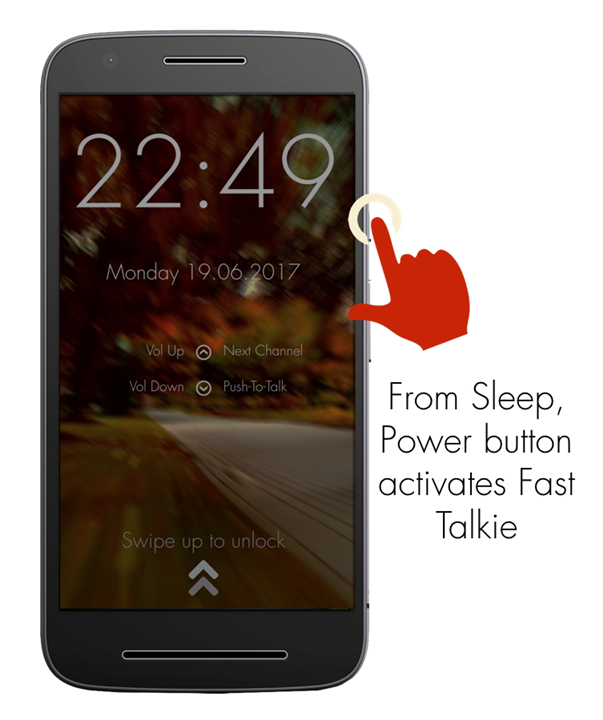
• Tap the power button to wake your device.
• Hold down your selected button and speak into the active channel.
Devices Tested for Screen-Off PTT
• Samsung Xcover Pro
• Samsung Xcover 5
• Blackview Series
Technical Trigger Signals
Fast Talkie generates these system intents for PTT activation:
• android.intent.action.PTT.down
• android.intent.action.PTT.up
For more details or support, visit: www.fasttalkie.com
FAQ
Q: How is this different from using the normal PTT button inside the app?
A: The main difference is speed and convenience. With Fast Talkie, you don’t have to unlock your phone or navigate into the app first. You wake your device, press your chosen hardware button, and you’re speaking instantly. It cuts out several steps, making communication much faster when every second counts.
Q: Do I need to keep the app open for Fast Talkie to work?
A: You don’t necessarily need to have the app in front of you, but the PTT-enabled app (like Zello or VoicePing) needs to be active in the background. Fast Talkie works by sending button-press signals to the app via accessibility permissions, so it can trigger voice instantly.
Q: Which apps does Fast Talkie support?
A: Right out of the box, Fast Talkie works seamlessly with Zello and VoicePing. If you opt for the Pro Mode, you can expand compatibility to an even wider range of PTT-enabled apps, giving you more flexibility for different communication needs.
Version History
v3.1.3-744-free-e18401——8 Dec 2025
Start Walkie Talkie via a Custom Button (Supports Zello and VoicePing) Download the latest version of Zello PTT Custom Button - Fast to enjoy new features and updates immediately!
*3.1.3-744-free-e18401
What’s New
- Improved app performance and stability
- Fixed minor bugs and crashes
- Enhanced user interface for a smoother experience
- Updated libraries and dependencies to the latest versions
- Optimized battery and memory usage
- Added small usability improvements and visual polish
*3.0.2
New Features:
- Allow to open Voiceping from the lock screen
- Open lock screen after reboot
- Upgrade billing lib to version 4
Bug fixes:
- Fix sometimes channel is not updating on some cases
- Fix sometimes cannot change volume
- Faster volume adjustment
- Fix weird behavior when volume key is already assigned
- Fix several crashes
- Fix app cannot detect Voiceping on Android 11 or above
- Will skip requirement to install Voiceping if Zello is already installed
- Fix crashes
*3.0.0-4
New Features:
- Allow to open Voiceping from the lock screen
- Open lock screen after reboot
- Upgrade billing lib to version 4
Bug fixes:
- Fix sometimes channel is not updating on some cases
- Fix sometimes cannot change volume
- Faster volume adjustment
- Fix weird behavior when volume key is already assigned
- Fix several crashes
- Fix app cannot detect Voiceping on Android 11 or above









Ratings and reviews
There are no reviews yet. Be the first one to write one.