

Shader Editor
Overview
• Shader Editor is an open-source application designed for creating, editing, and previewing shaders directly on Android devices.
• It provides an intuitive environment for both beginners and experienced shader developers, allowing real-time testing and deployment as live wallpapers.
• The source code is freely available for review and modification at:
+ https://github.com/markusfisch/ShaderEditor
Key Features
1. Development and Preview
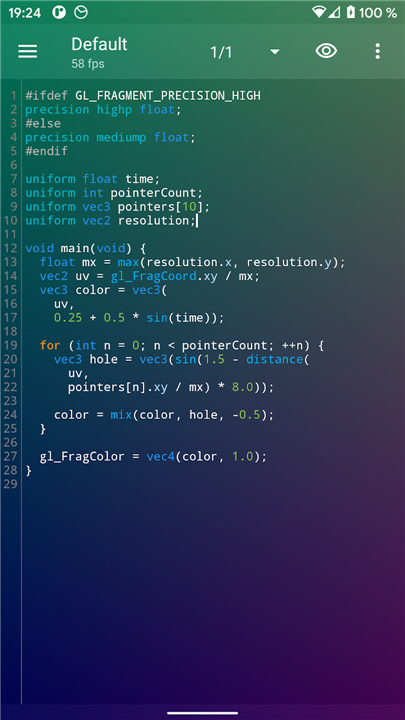
• Live preview of shaders either in the background or on a separate screen for better workflow management.
• Syntax highlighting to improve code readability and reduce errors.
• Error highlighting to quickly identify and correct issues during shader development.
• Frames-per-second (FPS) display for performance monitoring.
2. Wallpaper Integration
• Ability to set any created shader as a live wallpaper.
• Support for wallpaper offset to ensure proper alignment and visual consistency.
3. Hardware Interaction
• Access to various hardware sensors for more dynamic shader effects.
• Exposure of battery level within the shader environment.
• Support for multiple touch inputs for interactive shader experiences.
4. Rendering Capabilities
• Access to the previous rendered frame through backbuffer texture.
• Import and use of arbitrary textures for custom visuals.
• Automatic disabling of rendering when battery power is low to conserve energy.
Performance Considerations
• Some devices limit GPU processing power to save battery when operating without external power.
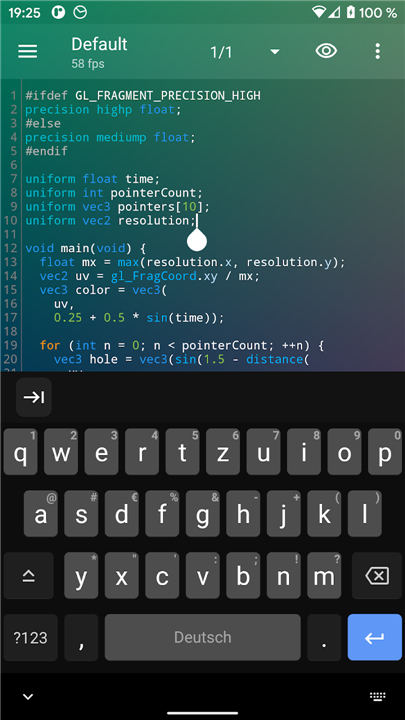
• To ensure smooth operation, test shaders with the soft keyboard hidden and the power cord unplugged.
• For live wallpaper use, aim for a consistent frame rate of around 30 FPS to avoid impacting overall UI responsiveness.
Device Limitations
• On certain devices, such as Huawei Ideos X3 and Asus Transformer, error information is disabled at the system level.
• This prevents error highlighting and detailed reporting within Shader Editor on these models.
Bug Reporting
• Users are encouraged to report any issues or unexpected behavior to the official GitHub issue tracker:
+ https://github.com/markusfisch/ShaderEditor/issues
FAQ
Q: Where can I find the source code and contribute to the project?
A: All of Shader Editor’s source code is hosted on GitHub under an open-source license. You can browse, download, or fork the repository at https://github.com/markusfisch/ShaderEditor. Contributions are welcome—whether you want to submit bug fixes, improve documentation, or add new features, just open an issue or pull request in the repository.
Q: How do I preview shaders while developing them?
A: As you write or modify your shader code, Shader Editor compiles and renders your work in real time. You can choose to display the live preview either as a background to your editor window or on a separate screen. This dual-view approach helps you keep your code in view while inspecting the visual output, making it easier to iterate quickly on your designs.
Q: Can I turn my shader into a live wallpaper?
A: Absolutely. Once you have a shader you’re happy with, Shader Editor lets you apply it directly as your device’s live wallpaper. The integration handles installation and activation so you can see your effects on the home screen and lock screen without leaving the app.
Version History
v2.36.1——20 Jan 2026
Create GLSL shaders and use them as live wallpaper. Download the latest version of Shader Editor to enjoy new features and updates immediately!
*2.36.1
Minor bug fixes and improvements. Install or update to the newest version to check it out!
*2.35.3
* Detect crash loops and disable bad shaders
* Improve loading fonts and shaders
* Fix database migration
*2.35.2
Minor bug fixes and improvements. Install or update to the newest version to check it out!









Ratings and reviews
There are no reviews yet. Be the first one to write one.