

U Player - Play Video URL APK
7.0
U Player - Play Video URL
U Player - Play Video URL APK
Download for Android

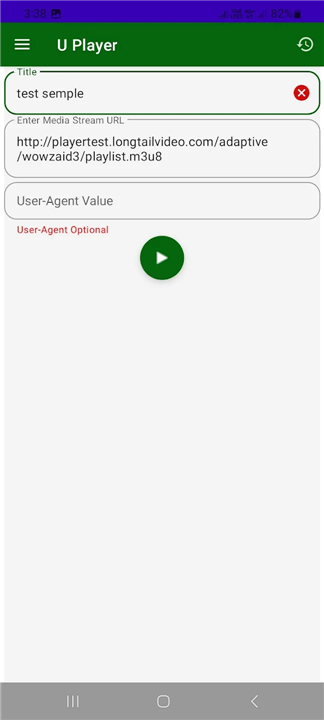

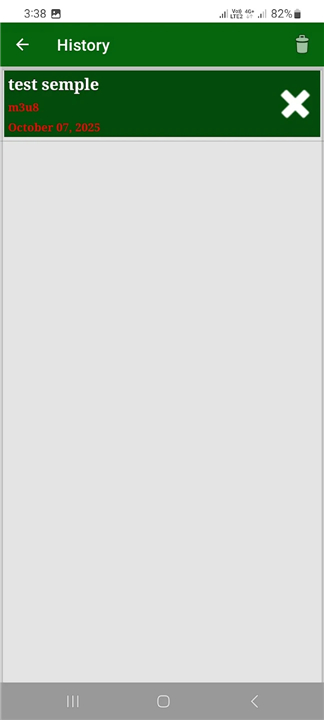
U Player - Play Video URL
Play Video from Any URL
• U Player is a lightweight and versatile video player that allows you to stream and play external video files directly from any remote URL.
• Whether you have a video link from the internet, a media server, or a shared file from a friend, U Player makes it simple to watch your content without complex setup or expensive subscriptions.
Key Features
1. Play External Video Links
• Instantly play video content from any valid video URL.
• Simply paste or share the link into U Player, and the app will start streaming without the need to download the file first.
2. Quick Access from Other Apps
• If you discover a video link while browsing the web or using another application, you can share it directly to U Player.
• This eliminates the hassle of copying and pasting links manually.
3. Support for Multiple Video Formats
• U Player is designed to handle a variety of popular video formats, ensuring compatibility with most video links you find online.
How It Works
1. Open the App – Launch U Player on your device.
2. Enter or Share a URL – Paste the video link into the player or use the share option from another app.
3. Stream Instantly – U Player begins playing the video immediately, without requiring a full download.
Why Use U Player
• Free and Easy to Use – No sign-ups, no hidden fees, and no complicated setup.
• Time-Saving – Skip the download process and watch videos instantly.
• Flexible – Works with various types of video sources, from direct file links to streaming servers.
• Convenient Integration – Seamlessly connects with your browsing and sharing workflow.
Perfect For
• Watching a shared video link without downloading it.
• Streaming from a personal media server or cloud storage.
• Quickly previewing online video files for work, study, or entertainment purposes.
With U Player, playing video from the internet is as simple as entering a link and pressing play.
FAQ
Q: Do I need a powerful device or specific operating system to use U Player?
A: No. U Player is intentionally lightweight and compatible with a broad range of devices, from mid-range smartphones to high-end tablets. As long as your device runs a moderately recent version of its operating system and supports common video codecs, U Player will function smoothly. It has been optimized to minimize CPU and memory usage while streaming.
Q: How do I send a video link from my browser or another app directly to U Player?
A: When you discover a video link in your mobile browser, social media feed, or messaging app, simply tap the share option and select U Player from the list. The link will open instantly in U Player’s interface, and playback will begin automatically. There’s no need to copy and paste URLs manually—everything flows seamlessly through the sharing menu.
Q: Will U Player download the entire video file before playing it?
A: U Player streams videos in real time, which means it buffers only the necessary data for immediate playback. You don’t have to wait for a complete download. As you watch, the player continues to buffer upcoming segments so that you can enjoy uninterrupted viewing without storing the whole video on your device.
Version History
v7.0——13 Jan 2026
Play your external video files from any remote URL for free & Easy. Download the latest version of U Player - Play Video URL to enjoy new features and updates immediately!
*7.0
Minor bug fixes and improvements. Install or update to the newest version to check it out!
*6.0
Minor bug fixes and improvements. Install or update to the newest version to check it out!
*5.0
Minor bug fixes and improvements. Install or update to the newest version to check it out!









Ratings and reviews
There are no reviews yet. Be the first one to write one.