

ClipGlider-video control panel APK
2.3.5
ClipGlider-video control panel
ClipGlider-video control panel APK
Download for Android
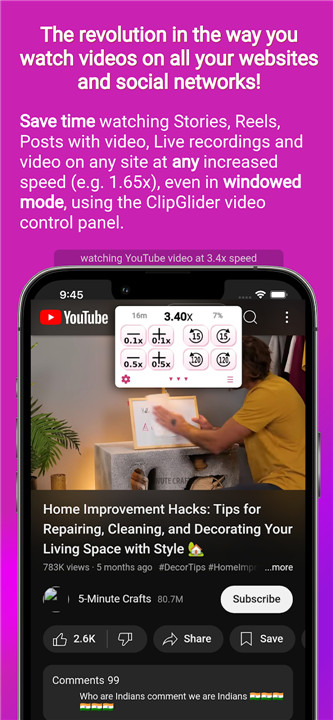

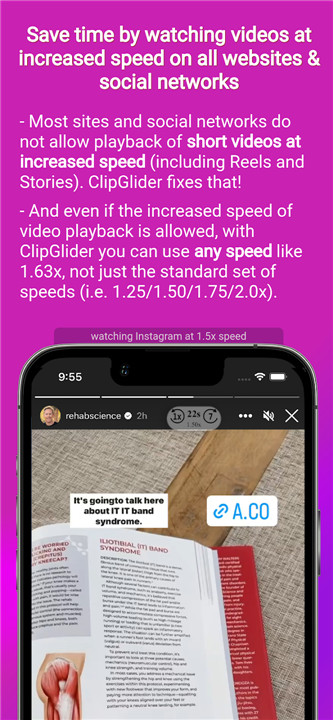
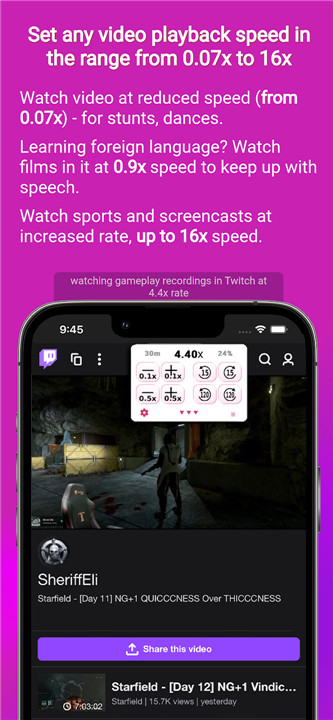
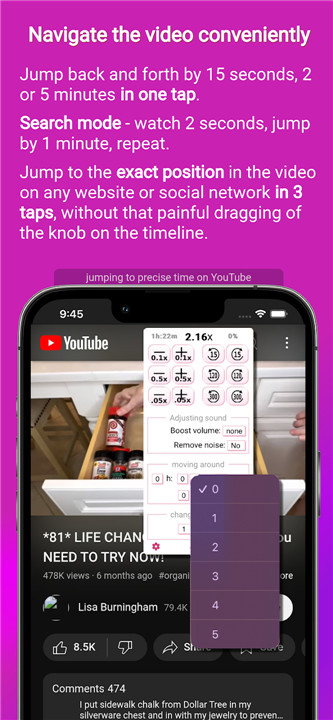

ClipGlider is transforming the way we experience video playback on websites and social media!
This innovative tool features a user-friendly video control panel that lets you adjust playback speed beyond the typical options of 1.25x, 1.5x, 1.75x, and 2x. You can easily navigate through videos with just a few taps, enhance your viewing experience by adjusting volume, eliminating background noise, or jumping to specific moments in videos across popular social platforms and any website. Plus, it can automatically scroll to the next video on select social networks.
The control panel appears while you enjoy any video content, including Stories or Reels on Instagram and Facebook, TikTok clips, Twitch streams, Reddit videos, X (formerly Twitter), Netflix, and even ads on various sites. As you view reels on Instagram and Facebook or short clips on other platforms, the next video will seamlessly start playing, allowing you to enjoy personalized content while multitasking, whether you're cooking or working out. The app is also compatible with Android TV.
+ TIME-SAVING
Maximize your viewing efficiency by watching videos at increased speeds, such as 2.15x, and easily switch back to normal speed for important moments.
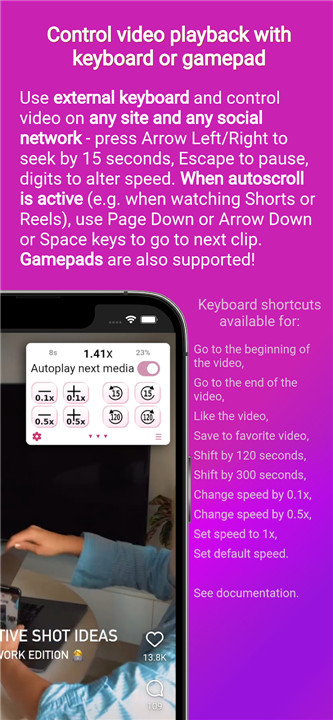
+ HANDS-FREE VIEWING OF REELS AND CLIPS (AUTOSCROLL/AUTOSWIPE)
Enjoy a hands-free experience while watching Reels on Instagram and Facebook, TikTok videos, and other short clips, as the next video automatically plays. This feature lets you watch without needing to touch your device, perfect for when you're busy cooking or exercising.
+ COMFORTABLE VIEWING FOR LECTURES AND CONFERENCES
Make the most of your time by watching recorded lectures and conferences at a speed that suits you, like 1.86x, without being restricted to the usual speed options (1.25x, 1.5x, 1.75x, and 2x).
+ NEVER MISS A CRUCIAL MOMENT
ClipGlider allows you to pick up video playback right where you left off, even if you were interrupted by a call. No need to jot down the timestamp when you pause your viewing experience.
+ EFFORTLESSLY LOCATE KEY MOMENTS IN VIDEOS
Easily pinpoint significant moments in your videos, like when a new speaker joins a conference, with the handy Quick Scan feature.
Detailed description:
- ENJOY SOCIAL MEDIA STORIES AND REELS
Experience Stories and Reels on Instagram and Facebook, TikTok clips, X (formerly Twitter), VK, and videos in social media posts at double speed. Save time and effortlessly switch back to normal speed with just one tap, allowing you to consume twice as much content in the same timeframe.
- SLOW-MOTION ANALYSIS OF STUNTS AND DANCES
Examine sports performances and dance routines in stunning slow motion, with playback speeds as low as 0.07x on any platform.
- QUICK SKIP FUNCTIONALITY
Easily determine when a conference begins or when a new speaker takes the stage. This mode plays the video for one second before rewinding for a full minute, making navigation a breeze.
- EASY AND ACCURATE NAVIGATION IN LONG VIDEOS
Navigate to the precise minute with fewer than four taps by selecting timestamps from organized lists. You can also skip a specific percentage of the video effortlessly.
- SAVE TIME BY CUSTOMIZING YOUR PLAYBACK SPEED
Adjust the playback speed with precision up to 0.01x. Break free from standard speeds like 1.25x or 1.5x; set any speed from 0.07x to 16x. If you find 1.75x too fast but can manage 1.70x, you’ll save 13% of your time—equating to 5 minutes on a one-hour video.
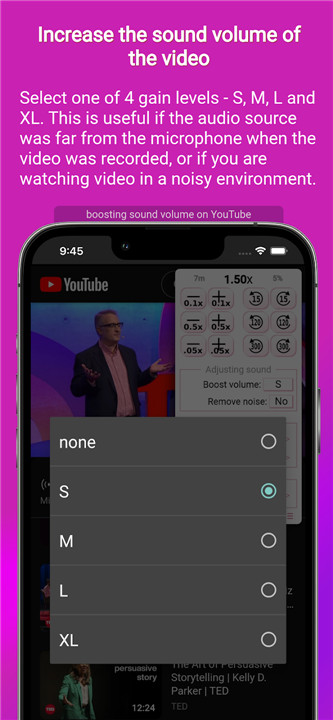
- IMPROVE AUDIO QUALITY IN VIDEOS
Enhance the sound of quiet videos, eliminate background noise from outdoor recordings or lectures, and enjoy a clearer audio experience, even in challenging environments.
- EXTRA FAST PLAYBACK WITH UP TO 16X SPEED
While most websites and social media platforms cap playback at 2x, ClipGlider lets you enjoy your videos at an incredible 16x speed.
FAQ
Q: What is ClipGlider?
A: ClipGlider is an advanced video control tool that enhances your video viewing experience on websites and social media platforms. It allows you to adjust playback speed, volume, and other settings, and even features an autoscroll/autoswipe function for hands-free viewing.
Q: On which platforms does ClipGlider work?
A: ClipGlider works on a variety of platforms, including Instagram, Facebook, TikTok, Twitch, Reddit, X (formerly Twitter), VK, Netflix, and even ads on various websites. It is also compatible with Android TV.
Q: Can I adjust the playback speed beyond the standard options?
A: Yes, ClipGlider allows you to adjust the playback speed with precision up to 0.01x. You can set any speed from 0.07x to 16x, giving you much more control over your viewing experience.
-----------------
What's New in the Latest Version 2.3.5
Last updated on Feb 3, 2025
Watch videos at extra speed (1.6x) on social networks with autoswipe(autoscroll) Download the latest version of ClipGlider-video control panel 2.3.5 to enjoy new features and updates immediately!
Minor bug fixes and improvements. Install or update to the newest version to check it out!









Ratings and reviews
There are no reviews yet. Be the first one to write one.