

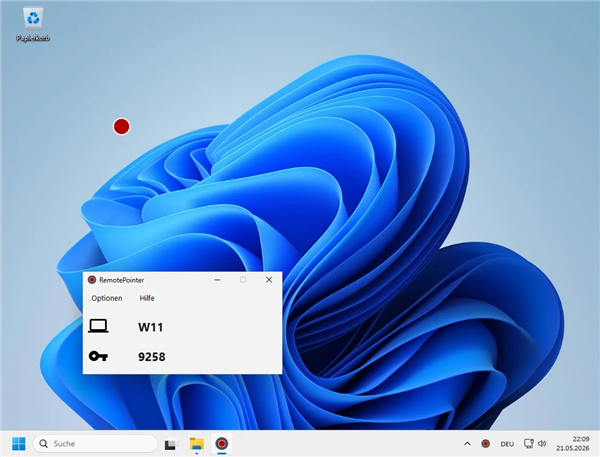
RemotePointer
Overview
• RemotePointer is a versatile remote control application designed to turn your Android device into a powerful peripheral for your computer.
• By installing the client and server software, users can gain seamless control over their digital environment from a distance.
Core Functionality
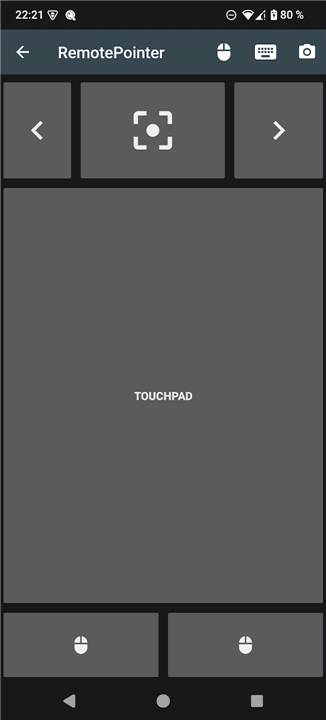
• Control your computer mouse through a responsive virtual touchpad on your smartphone or tablet.
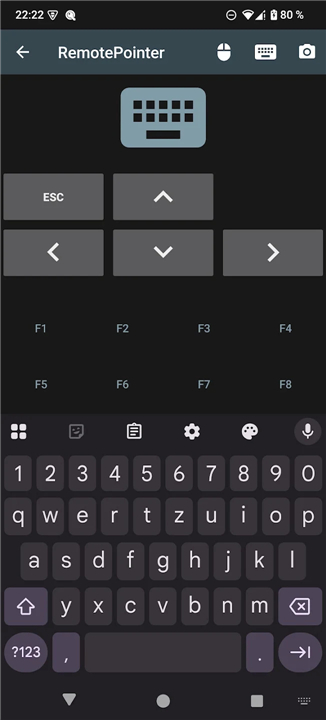
• Access a full remote keyboard to type text, enter passwords, or execute system shortcuts without being at your desk.
• Manage your PC, media center, or home theater setup comfortably from a couch or across a room.
Presentation and Visibility
• Project a digital laser pointer dot onto your screen or projector, driven by the physical movement and orientation of your Android device.
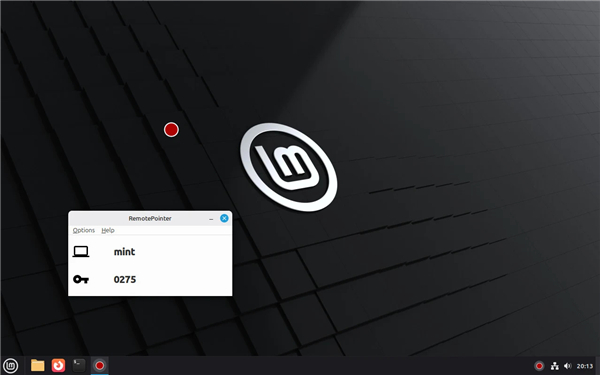
• Ensure the laser pointer remains visible to remote participants during recorded presentations or video conferences, as the dot is rendered on the screen itself.
• Benefit from high-visibility digital markers that are easier to see than traditional physical lasers in bright or well-lit environments.
• Navigate presentation slides while maintaining simultaneous control over the mouse cursor for a fluid speaking experience.
Extended Features and Compatibility
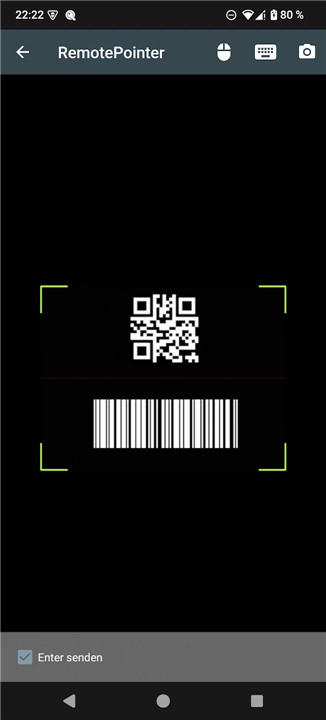
• Use the integrated scanner to read barcodes or QR codes and send the data directly to your computer applications.
• Deploy the software on any major operating system, including Windows, macOS, and Linux.
• Download the required desktop server software from the official project site at https://sieber.systems/s/rp.
Privacy and Open Source Standards
• Operate with total privacy through a self-hosted architecture that requires no external server dependencies or cloud connections.
• Experience a transparent tool with no user tracking, telemetry, or data collection.
• Review or contribute to the development via the open-source repositories on GitHub for both the Android application and the server software.
FAQ
Q: How do I get RemotePointer set up on my devices?
A: Setting up the system is incredibly straightforward. First, you install the RemotePointer app on your Android device, and then you download and run the companion desktop server software on your computer. Once both are running on the same local network, they connect to let you control your screen seamlessly without any complicated configuration.
Q: Can I use RemotePointer to replace my physical mouse and keyboard?
A: Yes, you absolutely can. The app features a highly responsive virtual touchpad that lets you glide your finger to move the PC cursor, alongside a full remote keyboard. This makes it incredibly easy to type out quick search queries, enter passwords, or execute complex system keyboard shortcuts from across the room.
Q: How does the digital laser pointer feature work, and do I need extra hardware?
A: You do not need any extra hardware or special presentation clickers to make this work. RemotePointer utilizes the internal sensors of your Android device to track its physical movement and orientation, projecting a highly visible digital laser dot directly onto your computer screen or projector as you move your hand.
Version History
v3.2——27 Jul 2026
Digital Laser Pointer and Mouse Control for Presentations Download the latest version of RemotePointer to enjoy new features and updates immediately!
*3.2
The PC application has been completely overhauled in v3. It is now easier to install and use. Furthermore, you can now control your computer's volume using the volume buttons of your smartphone!
Version 3.1 enables the use of volume keys even in keyboard mode and offers improved handling of connection interruptions.
Version 3.2 introduces a clipboard sync feature, multimedia keys play/pause, previous, next and better support for special chars.
*3.1
The PC application has been completely overhauled in v3. It is now easier to install and use. Furthermore, you can now control your computer's volume using the volume buttons of your smartphone!
Version 3.1 enables the use of volume keys even in keyboard mode, offers improved handling of connection interruptions, and fixes a bug related to the unlocking of purchased features.
*3.0
The PC application has been completely overhauled in v3.0. It is now easier to install and use. Furthermore, you can now control your computer's volume using the volume buttons of your smartphone!











Ratings and reviews
There are no reviews yet. Be the first one to write one.