

OW Camera 2 For Pebble APK
2.0
OW Camera 2 For Pebble
OW Camera 2 For Pebble APK
Download for Android
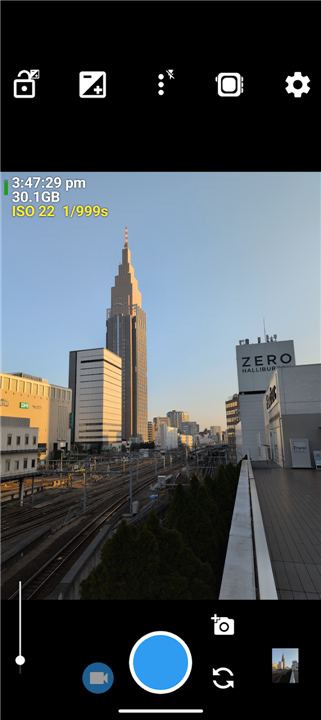
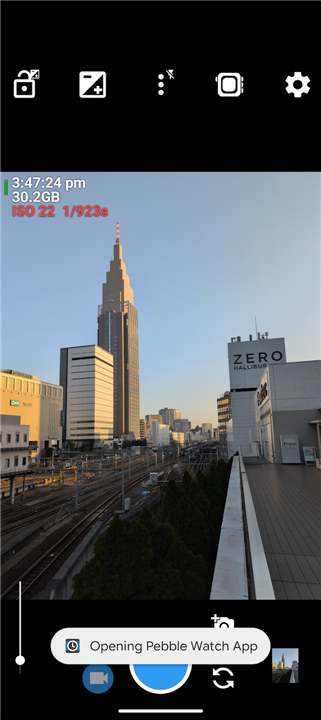
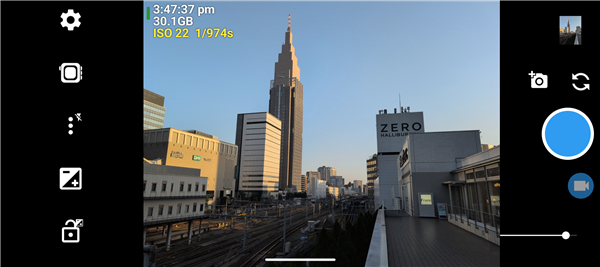
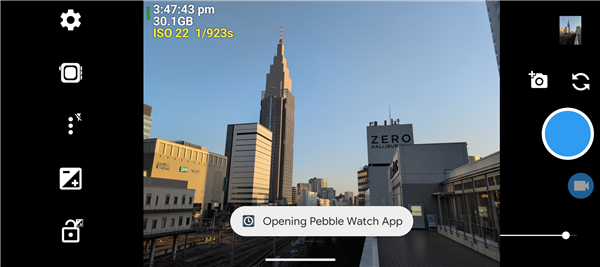
OW Camera 2 for Pebble
Overview
• A companion app that turns any Pebble smartwatch (Pebble 2 Duo, Pebble Time 2, and the final Pebble models) into a fully‑functional remote‑shutter for the camera on your Android phone.
• Built on the open‑source Open Camera project, it adds Pebble‑specific features such as live preview on the watch face and instant shutter activation without ever touching the phone.
How It Works
• Live Preview: The watch displays a real‑time thumbnail of the phone’s camera viewfinder, letting you compose shots from your wrist.
• Remote Shutter: A single tap on the Pebble releases the shutter for photos or starts/stops video recording.
• Hands‑free Group Shots: Place the phone on a stable surface, set the timer or use the watch, and everyone can be in the frame.
• Self‑ie Mode: Position the phone, view the preview on the watch, and trigger the capture while holding the device.
Full Camera Control (Phone Side)
• Manual exposure compensation and shutter‑speed selection.
• ISO range adjustment for low‑light or bright‑light conditions.
• White‑balance presets and custom temperature control.
• Focus options: auto‑focus, manual focus, macro, and continuous focus modes.
• Grid overlays (rule‑of‑thirds, golden‑ratio) and on‑screen level indicator for horizon alignment.
• Access to all standard Open Camera features: HDR, flash control, burst mode, RAW capture, and geo‑tagging.
Supported Devices & Compatibility
• Pebble 2 Duo, Pebble Time 2, and the last generation of Pebble smartwatches.
• Android phones running Android 5.0 (Lollipop) or higher, with the Open Camera app installed.
• No additional hardware required; connection is made via Bluetooth Low Energy.
Key Benefits
• Eliminates camera shake by keeping the phone stationary while you trigger the shot.
• Enables creative composition through real‑time watch preview and manual settings.
• Ideal for selfies, group photos, time‑lapse, and stable video recordings.
Open Camera for Pebble
• OW Camera 2 extends the functionality of Open Camera with seamless Pebble integration, delivering a powerful, wrist‑controlled photography experience while maintaining full manual control from the phone.
FAQ
Q: Which Pebble smartwatch models are compatible with this app?
A: The app is specifically designed to work with the later generations of Pebble smartwatches. This includes the Pebble 2 Duo, the Pebble Time 2, and the final models that were released before the platform transition.
Q: How does the Live Preview feature display on such a small watch screen?
A: The app streams a real-time thumbnail of your phone's camera viewfinder directly to your Pebble watch face. This allows you to easily compose your shots, check your framing, and make sure everyone is in the frame before you snap the picture, all from a distance.
Q: Can I use my Pebble to start and stop video recordings, or does it only work for photos?
A: You can absolutely do both. A single tap on your Pebble watch can either release the shutter to capture a still photo or start and stop video recordings, giving you full control over your media capture modes from your wrist.
Version History
v2.0——25 Aug 2026
Turn your Pebble smartwatch into an Android camera remote with OW Camera 2. Get a live viewfinder, remote shutter, and manual controls. Download the latest version of OW Camera 2 For Pebble to enjoy new features and updates immediately!
*2.0
Minor bug fixes and improvements. Install or update to the newest version to check it out!











Ratings and reviews
There are no reviews yet. Be the first one to write one.