

FilePipe: Auto Files Organizer APK
3.9.9
FilePipe: Auto Files Organizer
FilePipe: Auto Files Organizer APK
Download for Android
FilePipe: Auto Files Organizer
Overview
• Imagine a digital workspace where clutter vanishes and harmony takes its place.
• FilePipe is a sophisticated file management tool designed to quiet the noise of messy downloads and disorganized folders, automatically transforming your digital chaos into a beautifully structured library.
• By setting simple instructions, you can reclaim your time and peace of mind while FilePipe handles the heavy lifting in the background.
Intelligent Automation
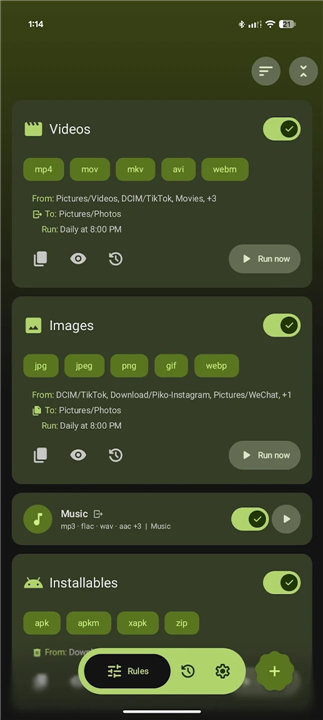
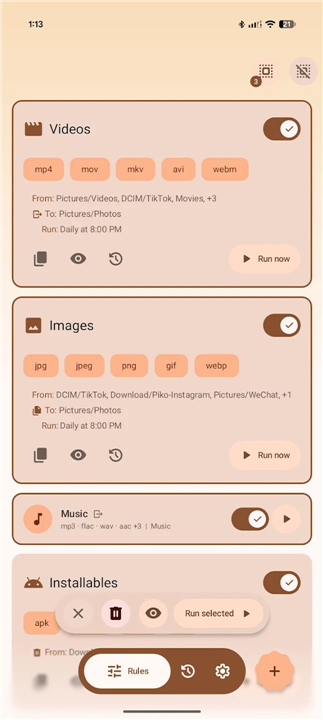
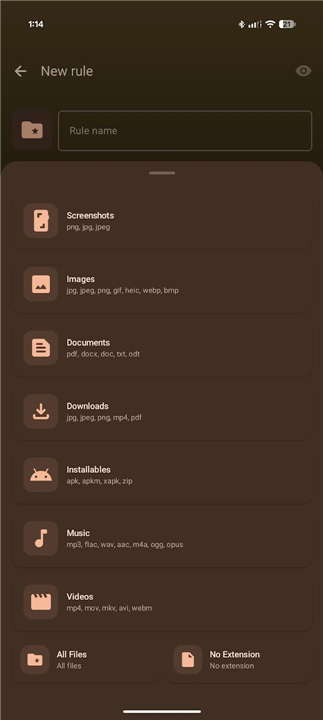
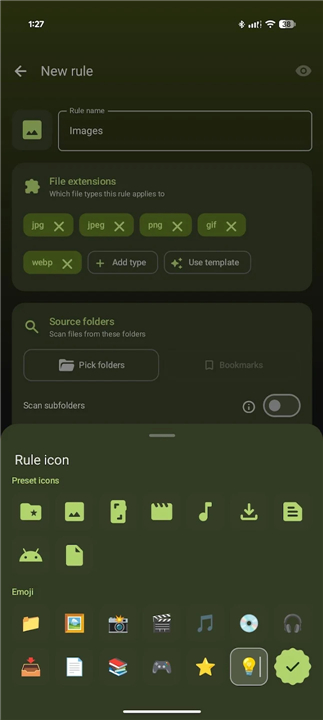
• Custom Workflows: Easily build automated rules to move, copy, or delete files, or use quick-start templates to get organized instantly.
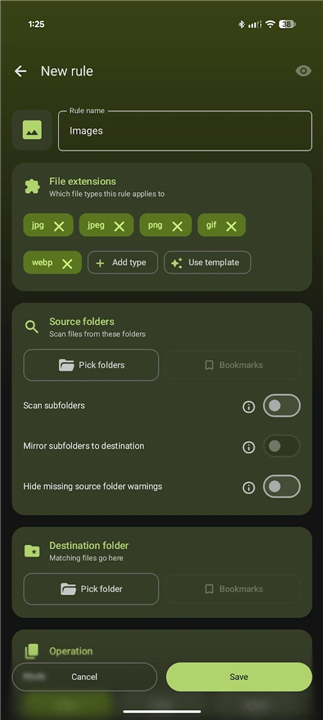
• Target Filters: Pinpoint exactly which files to process based on name patterns, file size, age, or even image orientation.
• Collision Control: Decide exactly how to handle duplicate filenames by setting rules to automatically rename, overwrite, or skip files.
Control and Visibility
• Safe Previews: Test your rules before running them to see exactly which files will be affected without changing anything on your storage.
• Flexible Scheduling: Run tasks on demand, or schedule them to execute quietly in the background every few hours, daily, or weekly.
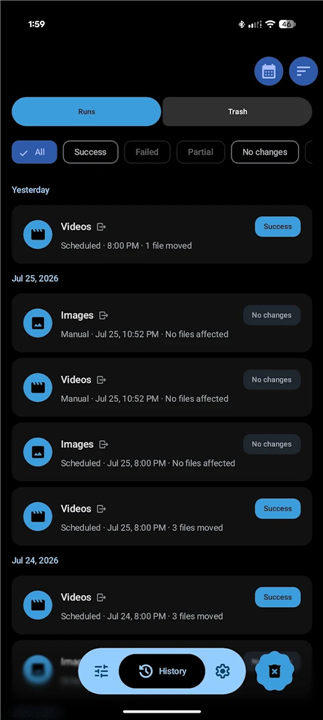
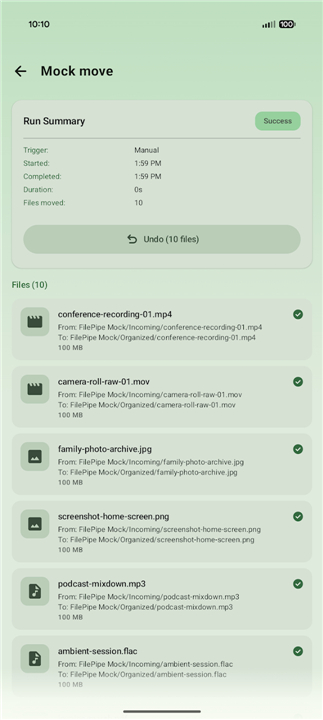
• Comprehensive History: Access a detailed log of every file moved, with options to open files directly, filter results, or undo the entire operation.
Seamless Integration
• Instant Shortcuts: Trigger your favorite rules directly from your device's home screen without needing to launch the app.
• Smart Notifications: Receive quick summaries of completed tasks with a direct option to reverse the action in one tap.
• Rule Backups: Secure your setup by exporting your configurations to a JSON file, with automated backup options available in your settings.
Personalization and Trust
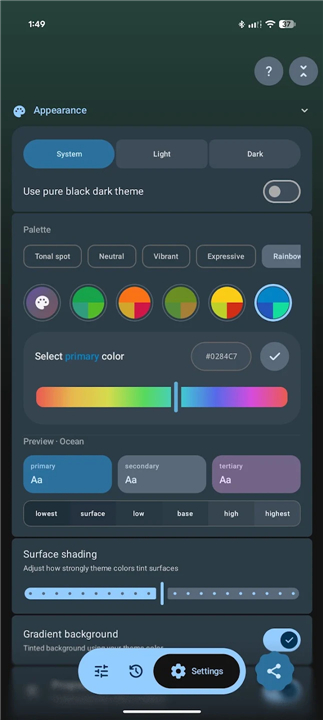
• Tailored Aesthetics: Match your personal style with dynamic Material You themes, custom fonts, OLED black modes, and elegant color palettes.
• Total Privacy: Experience true digital sovereignty. FilePipe operates entirely on your device with no cloud sync, no tracking, and no external data collection.
FAQ
Q: I am new to file automation, so how easy is it to set up my first sorting rule?
A: You do not need to be a tech genius to get started because FilePipe offers quick-start templates that handle common tasks right out of the box. If you want to create a custom workflow, the intuitive setup process walks you through selecting a source folder, picking which files to target, and choosing exactly where they should go.
Q: Can I choose specific files to organize, or does FilePipe move everything in a folder?
A: You have total control over what gets processed thanks to our flexible target filters. You can pinpoint files based on specific name patterns, file size, age, or even unique criteria like whether an image is in portrait or landscape orientation.
Q: What happens if FilePipe tries to move a file that has the exact same name as an existing file?
A: We built intelligent collision control safeguards into the app so you never lose important data. You can decide exactly how the app should handle duplicate names, whether you want it to automatically rename the incoming file, overwrite the old one, or skip the operation entirely.
Version History
v3.9.9——17 Aug 2026
Your files, your rules. Automatically sort and move files with smart rules. Download the latest version of FilePipe: Auto Files Organizer to enjoy new features and updates immediately!
*3.9.9
Minor bug fixes and improvements. Install or update to the newest version to check it out!
*3.9.8
Minor bug fixes and improvements. Install or update to the newest version to check it out!
*3.9.7
Minor bug fixes and improvements. Install or update to the newest version to check it out!











Ratings and reviews
There are no reviews yet. Be the first one to write one.