

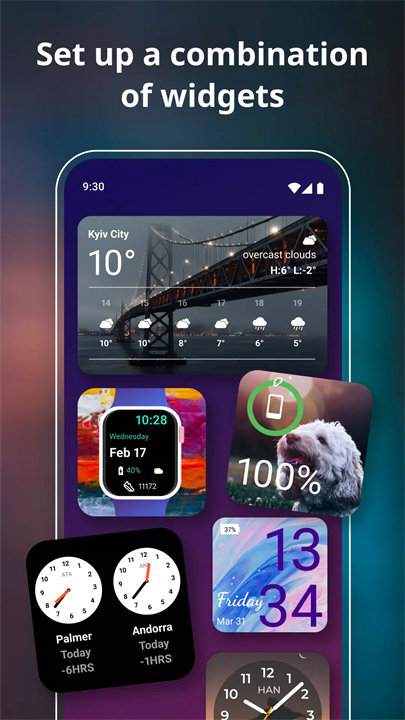
Introducing Widgets OS 17!
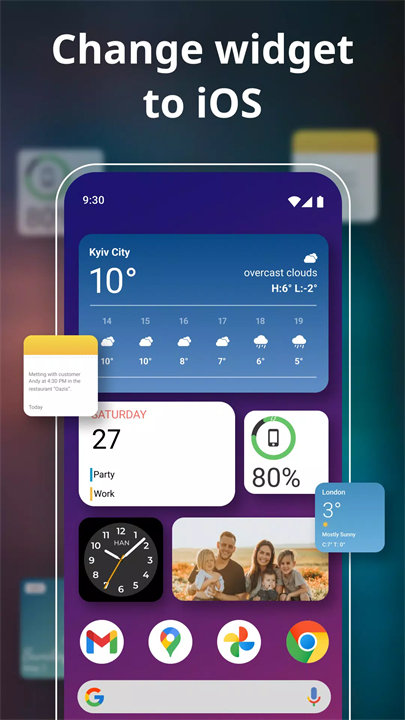
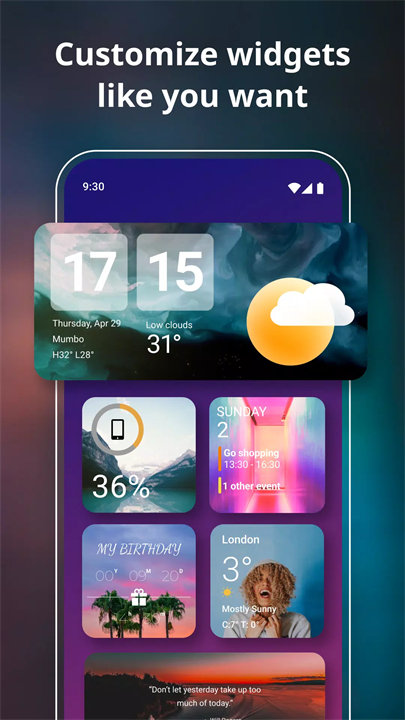
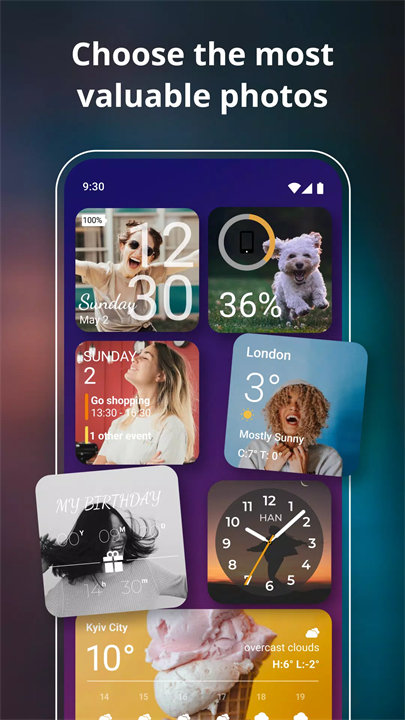
Widgets OS 17 by ZipoApps is a customization tool for Android devices that enhances the home screen experience by providing a wide range of widgets. The app allows users to personalize their home screens with various widgets, such as weather updates, clocks, calendars, and system monitors. Users can customize the appearance, size, and layout of these widgets to create a personalized and functional home screen setup. The app aims to improve both the aesthetics and usability of the device interface, making it easier for users to access information and tools at a glance.
Features:
1. Variety of Widgets: Offers a diverse selection of widgets including weather, clocks, calendars, battery monitors, and system status indicators. This range allows users to display different types of information directly on their home screens.
2. Customizable Widget Sizes: Provides options to adjust the size of widgets to fit different screen layouts. Users can resize widgets to make them larger or smaller, depending on their preferences and available screen space.
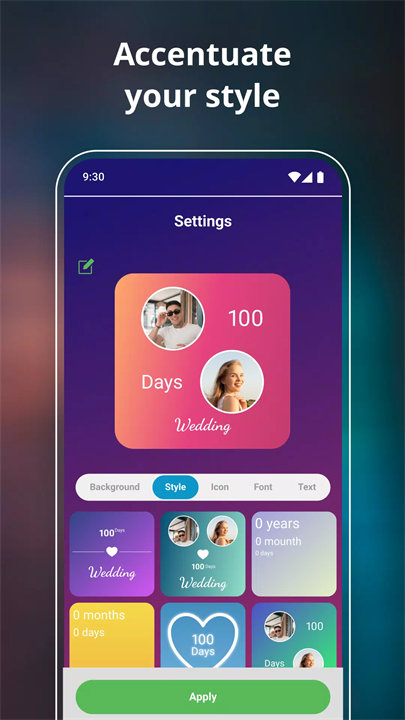
3. Themed Widgets: Includes various themes and styles for widgets, enabling users to choose designs that match their personal taste or home screen aesthetics. Users can select from different colors, fonts, and designs.
4. Drag-and-Drop Functionality: Features a drag-and-drop interface for easy placement and arrangement of widgets on the home screen. Users can move widgets around to achieve their desired layout.
5. Interactive Widgets: Some widgets offer interactive features, such as tapping to view more details or accessing additional functions directly from the widget itself. This enhances the usability of the widgets.
6. Custom Widget Creation: Allows users to create custom widgets with specific functionalities and designs. Users can tailor widgets to display personalized information or perform unique tasks.
7. Compatibility and Integration: Designed to work with various Android devices and integrate seamlessly with different launchers. The app ensures compatibility with a wide range of devices and setups.
8. Regular Updates: Provides updates with new widgets, features, and improvements. Users benefit from ongoing enhancements and additional customization options.
Top Five FAQs on Widgets OS 17:
1. What types of widgets are available in Widgets OS 17?
- Widgets OS 17 offers a variety of widgets including weather updates, clocks, calendars, battery monitors, and system status indicators. Users can choose from these options to personalize their home screens.
2. Can I customize the appearance of the widgets?
- Yes, the app includes various themes and styles for widgets, allowing users to customize colors, fonts, and designs. This helps users match widgets to their home screen aesthetics.
3. How do I adjust the size of the widgets?
- You can resize widgets by selecting them and using the resize options available in the app. This allows you to make widgets larger or smaller to fit your screen layout.
4. Is it possible to create custom widgets with specific functionalities?
- Yes, Widgets OS 17 provides the option to create custom widgets. Users can design widgets with specific functionalities and information tailored to their needs.
5. Does the app work with all Android devices?
- Widgets OS 17 is designed to be compatible with various Android devices and integrates well with different launchers. The app aims to provide a seamless experience across a wide range of devices.
/
Notes:
If widgets are not refreshed on your phone, please open the app and go to Settings > turn on the option "Allow Apps to run in the background.
- Disclaimer
All product names, logos, brands, trademarks and registered trademarks, which are not owned by us, are property of their respective owners.
All company, product and service names used in this app are for identification purposes only. Use of these names, trademarks and brands does not imply endorsement.
The Widgets OS 17 - Color Widgets application is owned by us. We are not affiliated, associated, authorized, endorsed by, or in any way officially connected with any other apps or companies.
What's New in the Latest Version 1.11.9
Last updated on Dec 11, 2023
- Fix bug: upgrade to Premium version but app still shows ad.









Ratings and reviews
There are no reviews yet. Be the first one to write one.