

Everyday | Calendar Widget APK
19.0.3
Everyday | Calendar Widget
Everyday | Calendar Widget APK
Download for Android
Everyday: Your Personalized Calendar Companion
Overview
• Everyday is an intuitive and highly customizable calendar widget designed to bring your important dates and events directly to your home screen, offering immediate access without the need to open a dedicated app.
• Its core strength lies in its adaptability, allowing you to seamlessly integrate it into your device's aesthetic with a sophisticated dynamic theme engine that ensures perfect visibility and style.
• Embark on a journey to discover Everyday's rich feature set.
Core Widget Types:
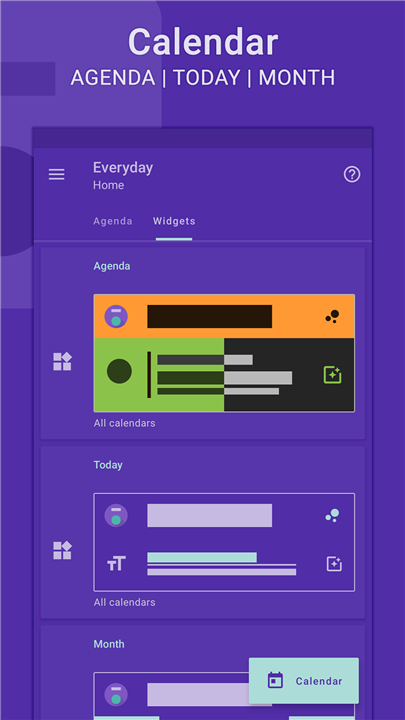
• Agenda:
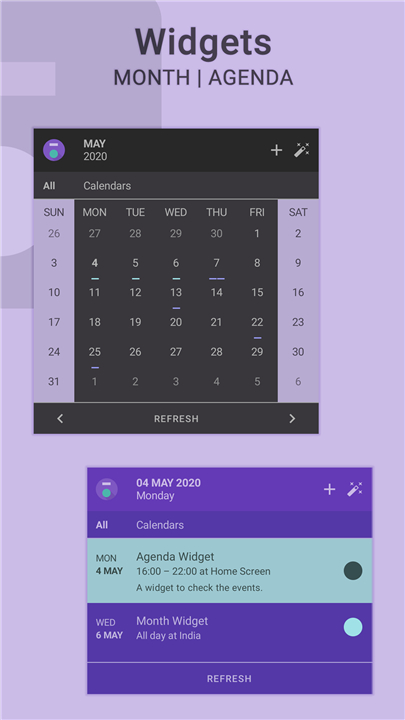
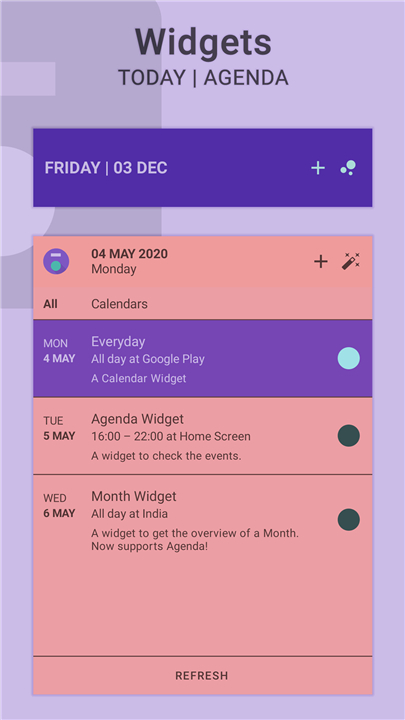
+ This widget provides a clear and concise overview of your upcoming events, allowing you to quickly scan your schedule for the day, week, or even further into the future.
• Today:
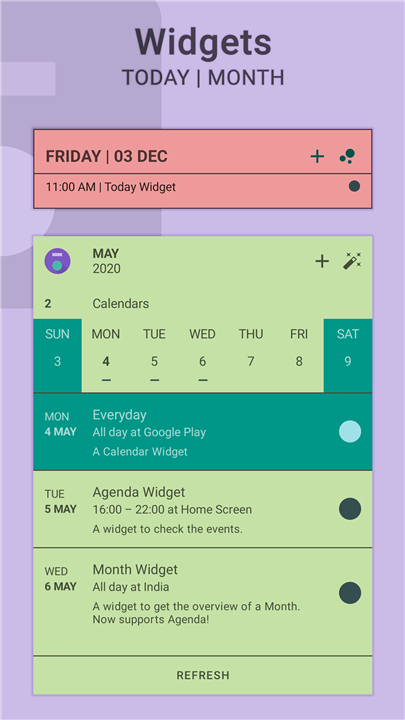
+ Focus on what truly matters with the "Today" widget, designed to highlight your most crucial tasks, appointments, and deadlines for the current day.
• Month:
+ Navigate through your calendar with ease using the "Month" widget, offering a visual representation of your entire month, allowing you to pinpoint specific days and their associated events.
Extensive Customization and Settings:
The flexibility of Everyday shines through its comprehensive settings options, enabling you to tailor the widgets precisely to your needs. Key configuration areas include:
• Calendar Selection:
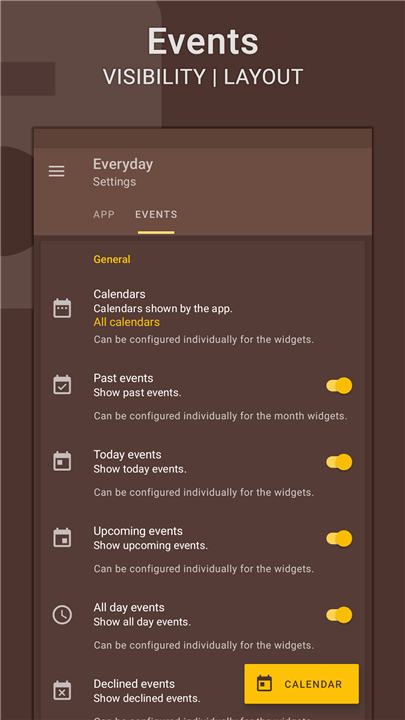
+ Choose which of your device's calendars you wish to display in the widgets, ensuring you only see the information relevant to you.
• Date and Day Configuration:
+ Set the First Day of the week to align with your personal preference (e.g., Sunday or Monday).
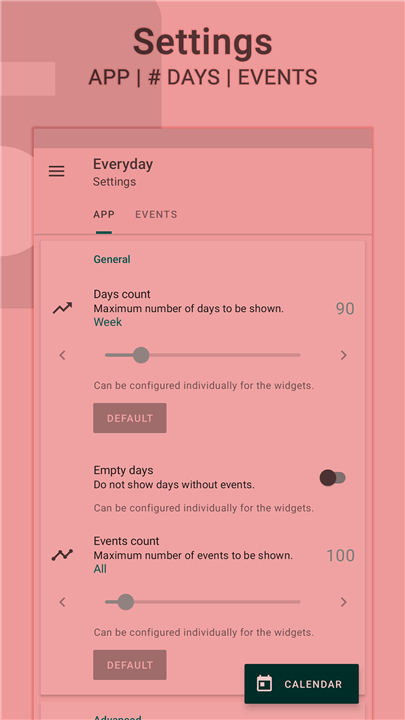
+ Define the Days Count to control how many days are displayed in specific widgets.
+ Control the visibility of Empty Days for a cleaner or more complete monthly view.
• Event Display Options:
+ Configure Multi-day date settings for events spanning across multiple days.
+ Specify the Events Count to limit the number of events shown.
+ Utilize an Events Indicator to visually distinguish days with scheduled events.
+ Manage the display of Duplicate Events for a streamlined view.
+ Control Events Visibility to fine-tune what information is presented.
Dynamic Theme Engine:
Everyday's aesthetic appeal is powered by a dynamic theme engine that goes beyond simple color changes. It features:
• Background-Aware Functionality:
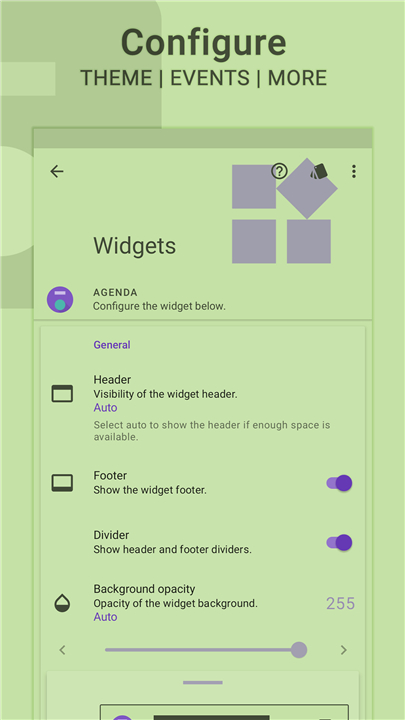
+ This intelligent system adapts themes based on your home screen wallpaper, ensuring optimal contrast and preventing any readability issues, regardless of your background choice.
• Multi-Widget Theming:
+ Create and configure multiple Everyday widgets, each with its own distinct theme and calendar assignments, making it easy to differentiate and quickly identify their purpose at a glance.
Integrated Support and Data Management:
• Dedicated Support Section:
+ Access a built-in support area designed to help you troubleshoot common issues and find answers to your questions.
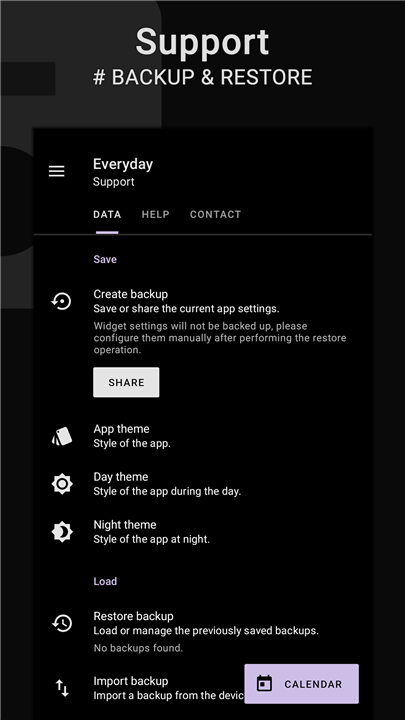
• Backup and Restore:
+ Safely store your app settings and configurations by performing backup operations, and easily restore them at any time, ensuring your personalized setup is always preserved.
Premium Features:
• Certain advanced customization and functionality options, marked with a symbol, are exclusively available with Everyday Premium.
• Purchasing Premium not only unlocks these features but also directly supports the ongoing development and maintenance of the application.
Multi-Language Support:
• Everyday is available in a wide array of languages, ensuring a familiar and accessible experience for users worldwide.
• This includes English, Deutsch, Español, Français, हिंदी, Indonesia, Italiano, Português, Русский, Türkçe, 日本語, 한국인, 中文 (简体), and 中文 (繁體).
Required Permissions:
To provide its full functionality, Everyday requests the following permissions:
• Internet Access: Used for displaying advertisements within the free version of the app.
• Read Calendar: Essential for accessing and displaying your calendar events and related information.
• Modify USB Storage (Android 4.3 and below): Required for the creation and restoration of backup files on older Android versions.
We encourage you to consider purchasing the Premium version to support the continued development of Everyday.
Should you encounter any issues, please do not hesitate to reach out via email for prompt assistance.
Android is a trademark of Google LLC.
FAQ
Q: What types of widgets does Everyday offer?
A: Everyday comes with three main widget types: Agenda, Today, and Month. The Agenda widget displays an overview of upcoming events, the Today widget focuses on tasks and appointments for the current day, and the Month widget provides a complete monthly view that lets you explore specific dates and associated events.
Q: Can I choose which calendars are shown in my Everyday widgets?
A: Yes, Everyday gives you complete control over which of your device’s calendars are displayed. You can show only the ones relevant to you—such as work, personal, or shared calendars—keeping your widget view neat and meaningful.
Q: How can I customize the look and layout of my widgets?
A: You can tailor nearly every aspect of Everyday’s widgets. From changing which days are visible and the starting day of the week, to adjusting how multi-day events are displayed, you have the ability to fine-tune your experience. You can even control the number of events shown and decide whether to hide days without any appointments.
Version History
v19.0.3——16 Oct 2025
The missing link in between your calendar and widget. Download the latest version of Everyday | Calendar Widget to enjoy new features and updates immediately!
*19.0.3
Introducing subscriptions to support the development event better. Everyday Key will remain valid for existing users.
# Added support to show the date instead of days for multi-day events.
Everyday > Settings | Widget > Events > Multi-day date > Enable | Show.
Added support for Android 16.
A complete overhaul with various tweaks and design improvements.
Added Japanese and Korean translations.
*19.0.2
Introducing subscriptions to support the development event better. Everyday Key will remain valid for existing users.
# Added support to show the date instead of days for multi-day events.
Everyday > Settings | Widget > Events > Multi-day date > Enable | Show.
Added support for Android 16.
A complete overhaul with various tweaks and design improvements.
Added Japanese and Korean translations.
*19.0.0
Introducing subscriptions to support the development event better. Everyday Key will remain valid for existing users.
# Added support to show the date instead of days for multi-day events.
Everyday > Settings | Widget > Events > Multi-day date > Enable | Show.
Added support for Android 16.
A complete overhaul with various tweaks and design improvements.
Added Japanese and Korean translations.









Ratings and reviews
There are no reviews yet. Be the first one to write one.