
FUJIFILM Camera Remote APK
4.10.2(Build:4.10.2.0)
FUJIFILM Camera Remote
FUJIFILM Camera Remote APK
Download for Android
FUJIFILM Camera Remote
Overview
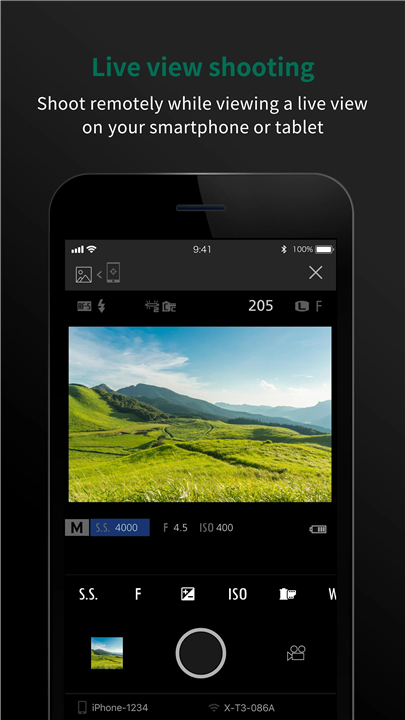
• The FUJIFILM Camera Remote app brings your photography to life by turning your smartphone or tablet into a powerful companion for your FUJIFILM camera.
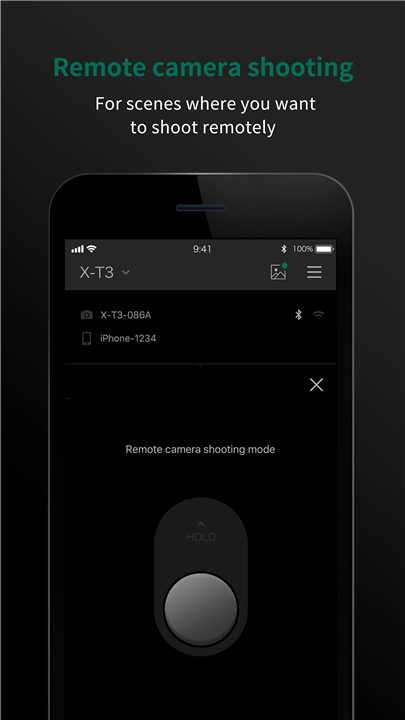
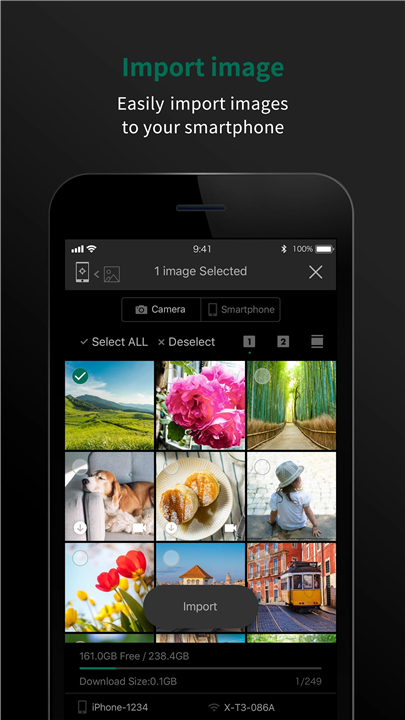
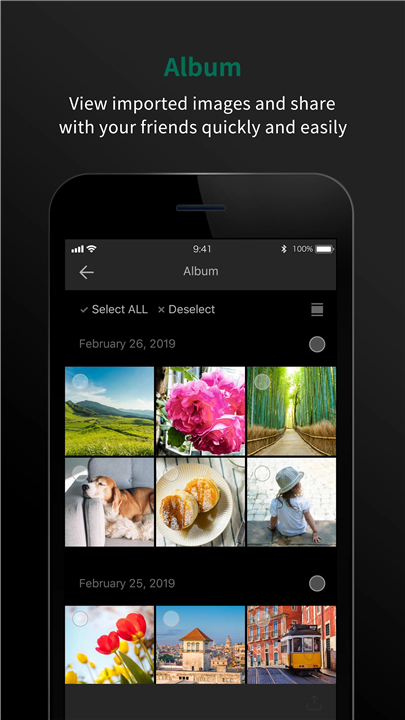
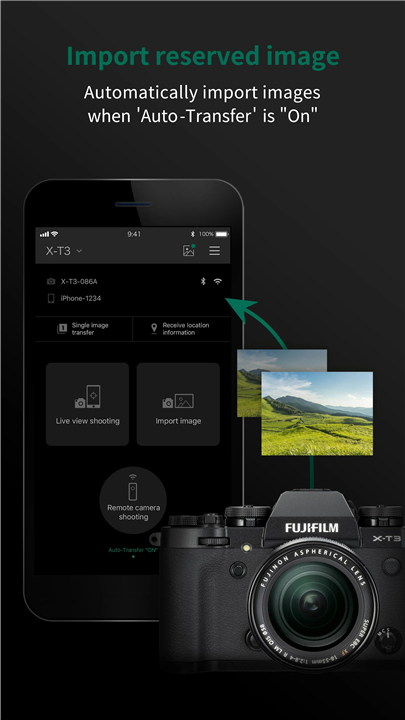
• With this intuitive application, you can wirelessly control your camera, capture images remotely, browse or download photographs and videos, and seamlessly share them across your devices.
• For cameras with Bluetooth® capability, the app takes connectivity even further—automatically syncing date, time, and location data between your camera and smart device.
• Firmware updates can also be performed directly from your phone or tablet, removing the need for an SD card.
For Android 6.0 Users and Later
If you’re using Android 6.0 or newer, please ensure that Location Services are enabled both on your device and within the app.
• To activate:
1. Go to Settings > Location to turn on location services for your device.
2. Then, go to Settings > Apps > Camera Remote > Permissions > Location to enable it for the application.
(Note: If location settings are turned off, your smartphone may not connect properly to your camera.)
For more details, visit the FAQ:
http://digital-cameras.support.fujifilm.com/app/answers/detail/a_id/19483/kw/Android
Key Features
The application offers a range of creative and practical tools:
1. Transfer Media – Move images and videos from your camera to your smartphone with ease.
2. Remote Browse – View your camera’s gallery directly on your mobile device.
3. Location Data Download – Sync GPS information for accurate geotagging.
4. Wireless Remote Capture – Control your camera’s shutter from your phone.*
5. Quick Bluetooth Transfers – Effortlessly send your newest images to your device.
6. Auto Synchronization – Keep your camera’s date, time, and location data current.
7. Firmware Updates via Bluetooth – Update your camera seamlessly from your smartphone.
8. Bluetooth Remote Shutter Release – Capture shots with precision and no cables.
Camera models may vary in how specific features are enabled.
Supported Cameras
• Supports functions 1–8:
+ GFX100 II, GFX100, GFX100S, GFX50S II, GFX50R, X-H2S, X-H2, X-H1, X-Pro3, X-T5, X-T4, X-T3, X-T30 II, X-T30, X-T200, X-S10, X-E4, X-E3, X100VI, X100V, X-A7, XF10
• Supports functions 1–6, 8:
+ FinePix XP140
• Supports functions 1–6:
+ X-T100, X-A5, FinePix XP130
• Supports functions 1–4:
+ GFX50S, X-Pro2, X-T2, X-T1, X-T20, X-T10, X-E2S, X-E2 (firmware 3.00+), X70, X30, X100F, X100T, X-A10, X-A3, FinePix XP120, XP90, XP80, S9950W, S9900W
• Supports functions 1–3:
+ X-E2 (firmware 1.00–2.10), XQ2, XQ1, X-A2, X-A1, X-M1
System Requirements
• Compatible devices: Android smartphones/tablets
• Supported OS: Android 5.0 – 11
(Functionality may vary depending on device model and environment.)
Contacting Support
• How to use "Send Email to Us":
1. When the email window opens, simply press Send without editing the title or message.
2. A link to our Contact Us webpage will be delivered to your inbox.
3. Submit your questions or feedback through that website.
Important Note
• Always use the latest camera firmware for the best experience with the FUJIFILM Camera Remote app.
• Visit the FUJIFILM website for instructions and downloads:
+ http://www.fujifilm.com/support/digital_cameras/software/
• For detailed usage instructions and additional support, please explore:
+ http://app.fujifilm-dsc.com/en/camera_remote/index.html
Capture. Connect. Create.
• With FUJIFILM Camera Remote, your creativity travels wherever you do.
FAQ
Q: How do I connect my camera to the FUJIFILM Camera Remote app?
A: To connect, enable your camera’s wireless (Wi‑Fi or Bluetooth) function and open the Camera Remote app on your phone. Select your camera model when prompted and follow the on‑screen pairing instructions. For Bluetooth-enabled models, you’ll also be asked to confirm pairing on both your camera and device.
Q: Why does the app ask for access to my location on Android?
A: For Android 6.0 and later, Location Services must be on for the app to find and connect to your camera via Bluetooth or Wi‑Fi. This is a requirement of the Android system and ensures a stable connection. Be sure to turn on both your device’s location and the app’s location permission.
Q: Can I use the app if my phone doesn’t have Bluetooth?
A: Yes, you can still use the app’s Wi‑Fi features. You’ll be able to browse, transfer, and remotely capture photos, but Bluetooth‑specific features like automatic date/time sync, quick transfers, and Bluetooth shutter release will not be available.
Version History
v4.10.1(Build:4.10.1.0)——20 Oct 2025
The FUJIFILM Camera Remote can operate wireless-equipped cameras remotely Download the latest version of FUJIFILM Camera Remote to enjoy new features and updates immediately!
*4.10.2(Build:4.10.2.0)
Minor bug fixes and improvements. Install or update to the newest version to check it out!
*4.10.1(Build:4.10.1.0)
Application now supports cameras with firmware that enhances network security during wireless connection.
Some minor application bugs are fixed.
*4.10.0(Build:4.10.0.5)
Application now supports cameras with firmware that enhances network security during wireless connection.









Ratings and reviews
There are no reviews yet. Be the first one to write one.