

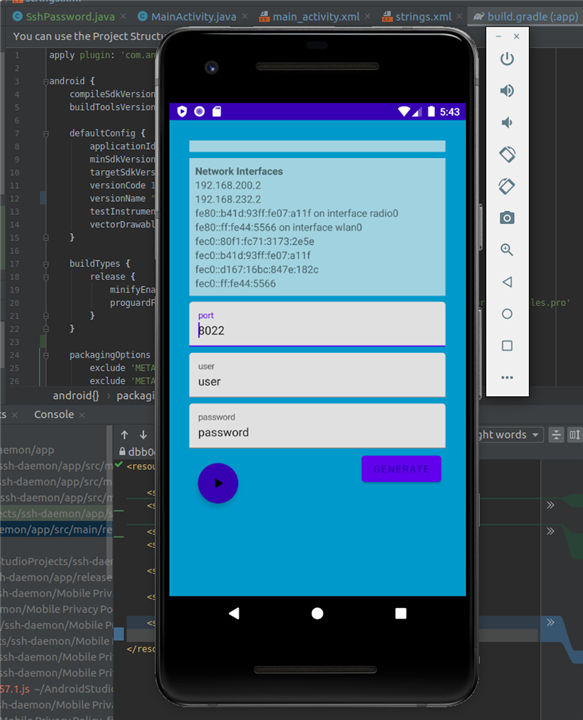
SshDaemon
Wire‑Free File Transfer Made Simple
• Effortless wireless syncing – Move files between your smartphone and PC without cables or complicated setup.
• Zero‑root required – Works straight out of the box on any Android device, no special permissions needed.
• Full desktop control – Browse, back up, and organise your phone’s storage from the comfort of your computer’s UI.
Seamless Desktop Compatibility
• Works with the tools you already trust – Connect using any standard SFTP/SSH client such as FileZilla, WinSCP, or Cyberduck.
• No extra software or drivers – Forget proprietary apps; SshDaemon talks the same language as your existing workflow.
• Cross‑platform ready – Compatible with Windows, macOS, and Linux through ordinary network protocols.
Faster, Smarter Performance
• Revamped networking engine – Delivers noticeably higher transfer speeds in the newest release.
• Built for heavy loads – Handles large media files and big folders with efficiency, cutting down transfer times dramatically.
Reliable, Continuous Operation
• Runs as a foreground service – Keeps an active socket open so the connection never drops.
• Prevents Android sleep mode – The app stays awake during long transfers, guaranteeing uninterrupted data flow.
• Ideal for big jobs – Large files that take minutes or hours to move complete without hiccups.
Take control of your mobile data
• With SshDaemon you get a powerful, hassle‑free bridge between your phone and computer—no roots, no extra apps, just seamless, speedy transfers wherever you work.
FAQ
Q: Does using SshDaemon require me to root my Android phone?
A: Not at all, and that is one of the most convenient features of the app. It was built to work right out of the box on standard Android devices, so you can enjoy full file access and high-speed transfers without compromising your device's security or voiding your warranty through rooting.
Q: Which desktop applications can I use to connect to my phone?
A: Since SshDaemon uses standard protocols, you have a wealth of options available. You can use any popular SFTP or SSH client that you are already comfortable with, such as FileZilla, WinSCP, or Cyberduck, which makes it very easy to integrate into your current digital workflow.
Q: Do I need to install any specific drivers or extra software on my computer?
A: No, you do not need to install any proprietary drivers or special manufacturer apps on your PC to get things moving. Because the app communicates using standard network protocols, any operating system with a basic SFTP client can talk to your phone immediately.
Version History
v2.1.41——12 Aug 2026
Ssh Server for SSH/SFTP access Download the latest version of SshDaemon to enjoy new features and updates immediately!
*2.1.41
Minor bug fixes and improvements. Install or update to the newest version to check it out!
*2.1.40
Minor bug fixes and improvements. Install or update to the newest version to check it out!
*2.1.39
Minor bug fixes and improvements. Install or update to the newest version to check it out!











Ratings and reviews
There are no reviews yet. Be the first one to write one.