

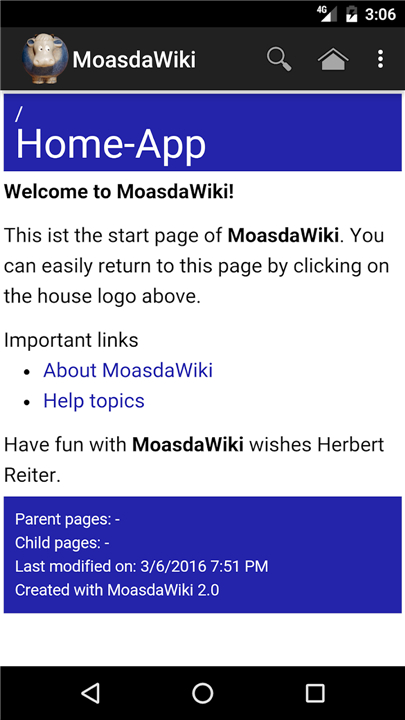
MoasdaWiki App
Discover the Freedom of Private Knowledge Management
• Take complete ownership of your personal knowledge with the MoasdaWiki App.
• Designed for privacy, speed, and effortless access, MoasdaWiki ensures your notes, plans, and ideas remain entirely under your control.
Core Benefits
1. Uncompromising Privacy:
• Enjoy true peace of mind.
• The app connects directly to your private local server with zero cloud tracking and no middleman.
2. Instant Full-Text Search:
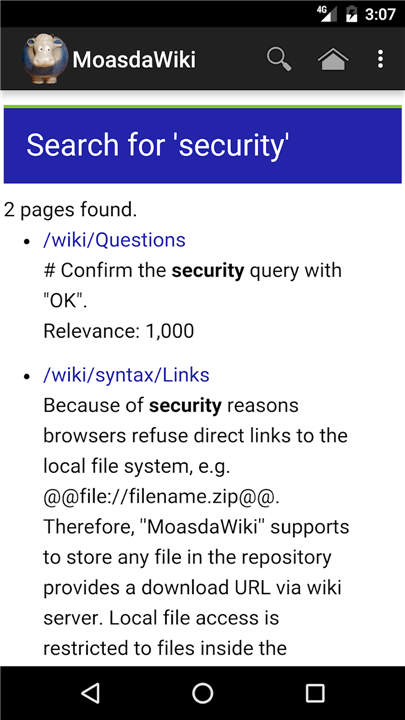
• Find what you need in seconds with powerful, high-speed searching across your entire knowledge base.
3. Integrated Calendar:
• Keep your schedule synchronized by displaying birthdays and key events directly in your mobile calendar.
4. Seamless Local Sync:
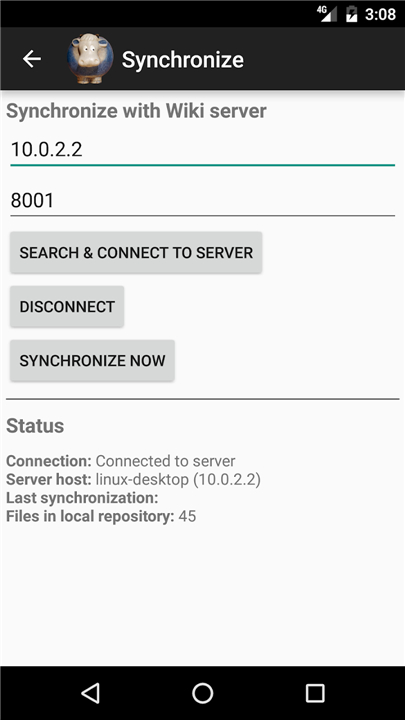
• Keep your device perfectly updated with a single tap.
Simple 5-Step Setup Guide
1. Install Your Server:
• Download the MoasdaWiki Server from moasdawiki.net and run it on your local network.
2. Allow Network Access:
• Open config.txt in your repository file, update the setting to authentication.onlylocalhost = false, and restart your server.
3. Configure the App:
• Open the app, tap the setup prompt, enter your server's IP address (for example, 192.168.1.101), and press OK.
4. Grant Access:
• On your desktop browser, open your server page, go to Help > Synchronization, find your mobile device, and click Grant.
5. Sync and Explore:
• Return to the app, tap the sync prompt, and instantly access your entire library.
Designed for Mobile Convenience
• Distraction-Free Viewing: Enjoy a clean, optimized reading experience tailored specifically for mobile devices.
• Centralized Editing: To ensure a smooth mobile experience without complex formatting hassle, all content updates are made easily through your primary server.
FAQ
Q: Does MoasdaWiki include any features to help manage my schedule?
A: The app includes an integrated calendar designed to keep your personal life synchronized with your notes. It can display important dates such as birthdays and key events directly within your mobile calendar. This integration ensures that your schedule is always visible alongside your personal knowledge, helping you stay organized without jumping between different applications.
Q: What is the MoasdaWiki Server and why is it necessary?
A: The MoasdaWiki Server is the backbone of the system and functions as the central repository for all your documents and data. You run this software on your own computer within your local network, and it acts as the source for your mobile app. Having a dedicated local server is what allows the system to remain private and independent of commercial cloud platforms.
Q: Where can I find the server software to begin my setup?
A: You can easily download the MoasdaWiki Server by visiting the official website at moasdawiki.net. Once you have downloaded the files, you can run it on your local network to begin building your repository. This server software is the first step in creating your own private knowledge management ecosystem.
Version History
v3.9.7.1——10 Aug 2026
Take control of your notes with the MoasdaWiki App. Secure, offline private knowledge management with instant search and local sync. Download the latest version of Metiq: noise & ambient sounds to enjoy new features and updates immediately!
*3.9.7.1
Minor bug fixes and improvements. Install or update to the newest version to check it out!
*3.9.7.0
Minor bug fixes and improvements. Install or update to the newest version to check it out!
*3.9.5.1
Minor bug fixes and improvements. Install or update to the newest version to check it out!











Ratings and reviews
There are no reviews yet. Be the first one to write one.