

SSHBorg - SSH client & SFTP APK
1.12.1
SSHBorg - SSH client & SFTP
SSHBorg - SSH client & SFTP APK
Download for Android
SSHBorg - SSH client & SFTP
Overview
• SSHBorg is a comprehensive mobile solution designed for system administrators and developers who require secure, remote access to servers via Android devices.
• It combines a robust command-line interface with a sophisticated file management system to provide a desktop-class experience on the go.
Terminal and Session Control
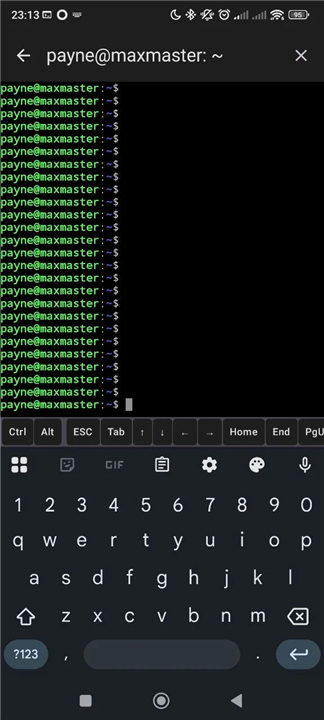
• Includes a professional terminal emulator supporting VT100 and xterm standards for command execution.
• Full UTF-8 character encoding ensures compatibility with international scripts and specialized symbols.
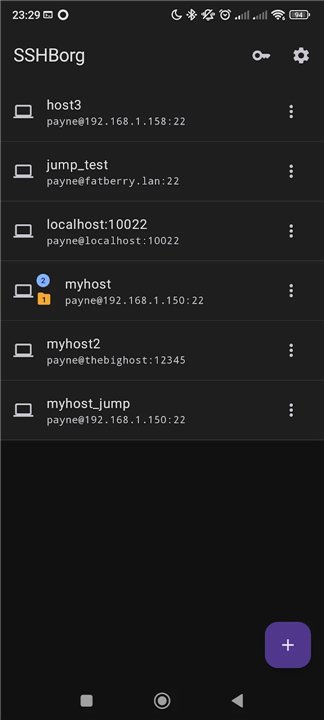
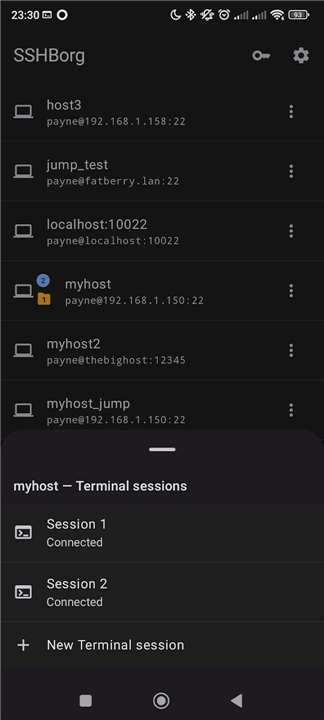
• Users can maintain and switch between several concurrent SSH and SFTP sessions without losing progress.
Advanced SFTP Capabilities
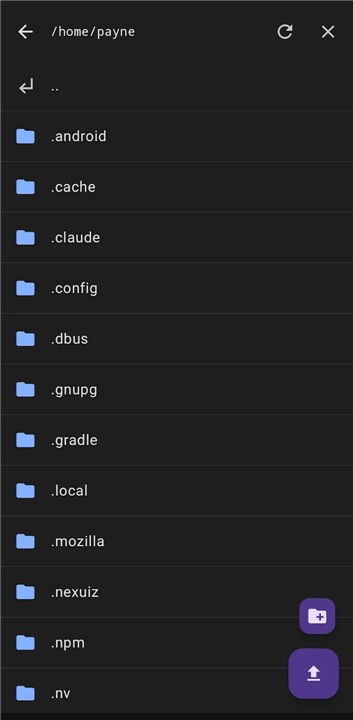
• Integrated file manager allows for seamless navigation of remote directory structures.
• Supports essential remote operations including uploading, downloading, renaming, and deleting files.
• Provides an intuitive graphical interface that simplifies complex server-side file manipulations.
Network and Authentication
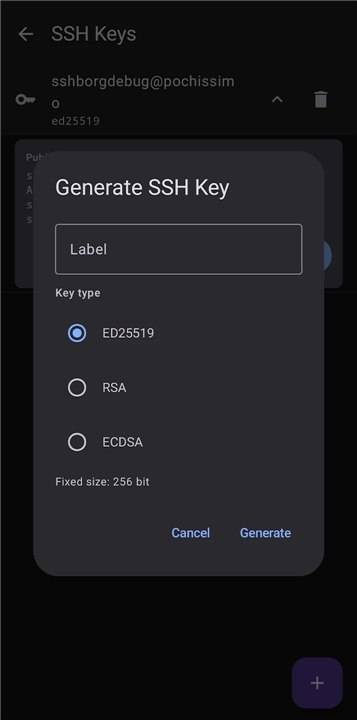
• Generate secure Ed25519, ECDSA, and RSA keys directly within the application to eliminate password dependency.
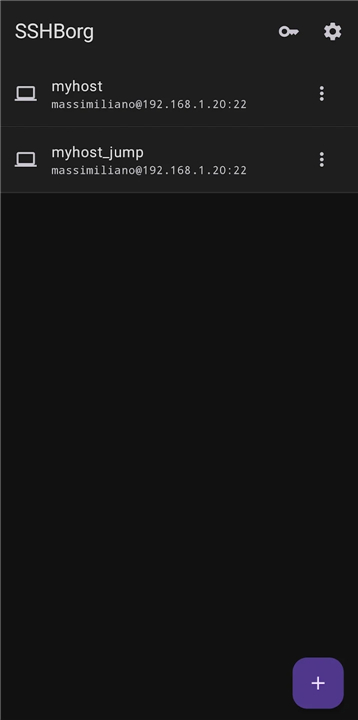
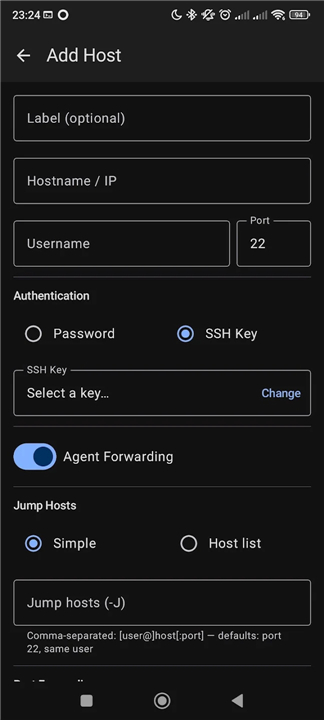
• Supports complex network topologies through multi-hop jump hosts and bastion servers.
• Includes transparent tunneling and full SSH agent forwarding for streamlined professional workflows.
Privacy and Security Architecture
• All data is protected using Android Keystore encryption, ensuring credentials and keys never leave the physical device.
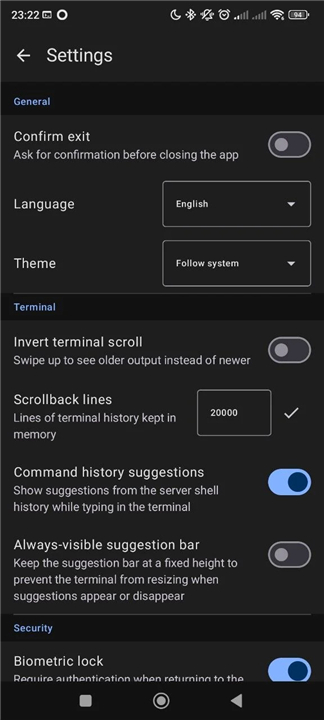
• Integrated biometric authentication supports fingerprint and facial recognition with configurable lock timeouts.
• The application is fully open-source under the GPL v3 license, permitting public auditing of the codebase.
• Contains no advertisements, no tracking scripts, no third-party SDKs, and no cloud-based data storage.
Customization and Accessibility
• Dynamic light and dark themes adapt to system preferences or manual user selection for high readability.
• Fully localized into ten languages including English, Italian, French, German, Spanish, Portuguese, Ukrainian, Russian, Chinese, and Japanese.
FAQ
Q: Which terminal standards and character encodings does SSHBorg support?
A: The built-in terminal emulator fully supports both VT100 and xterm standards, ensuring your terminal applications render correctly. It also features full UTF-8 character encoding, so you can easily work with international scripts, special symbols, and custom terminal graphics without any formatting glitches.
Q: Can I run multiple SSH and SFTP sessions at the same time?
A: Yes, absolutely! SSHBorg lets you open, maintain, and switch between multiple concurrent SSH and SFTP sessions seamlessly. You can jump back and forth between different server connections and active tasks without losing your current command progress.
Q: How does the integrated SFTP file manager work?
A: The app features an intuitive graphical file manager that lets you navigate remote directory structures effortlessly. You can perform all essential remote file operations, including uploading local files, downloading remote assets, renaming items, and deleting unwanted files directly through a user-friendly touch interface.
Version History
v1.12.1——11 Aug 2026
SSH & SFTP client for cyborgs and Android. No ads, no tracking, no cloud. Download the latest version of SSHBorg - SSH client & SFTP to enjoy new features and updates immediately!
*1.12.1
- Improved terminal text selection near the top/bottom edges
- Fixed a stuck grey privacy overlay (cover on onStop, not onPause)
- SFTP: drop overlapping directory navigations to avoid connection drops
- Download-complete notification is tappable (opens the file, or Downloads)
- Destination path shown in the notification and during the in-app download
*1.12.0
• New app-lock options: biometric, device PIN/pattern, or none — usable on Android TV
• Terminal now renders Nerd Font / Powerline glyphs (e.g. Starship prompts)
• Backups remember each host's key by name
• Paste added to the terminal selection popup
• Arrow keys and PgUp/PgDn in the key bar now auto-repeat when held
*1.11.1
- Replaced corrupt Roboto Condensed font files (were GitHub 404 HTML) with genuine TTFs
- Fixed command suggestions not appearing after switching session tabs











Ratings and reviews
There are no reviews yet. Be the first one to write one.